FOIA Request Fax Service — Send Public Records Requests Online
Send Freedom of Information Act (FOIA) and public records requests to government agencies without a fax machine. No account or subscription—just upload your request, enter the agency's fax number, and pay only if delivery succeeds.
When Faxing Your FOIA Request Makes Sense
Many government agencies still accept or prefer FOIA and public records requests by fax, especially when:
- Their FOIA office relies on legacy systems or paper workflows
- Their website lists a dedicated FOIA fax number
- You're working with smaller local agencies that don't have online portals
- You want a fax transmission record in addition to email or mail
- You're facing a time-sensitive request and want same-day submission confirmation
Common FOIA/public records requests people send via fax:
Important: Always check the agency's FOIA/public records page first to confirm they accept faxed requests and to get the correct fax number.
Before You Fax Your FOIA Request
To avoid delays, run through this quick checklist:
Confirm fax is accepted
- • Visit the agency's FOIA or public records page
- • Look for a fax number and any specific instructions
Double-check the fax number
- • Make sure you have the correct FOIA fax number, not a general office line
- • If unsure, call the agency and ask them to confirm
Include all required details
- • Your name and contact information
- • A clear description of the records you're requesting
- • Any date ranges, case numbers, or identifiers
- • Your preferred delivery method for the response
Keep a copy of your request
- • Save your request text or PDF
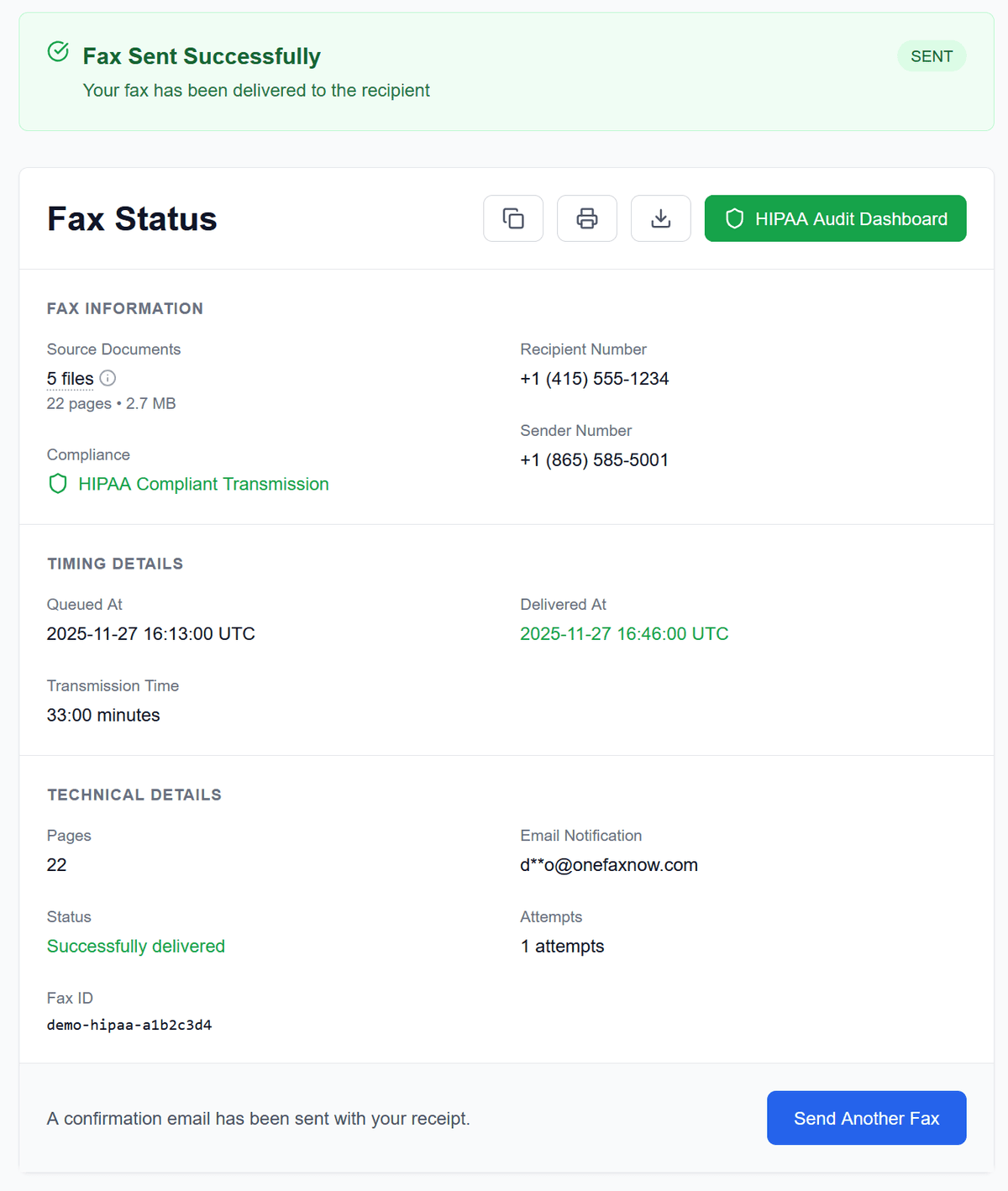
- • You'll receive a fax status page and email confirmation from OneFaxNow when delivery completes
Note: OneFaxNow is a fax delivery service, not a law firm. This page is not legal advice. Always follow the agency's official FOIA instructions.
How to Fax Your FOIA Request with OneFaxNow
Prepare your FOIA request
- • Write your request in a document editor or use the agency's form
- • Export or scan to a legible PDF, or upload as DOCX, TXT, JPG/JPEG, PNG, or TIF/TIFF
- • Make sure all pages and signatures are clear
Upload your document
- • Go to Pay-Per-Fax and upload your FOIA request file(s)
- • Multiple pages merge into a single fax in your order
- • Limits: up to 20 MB per file and 50 pages total
Add a cover page (recommended)
Include a cover page with your name and contact info, the agency name and FOIA office, and "FOIA Request" in the subject line. OneFaxNow can generate one for you, or upload your own.
Enter the agency's fax number
Enter the U.S. or Canada fax number listed on the agency's FOIA page. We automatically format the number for you.
Pay only if delivery succeeds
Pricing starts at $3.50 for 1–10 pages and $5.00 for 11–50 pages.
We authorize at checkout and capture only if delivery succeeds. If all retries fail, you pay $0.
Track your FOIA fax in real time
Watch live progress on your Fax Status page. If the agency's line is busy, we retry up to 3 times. You'll receive email confirmation when delivered.
Why Use OneFaxNow for FOIA & Public Records Faxing?
No account or subscription
Send a one-time FOIA fax without creating an account. No monthly plans, no recurring charges.
Pay only on successful delivery
Your card (or Apple Pay/Google Pay) is authorized at checkout. If delivery fails after retries, you're never charged.
Real-time tracking & email confirmation
See each step of the fax transmission in real time. Receive an email confirmation when your FOIA request is delivered.
Automatic retries for busy lines
If the agency's fax line is busy or unavailable, OneFaxNow automatically retries up to 3 times. You can follow each attempt on your status page.
Secure handling of documents
Documents are transmitted over encrypted channels. Files are kept only as long as needed to complete delivery and then deleted according to our retention policies.
Simple, Pay-Per-Fax Pricing for FOIA Requests
Most FOIA requests fit into our standard pricing tiers.
Lite FOIA Fax
1–10 pages
Ideal for short FOIA letters or simple forms
Standard FOIA Fax
11–50 pages
For longer requests and supporting materials
- U.S. & Canada fax numbers only
- Cover page counts toward total page count
- Pay only on successful delivery
FOIA Fax Questions
Which agencies accept FOIA requests by fax?
Many federal, state, and local agencies list fax as a valid submission method for FOIA or public records requests. Always check the agency's FOIA/public records page or contact them directly to confirm their preferred submission methods and to get the correct fax number.
Do you handle FOIA requests on my behalf?
No. OneFaxNow is a fax delivery service. You write your FOIA/public records request, choose the agency and fax number, and we handle the transmission and delivery tracking. The agency will respond directly to you at the contact information you include in your request.
Do I need to include a cover page?
It's usually a good idea. A cover page can clearly label your request as "FOIA Request" or "Public Records Request" and list your contact info and reference details. OneFaxNow can generate a simple cover page for you during the send process, or you can upload your own.
What if the agency's fax line is busy?
OneFaxNow automatically retries your fax up to three times if the line is busy or temporarily unavailable. You'll see each attempt and its status on your Fax Status page. If all attempts fail, you pay $0 and can try again later.
How long do you keep my FOIA request?
We retain your files only as long as needed to complete the fax transmission, according to our retention policies, and then delete them. We keep delivery status and receipt information so you have a record of when your FOIA fax was sent and delivered.
Can I use HIPAA Mode for FOIA?
Most FOIA/public records requests don't include PHI, but if your request or attachments contain medical information or other PHI, you can enable HIPAA Mode for stricter handling and compliance features. For typical FOIA requests about non-medical records, Standard Pay-Per-Fax is usually sufficient.
Ready to Fax Your FOIA Request?
Upload your FOIA or public records request, enter the agency's fax number, and send—no fax machine, no subscription, and no account required.