What's the Social Security Fax Number? Find Your Local SSA Office, Then Fax
There's no single nationwide SSA fax number — each local office has its own (usually 833 or 844). Use the SSA Office Locator or check your SSA letterhead, then fax SS-5 forms, disability applications, or appeals online for $3.50, paid only on delivery.
When to Fax Documents to Social Security
The Social Security Administration accepts faxed forms and documents at local offices across the country. Faxing makes sense when:
- You need to submit forms quickly and want same-day delivery confirmation
- You're facing a deadline for an appeal or reconsideration request
- The SSA phone lines have long wait times (often 60+ minutes)
- You don't have a fax machine but need to send documents to your local SSA office
- You want a transmission record proving when documents were delivered
Common documents people fax to Social Security:
Important: There is no single national SSA fax number. Each local Social Security office has its own fax number. Use the SSA Office Locator at ssa.gov/locator to find the correct fax number for your local office, or check the letter you received from SSA.
Before You Fax to Social Security
To ensure your documents reach the right place, complete this quick checklist:
Find your local SSA office fax number
- • Visit ssa.gov/locator and enter your ZIP code
- • The fax number is usually a toll-free 833 or 844 number
- • If you have a letter from SSA, the fax number may be printed on it
For disability cases: include the barcode letter
- • If SSA or your state's Disability Determination Services (DDS) sent you a letter with a barcode, make it the first page of your fax
- • The barcode links your documents to your case file automatically
Complete all required forms
- • Download forms from ssa.gov/forms
- • Fill in all required fields completely
- • Sign and date where indicated
Note deadlines for appeals
- • Reconsideration requests (SSA-561) must be filed within 60 days of denial notice
- • SSA assumes you receive notices 5 days after the date on the letter
- • Keep your fax confirmation as proof of timely submission
Note: OneFaxNow is a fax delivery service, not affiliated with the Social Security Administration. This page provides guidance on faxing to SSA but is not legal or benefits advice. Always follow SSA's official instructions.
How to Fax Documents to Social Security with OneFaxNow
Prepare your SSA documents
- • Download and complete any required SSA forms from ssa.gov/forms
- • Save as PDF, or upload as DOCX, TXT, JPG/JPEG, PNG, or TIF/TIFF
- • If you have a barcode letter for disability cases, scan it to include as the first page
Upload your documents
- • Go to Pay-Per-Fax and upload your SSA forms and supporting documents
- • Multiple files merge into a single fax in your preferred order
- • Limits: up to 20 MB per file and 50 pages total
Add a cover page (recommended)
Include your name, contact information, and Social Security number. Reference the form type (e.g., "SS-5 Name Change" or "SSA-561 Reconsideration"). OneFaxNow can generate a cover page, or upload your own.
Enter your local SSA office fax number
Enter the fax number from ssa.gov/locator or your SSA correspondence. We accept U.S. and Canada fax numbers. Double-check the number—each SSA office has a different fax line.
Pay only if delivery succeeds
Pricing: $3.50 for 1–10 pages and $5.00 for 11–50 pages.
Your card is authorized at checkout. We capture payment only after successful delivery—if all retries fail, you pay $0.
Track your SSA fax in real time
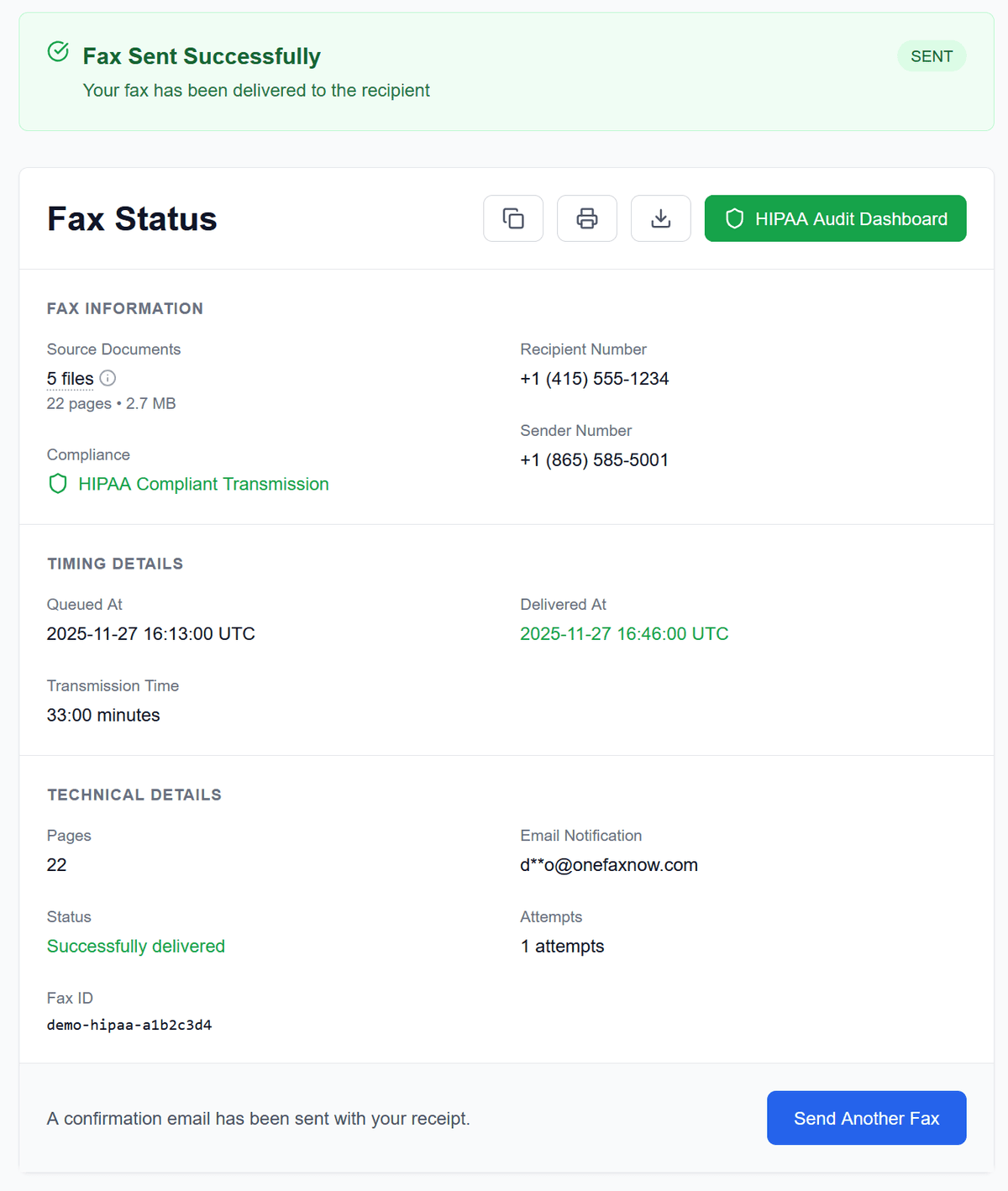
Watch live progress on your Fax Status page. If the line is busy, we retry up to 3 times automatically. Receive email confirmation when your documents are delivered.
Why Use OneFaxNow for Social Security Faxing?
No account or subscription
Send a one-time fax to your local SSA office without creating an account. No monthly plans, no recurring charges.
Pay only on successful delivery
Your card is authorized at checkout. If delivery fails after retries, you're never charged. Pay $0 for failed faxes.
Real-time tracking & email confirmation
See each step of the transmission in real time. Receive email confirmation when your SSA documents are delivered—proof for deadline-sensitive appeals.
Automatic retries for busy lines
Government fax lines can be busy. OneFaxNow automatically retries up to 3 times. Track each attempt on your status page.
Secure handling of sensitive documents
Documents are transmitted over encrypted channels. Files are deleted after delivery according to our retention policies. Your Social Security number stays protected.
Simple, Pay-Per-Fax Pricing for SSA Documents
Most Social Security forms fit into our standard pricing tiers.
Lite SSA Fax
1–10 pages
Ideal for SS-5 applications, single-form submissions, and short documents
Standard SSA Fax
11–50 pages
For disability reports, appeals with supporting records, and multi-form submissions
- U.S. & Canada fax numbers only
- Cover page counts toward total page count
- Pay only on successful delivery
Social Security Fax Questions
What is the fax number for Social Security?
There is no single national SSA fax number. Each local Social Security office has its own fax number, usually starting with 833 or 844. Use the SSA Office Locator at ssa.gov/locator to find your local office's fax number, or check the letter you received from SSA.
Can I fax my SS-5 application for a Social Security card?
Yes, you can fax Form SS-5 to your local Social Security office. However, original documents like birth certificates or passports must still be verified in person or mailed. The faxed application starts your request while you arrange document verification.
How do I fax documents for my disability claim?
Include the barcode letter from SSA or your state's Disability Determination Services (DDS) as the first page of your fax. This barcode links your documents to your case file. Fax to the number shown on the letter.
Can I fax my appeal (SSA-561 Request for Reconsideration)?
Yes. Complete Form SSA-561-U2 and fax it to your local Social Security office. You must file within 60 days of receiving your denial notice. Keep your fax confirmation as proof of timely submission.
Is it safe to fax my Social Security number?
Fax transmission is considered secure for sensitive information like Social Security numbers. OneFaxNow uses encrypted transmission and deletes files after delivery. The SSA confirms that faxing is secure under HIPAA rules.
What's the page limit for faxing to SSA?
The SSA requests that you don't fax more than 200 pages per submission. Most individual form submissions are well under this limit. OneFaxNow supports up to 50 pages per fax.
How do I know Social Security received my fax?
OneFaxNow provides delivery confirmation with date and time stamps. For deadline-sensitive submissions like appeals, keep this confirmation as proof. Consider calling SSA a few days later to verify receipt.
Ready to Fax Documents to Social Security?
Upload your SSA forms, enter your local office fax number, and send—no fax machine, no subscription, no account required.