Fax Prior Authorization Forms Online — HIPAA-Ready
Send prior authorization forms and supporting medical records to insurers and PBMs in minutes. No fax machine, no account, no subscription. Enable HIPAA Mode for PHI to get a HIPAA-compliant pipeline with instant BAA and full audit logs.
Fax Prior Authorization Forms Without a Fax Machine
Prior authorizations still move by fax for many insurers and pharmacy benefit managers. Whether you're a small clinic, specialist, behavioral health provider, or pharmacy, OneFaxNow lets you fax prior auth forms and supporting records online—without maintaining a fax line or buying a monthly fax subscription.
Common prior auth scenarios:
- PCPs and specialists faxing prior auth forms for medications, imaging, and procedures
- Behavioral health providers faxing treatment plans and progress notes
- Pharmacies faxing PA forms and documentation back to prescribers or insurers
- Clinics faxing supporting medical records for an appeal or reconsideration
- Small practices that only fax PAs occasionally but still need HIPAA-grade handling
Because prior auth packets almost always contain PHI, we recommend using HIPAA Mode for these faxes.
If the packet includes diagnoses, lab results, or treatment notes, treat it as PHI and use HIPAA Mode.
Prior Authorization Packets Almost Always Contain PHI
Prior authorization forms typically include information that qualifies as protected health information under HIPAA:
With HIPAA Mode enabled, OneFaxNow:
- Routes your fax through a HIPAA-compliant pipeline
- Uses encryption in transit and at rest while processed
- Generates a fully executed BAA at checkout for covered entities and business associates
- Provides a HIPAA Audit Dashboard with detailed, exportable logs
- Automatically deletes PHI files after completion with audit logging
For prior authorization forms and supporting records, HIPAA Mode is the default choice.
How to Fax Prior Authorization Forms with OneFaxNow
Assemble your prior auth packet
- • Fill out the insurer's prior auth form (PDF or scanned copy).
- • Attach required documents: progress notes, labs, imaging, medication history, and any appeal letter.
- • Make sure all pages are legible and in the correct order.
Upload your documents
- • Formats: PDF, DOCX, TXT, JPG/JPEG, PNG, TIF/TIFF
- • Up to 20 MB per file and 50 pages total
- • Upload multiple files; we merge them in your order
Tip: Upload the prior auth form first, then supporting documentation, so they fax in the correct order.
Enable HIPAA Mode
Toggle HIPAA Mode ON for prior auth packets (recommended). This gives you stricter PHI handling, a signed BAA, and access to the HIPAA Audit Dashboard.
Enter the insurer or PBM fax number
Enter the fax number provided on the prior auth form or payer portal. We support U.S. & Canada only. The number is auto-formatted as you type.
Pay only if delivery succeeds
Standard pricing from $3.50 (1–10 pages) or $5.00 (11–50 pages). HIPAA Mode adds $3 or $5.
We authorize at checkout and only capture payment if delivery succeeds.
Track status and download logs
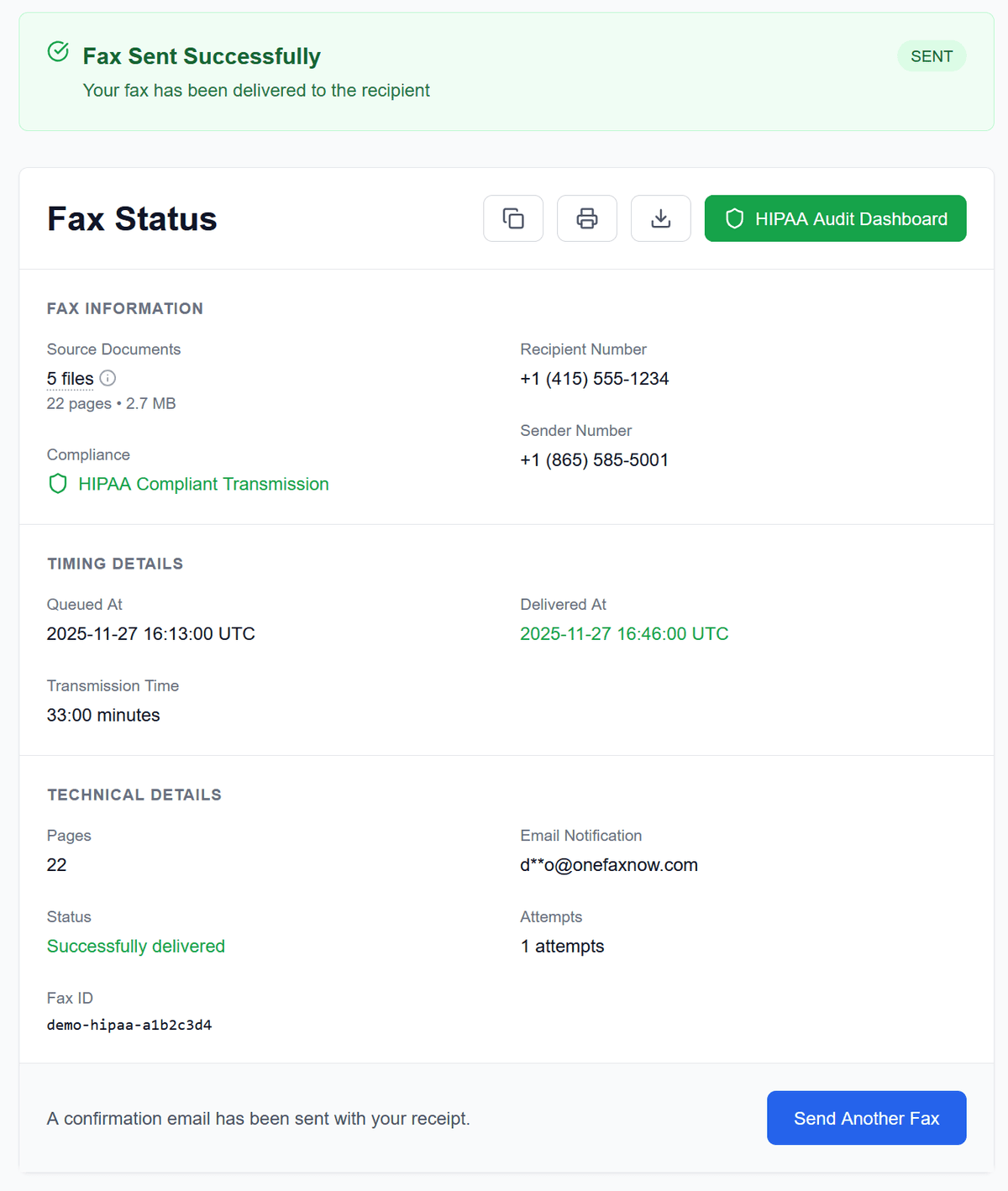
Watch real-time progress on your Fax Status page. If busy, we retry up to 3 times. In HIPAA Mode, access the HIPAA Audit Dashboard to download receipts and audit logs.
Built for Clinics, Pharmacies, and Prescribers
Small clinics & allied health
If you're a small practice or allied health clinic:
- Use HIPAA Mode for all prior auth packets with PHI.
- Get a BAA at checkout—no back-and-forth with sales or legal.
- Use the HIPAA Audit Dashboard to show payers or auditors when and how you sent your PA.
- Avoid monthly fax fees if you only fax prior auths occasionally.
Pharmacies & specialty pharmacies
If you're faxing PA requests or responses:
- Quickly fax PA forms, clinical notes, and clarifications back to providers or payers.
- Track exactly when a fax was delivered using the status page and audit logs.
- Use pay-per-fax instead of a dedicated fax subscription if your usage is bursty or low-volume.
Individual prescribers & telehealth
For prescribers working remotely or independently:
- Send prior auth packets from your laptop or tablet—no physical fax machine needed.
- Use HIPAA Mode to keep PHI compliant while still using a simple, one-time checkout.
- Keep your confirmation and logs as part of the patient's record.
Simple, Pay-Per-Fax Pricing for Prior Auth Packets
Most prior auth packets (form + notes + labs) fit within our standard tiers.
Standard Pay-Per-Fax (non-HIPAA)
Lite: 1–10 pages
Standard: 11–50 pages
- Pay only on successful delivery
- Suitable only if your packet contains no PHI (uncommon for PAs)
HIPAA Mode
RecommendedLite HIPAA Fax: 1–10 pages
Standard HIPAA Fax: 11–50 pages
- Pay only on successful delivery
- Instant BAA, HIPAA Audit Dashboard, PHI deletion
Cover pages count toward the total page count. Full details on Pricing and HIPAA Fax.
Reliable Delivery for Time-Sensitive Prior Auths
When a prior auth is holding up treatment, you need to know the fax actually went through.
Real-time status tracking
Watch the PA fax send in real time on your status page. See when the connection starts, pages transmit, and delivery completes.
Automatic retries on busy lines
If the payer's fax line is busy or temporarily unavailable, we automatically retry up to 3 times. You'll see the retry attempts and timing on your status page.
Zero-risk billing
Your card is authorized at checkout but only charged if delivery succeeds. If all retries fail, the authorization is released and you're not charged.
Proof for your records
Keep the email confirmation, status page details, and (in HIPAA Mode) audit logs as proof that you submitted the prior auth.
Security & Compliance for Prior Authorization Faxing
For prior auths, you often need to demonstrate not just that you sent a fax, but that you handled PHI correctly.
Instant BAA
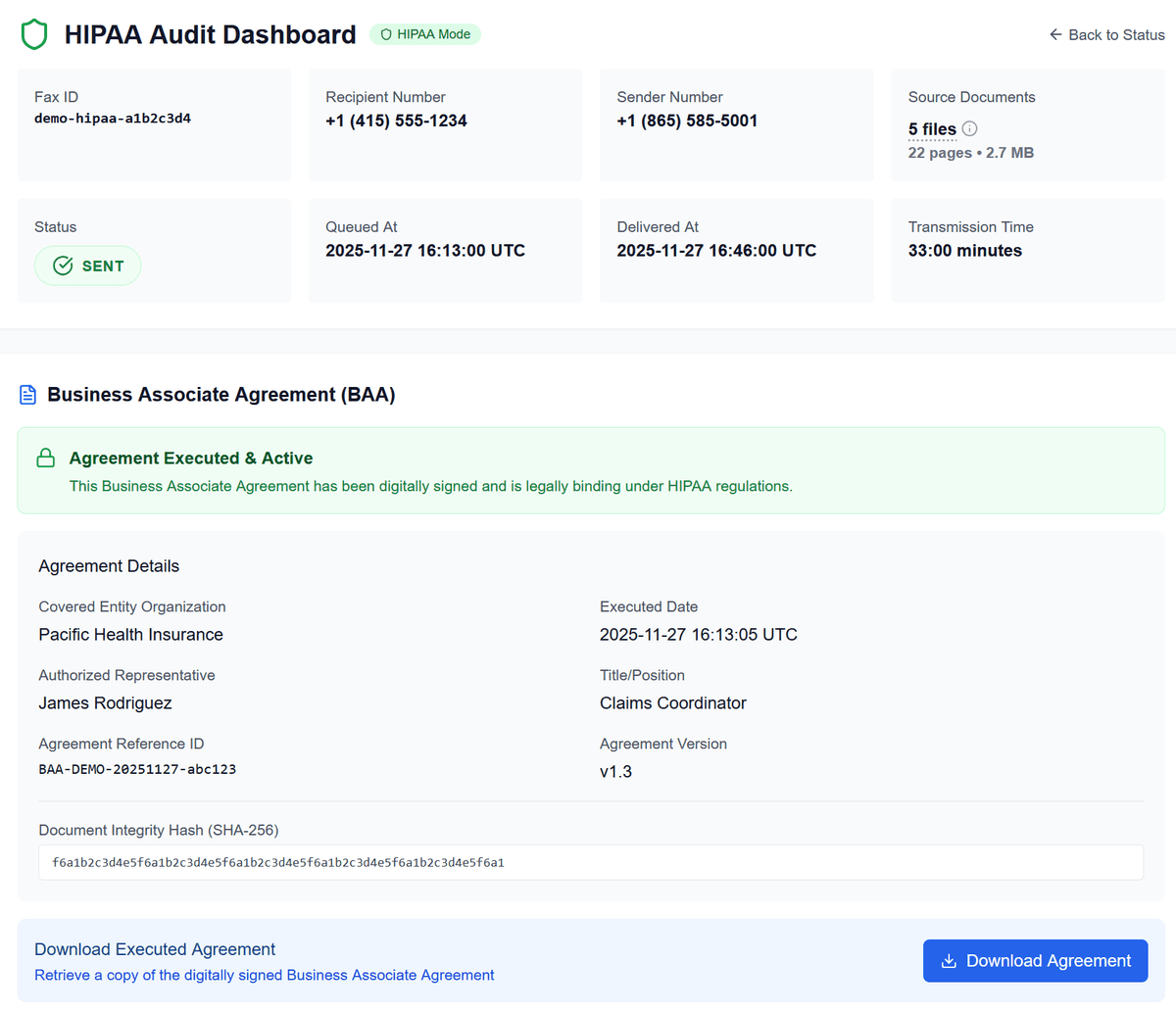
Generate and download a fully executed Business Associate Agreement at checkout. No extra paperwork or separate onboarding process.
HIPAA Audit Dashboard
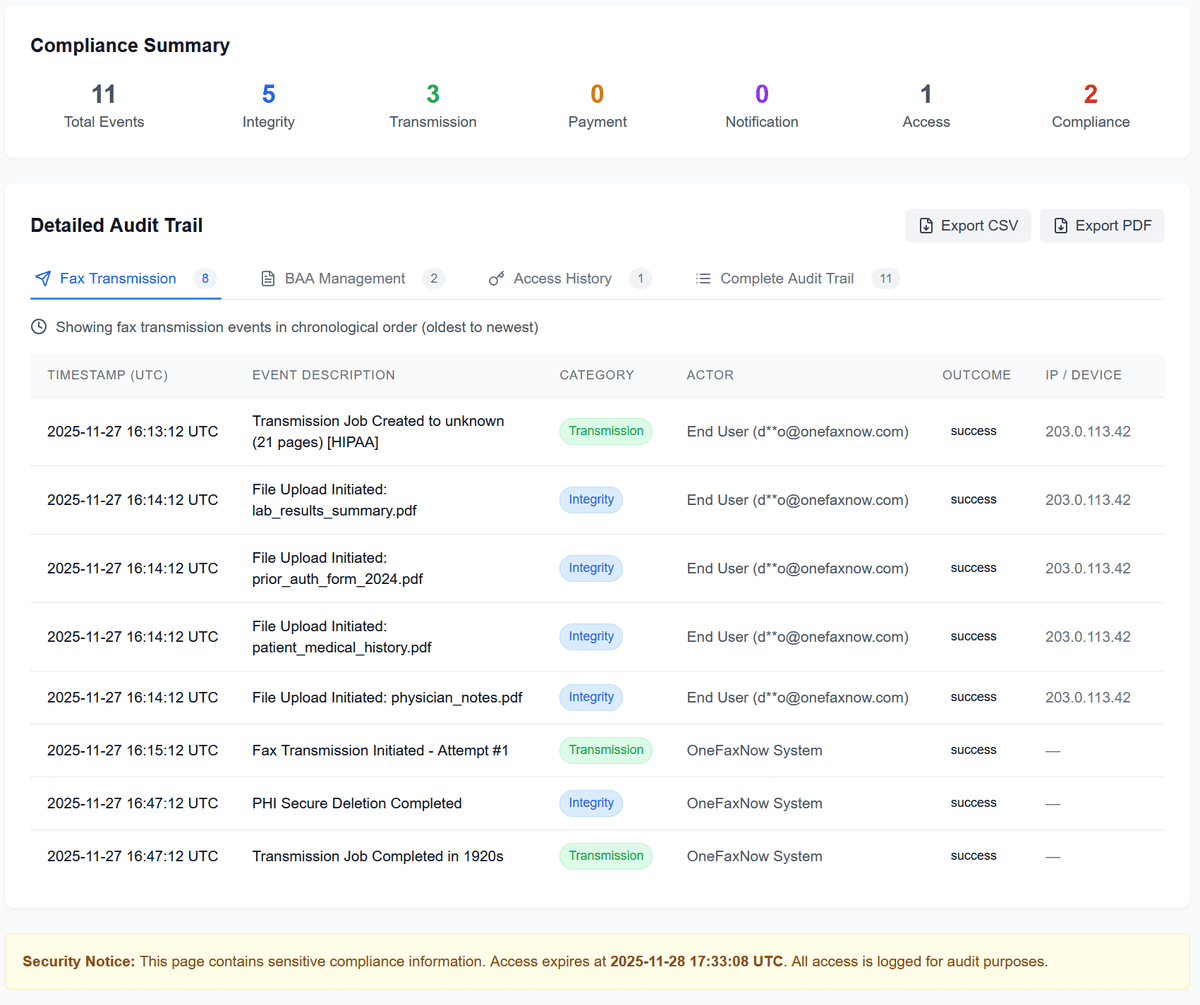
View every event associated with a HIPAA fax: when it was created, sent, retried, and completed. Export logs as CSV or PDF for your compliance files or payer audits.
Encrypted transmission & secure deletion
Documents are encrypted in transit and at rest while processed. PHI files are automatically deleted after completion with immutable log entries.
No account needed
Access the dashboard via secure, time-limited links sent to your email—no usernames or passwords to manage.
Frequently Asked Questions About Faxing Prior Authorizations
Should I always use HIPAA Mode for prior auths?
Yes. Prior auth packets almost always contain PHI (diagnoses, treatment plans, medications, etc.). For compliance and documentation, you should use HIPAA Mode for prior auth faxing.
Do I get a BAA for prior auth faxing?
Yes. When HIPAA Mode is enabled, a Business Associate Agreement is generated and executed electronically during checkout. You can download it alongside your receipt and audit logs.
Can I include progress notes, labs, and imaging reports in the same fax?
Yes. Upload the prior auth form plus any supporting documentation (progress notes, labs, imaging reports). We merge them into a single fax in the order you upload them, up to 50 pages total.
What happens if the payer's fax line is busy or fails?
OneFaxNow automatically retries up to three times if the line is busy or temporarily unavailable. You'll see each attempt on your Fax Status page. If delivery ultimately fails after retries, your payment authorization is released and you are not charged.
How do I prove to the payer that we sent the prior auth?
You'll receive email confirmations and a status page showing the final outcome. In HIPAA Mode, the HIPAA Audit Dashboard provides additional logs and exports that can be used as proof of submission.
Do I need an account to send prior auths?
No. OneFaxNow is designed for one-time faxes without accounts or subscriptions. You simply upload your documents, enable HIPAA Mode, enter the fax number, and pay.
Ready to Fax a Prior Authorization?
Upload your prior auth form and supporting records, enable HIPAA Mode for PHI, and send securely to any U.S. or Canada fax number—no fax machine or subscription required.