How to Fax from Your iPhone — No App, No Fax Machine
Open Safari on your iPhone, upload a PDF or photo, enter the fax number, and pay $3.50. No app download, no fax machine, no account needed — delivered in minutes.
What you'll need
iPhone
Any model with Safari
Document
PDF, photo, DOCX, or TXT
Fax number
U.S. or Canada number
Payment
Card, Apple Pay, or Google Pay
Step-by-step guide
Open OneFaxNow on your iPhone
Open Safari and go to OneFaxNow.com. You can also download the OneFaxNow app from the App Store. Both work the same way — the app adds a built-in document scanner.
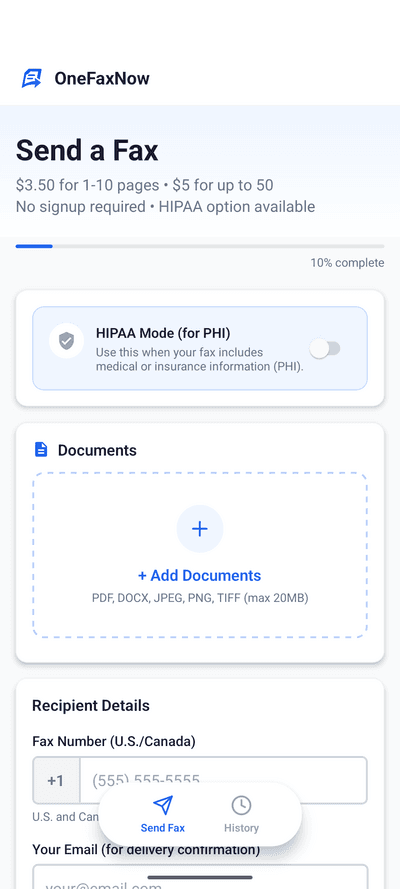
Tap "Send a Fax" to open the fax form. No account creation, no sign-up — you go straight to uploading.
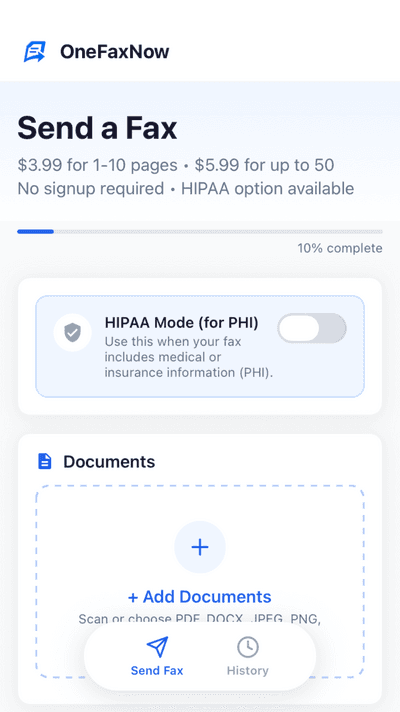
Add your document
Tap "Choose Files" to upload from your iPhone. You can select:
- PDF — from Files, email attachments, or iCloud Drive
- Photo — JPG or PNG from your camera roll
- DOCX / TXT — Word documents or plain text
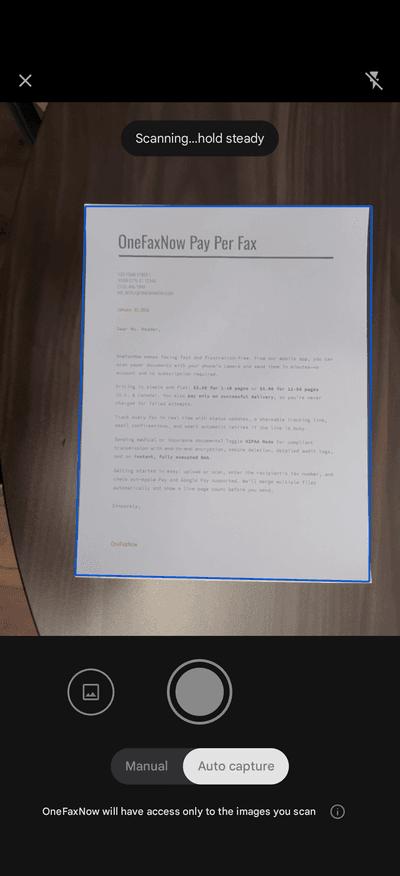
Using the app? Tap the camera icon to scan a paper document — it auto-straightens and enhances the image for fax quality.
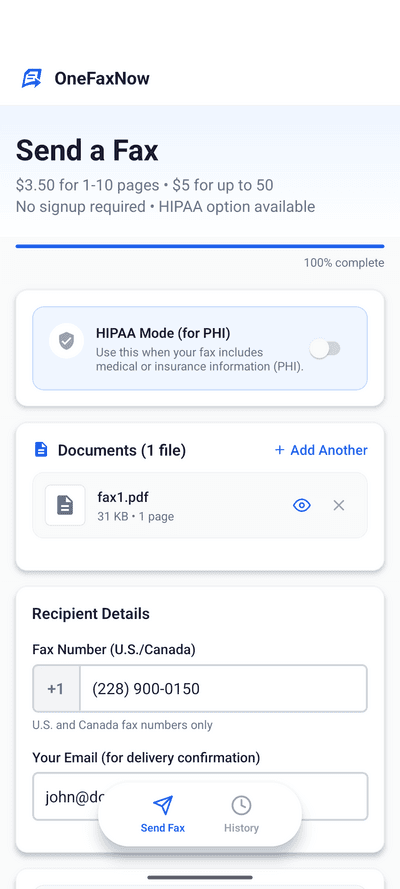
Enter the fax number and your email
Type the recipient's U.S. or Canada fax number. The form auto-formats as you type — just enter the digits.
Enter your email address to receive a delivery confirmation when the fax goes through.
Optional: toggle "Add Cover Page" to include sender/recipient details and a message on the first page of your fax.
Pay and send
Review your fax details — number, email, page count, and price — then tap "Pay & Send".
Pay with Apple Pay for the fastest checkout, or use a credit/debit card. Your payment is authorized but not charged until the fax is delivered successfully.
Pay-on-success guarantee: If the fax fails after 3 automatic retries, the authorization is released and you're never charged.
Track your delivery
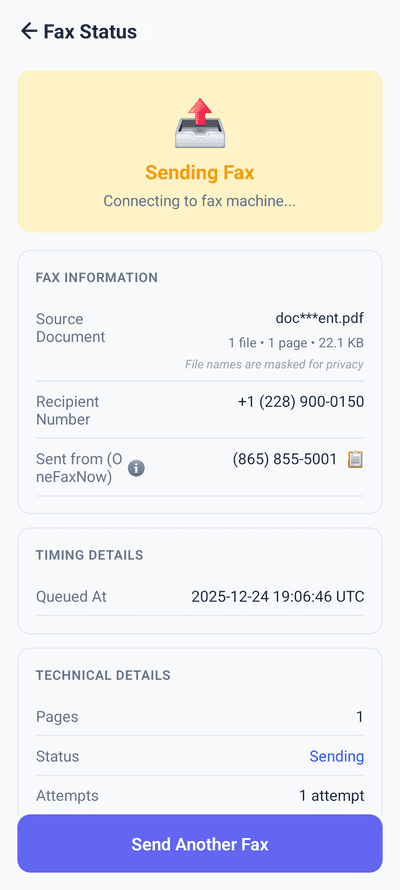
After payment, you'll see a live status page that updates in real time: Sending → Delivered.
- Watch transmission progress live on your iPhone
- Automatic retries if the line is busy (up to 3 attempts)
- Email confirmation when delivery is complete
iPhone faxing tips
Use the built-in scanner
The OneFaxNow app includes a document scanner that auto-crops and enhances. Great for paper forms you need to fax quickly.
HEIC photos? Use the app
iPhones save photos as HEIC by default. The OneFaxNow app converts them automatically. On Safari, save as JPG first or use a PDF instead.
Multi-page documents
Upload up to 15 files per fax (50 pages total). OneFaxNow automatically merges them into one transmission in the order you add them.
Medical or sensitive docs?
Toggle HIPAA mode before sending. You get encrypted transmission, auto-deletion of files, full audit trail, and an instant BAA.
Why OneFaxNow for iPhone
Mobile-optimized
The web app and native iOS app are designed for one-handed use. Large tap targets, auto-formatting, and Apple Pay integration.
No subscription
Pay per fax, not per month. $3.50 for 1-10 pages on web, $3.99 via the app. No recurring charges, no credit packs.
Under 5 minutes
Upload, fill in the number, pay, done. Most faxes are delivered within 60 seconds of sending.
App vs. Safari: which should you use?
Both get your fax delivered the same way. The difference is in extras and how payment works.
Safari (Web) | iOS App | |
|---|---|---|
| Lite (1-10 pages) | $3.50 | $3.99 |
| Standard (11-50 pages) | $5.00 | $5.99 |
| HIPAA Lite | $6.50 | $6.99 |
| HIPAA Standard | $10.00 | $9.99 |
| Document scanner | Built-in camera | |
| HEIC photos (iPhone default) | Save as JPG first | Auto-converted |
| If your fax fails | Never charged | Contact us for refund* |
| Payment methods | Card, Apple Pay, Google Pay | Apple Pay, Card |
| No app install needed | ||
| HIPAA mode + instant BAA | ||
| Account required | No | No |
*App Store purchases are charged at checkout. On the web, your card is authorized but only charged when the fax is delivered — if delivery fails after 3 retries, the hold is released automatically.
Frequently asked questions
Can I fax from my iPhone without an app?
Yes. Open Safari on your iPhone, go to OneFaxNow.com, and send a fax directly from the browser. No app download required. The app is optional — it adds a document scanner and Apple Pay shortcut.
What file types can I fax from iPhone?
OneFaxNow accepts PDF, DOCX, JPG, PNG, TIFF, and TXT files. If you use the mobile app, you can also scan documents with your iPhone camera. HEIC photos are automatically converted in the app.
How much does it cost to fax from iPhone?
On the web: $3.50 for 1-10 pages, $5.00 for 11-50 pages. Via the iOS app: $3.99 and $5.99 respectively. HIPAA add-on is available for medical documents. You only pay on successful delivery.
Can I send a HIPAA-compliant fax from iPhone?
Yes. Toggle HIPAA mode before sending to get encrypted transmission, automatic file deletion after delivery, exportable audit logs, and an instant Business Associate Agreement (BAA).
Do I need a fax machine or landline?
No. OneFaxNow sends your fax over the internet to the recipient's fax machine. You only need your iPhone, an internet connection (WiFi or cellular), and a payment method.
Ready to fax from your iPhone?
Upload your document and send in under 5 minutes. No account, no subscription.