Fax Medical Records Online — Secure, HIPAA-Ready
Send medical records to doctors, specialists, insurers, or HR in a few minutes—no fax machine, no account, no subscription. Enable HIPAA Mode for PHI to get a HIPAA-compliant pipeline with instant BAA, audit logs, and secure deletion.
When You Need to Fax Medical Records
Even in 2025, medical records often still move by fax—especially when you're switching providers or dealing with insurance. OneFaxNow lets you fax records online in a few minutes from your phone or computer, without visiting a clinic or print shop.
Common situations where people fax medical records:
- Sending records to a new primary care doctor or specialist
- Sharing records with a hospital or surgical center ahead of a procedure
- Providing documentation for disability or FMLA claims
- Submitting records to health insurers for prior authorization or appeals
- Transferring records between providers, clinics, or facilities
- Sharing records with school nurses, athletics programs, or camps
Because medical records almost always contain protected health information (PHI), we strongly recommend using HIPAA Mode for these faxes.
Short version: If it's a medical record, treat it as PHI and use HIPAA Mode.
Medical Records = PHI — Use HIPAA Mode
Medical records include diagnoses, lab results, imaging, medication lists, treatment notes, and more. That's all PHI under HIPAA, which means it needs stronger protections than a typical document.
With HIPAA Mode ON, OneFaxNow:
- Routes your fax through a HIPAA-compliant pipeline
- Uses encryption in transit and at rest while processed
- Provides a fully executed BAA at checkout for covered entities/business associates
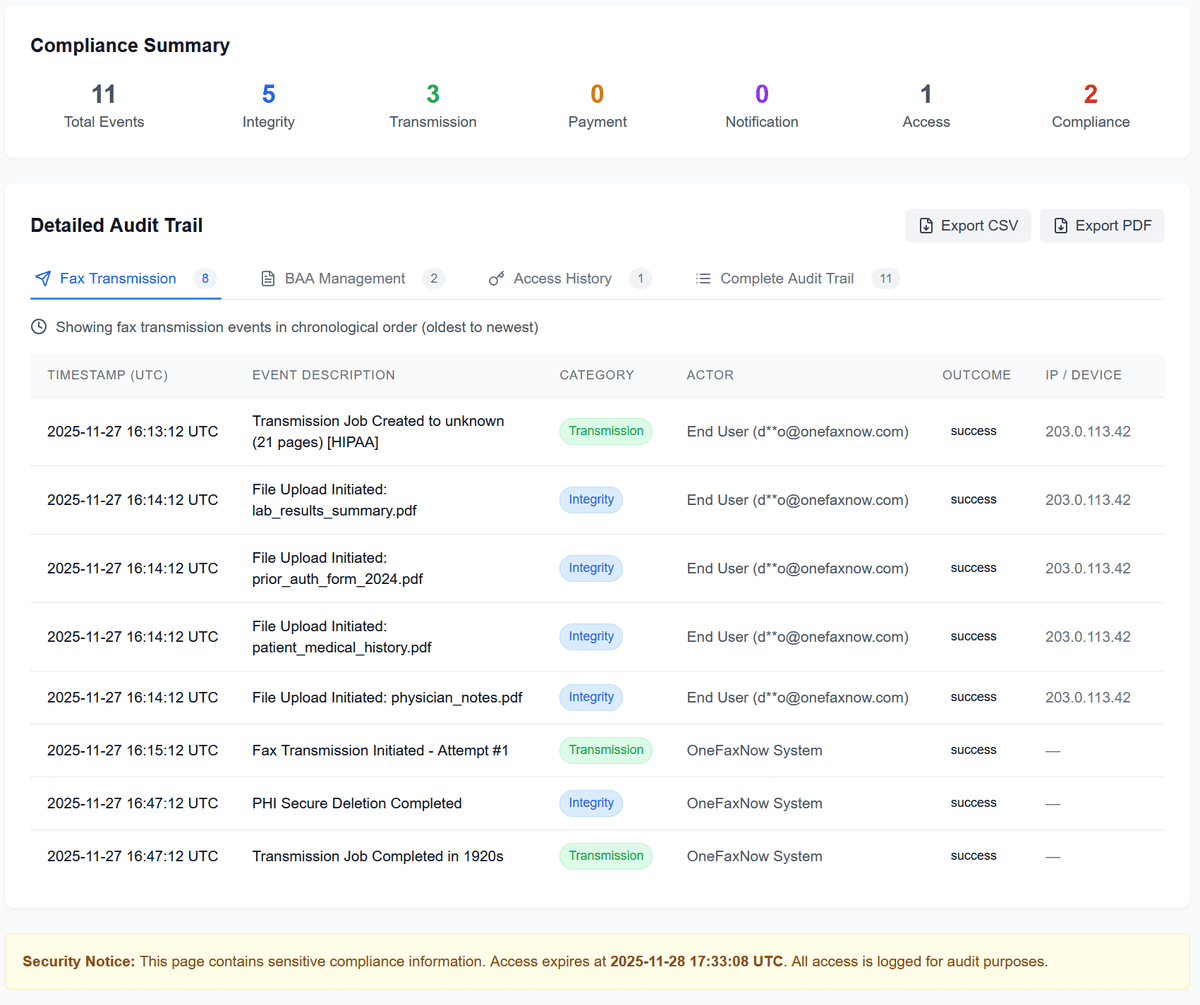
- Generates a detailed audit trail with timestamped events and log exports
- Automatically deletes PHI files after completion with audit logging
If you're sending any medical record—whether you're a patient or a clinic—HIPAA Mode is the right choice.
How to Fax Medical Records with OneFaxNow
Gather your records
- • Download your records from your patient portal or scan/photograph paper records.
- • Make sure pages are legible—no cut-off text or glare if using phone photos.
Upload your files
- • Supported: PDF, DOCX, TXT, JPG/JPEG, PNG, TIF/TIFF
- • Up to 20 MB per file and 50 pages total
- • Multiple files merge into a single fax in your order
Turn on HIPAA Mode
Toggle HIPAA Mode ON for medical records (recommended). This enables stricter PHI handling, instant BAA, and access to the HIPAA Audit Dashboard.
Enter the recipient's fax number
Enter the fax number for the doctor, clinic, hospital, insurer, or HR department. We support U.S. & Canada only.
Pay only if delivery succeeds
Standard pricing from $3.50 (1–10 pages) or $5.00 (11–50 pages). HIPAA Mode adds $3 or $5.
We authorize at checkout and only capture if delivery succeeds.
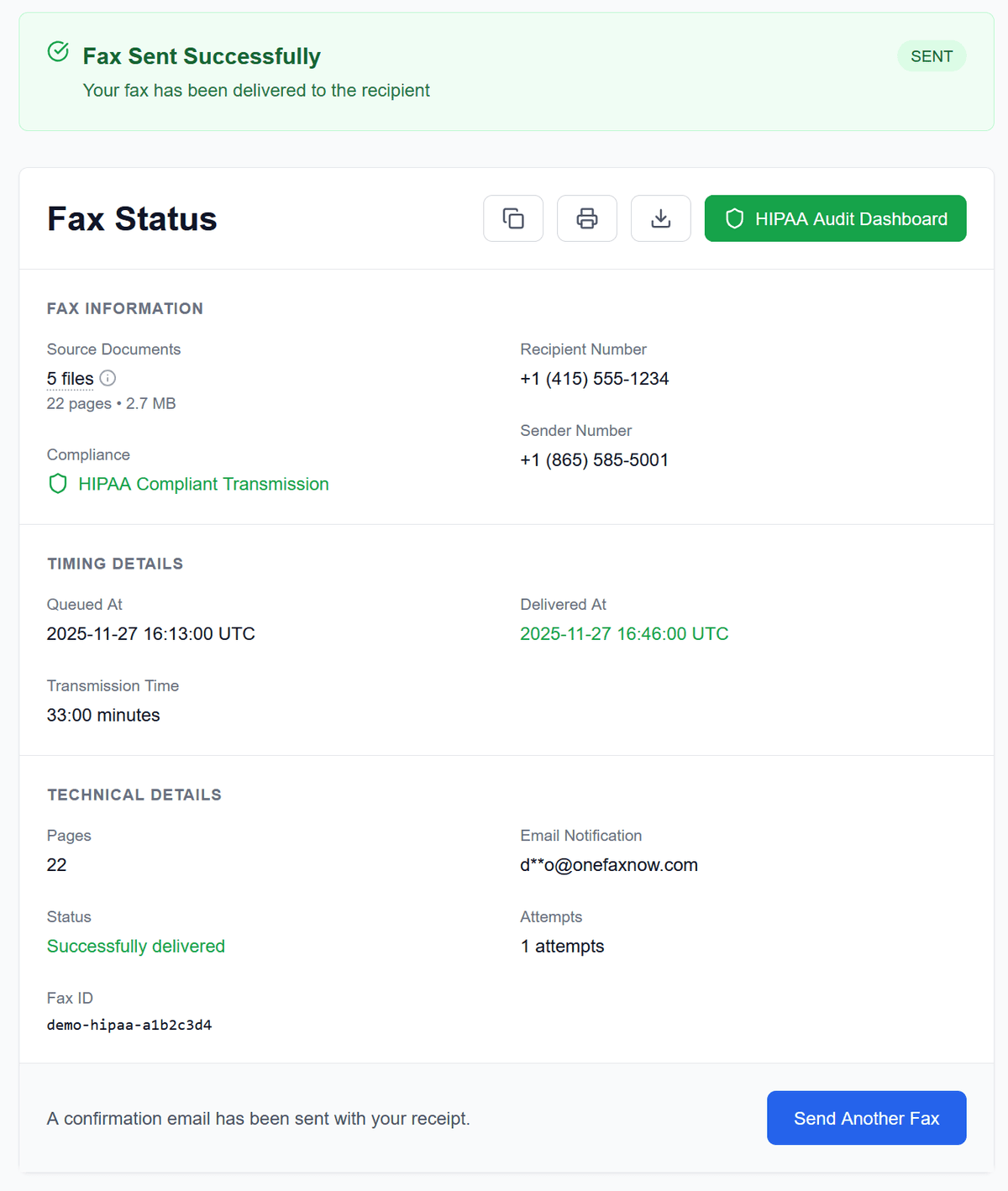
Track delivery in real time
Watch progress on your Fax Status page. If busy, we retry up to 3 times. Get email updates on delivery or failure (no charge if failed).
For Patients, Clinics, and Small Practices
Patients & caregivers
Need to send your own records?
- Fax medical records to a new doctor, specialist, or hospital without leaving home.
- Use HIPAA Mode to get HIPAA-grade handling without needing an account or monthly plan.
- Receive a delivery confirmation email you can keep with your personal records.
Clinics, allied health & small practices
If you're a covered entity or business associate under HIPAA:
- Use HIPAA Mode for any fax that contains PHI.
- Get a fully executed BAA as part of the HIPAA fax flow.
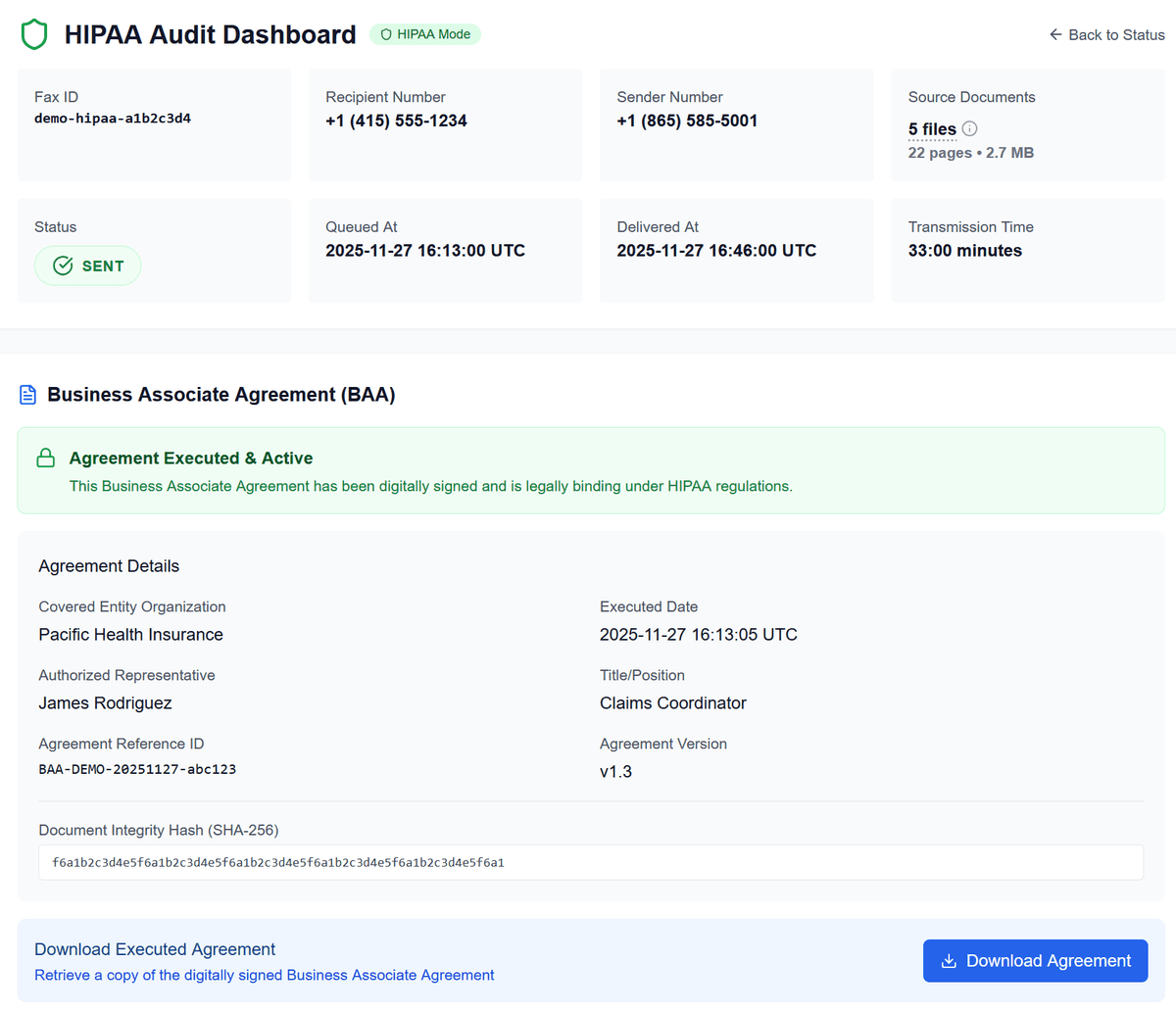
- Access the HIPAA Audit Dashboard to review logs, export reports (CSV/PDF), and manage compliance documentation.
- Take advantage of pay-as-you-go pricing instead of a fax subscription if your outbound volume is low.
Simple Pricing for Faxing Medical Records
Most medical record packets fall comfortably within our standard tiers.
Standard (non-HIPAA)
Lite: 1–10 pages
Standard: 11–50 pages
- Pay only on successful delivery
- Ideal only when no PHI is present (rare for medical records)
HIPAA Mode
RecommendedLite HIPAA Fax: 1–10 pages
Standard HIPAA Fax: 11–50 pages
- Pay only on successful delivery
- Instant BAA, audit logs, PHI deletion
Cover pages count toward the total page count. Full details on Pricing and HIPAA Fax.
Security & Compliance for Medical Records
Faxing medical records requires more than just sending pages—it requires proof of protection and delivery.
Encrypted transmission
Your documents are transmitted over encrypted channels. In HIPAA Mode, they're also encrypted at rest while processed.
Automatic deletion of PHI files
In HIPAA Mode, PHI files are deleted automatically after completion with immutable log entries. We retain status metadata and audit logs—not your documents.
Instant BAA for HIPAA Mode
Covered entities and business associates get a fully executed BAA during the HIPAA fax flow, available to download with your receipt.
HIPAA Audit Dashboard
View a detailed audit trail of each HIPAA fax, including timestamps and outcomes. Export logs as CSV or PDF for your compliance records.
No account required
Access your status page and HIPAA dashboard securely via email and status links—no logins or passwords to manage.
Frequently Asked Questions About Faxing Medical Records
Is faxing medical records with OneFaxNow HIPAA-compliant?
Yes—when you enable HIPAA Mode. HIPAA Mode uses a HIPAA-compliant pipeline with encrypted transmission, automatic PHI file deletion after completion, an instant BAA, and detailed audit logs accessible via the HIPAA Audit Dashboard.
Should I always use HIPAA Mode for medical records?
Yes. Medical records are PHI by definition. If your fax contains diagnoses, lab results, treatment notes, medication lists, or any other PHI, you should use HIPAA Mode. If you're unsure, treat it as PHI and enable HIPAA Mode.
Can I fax medical records between two providers?
Yes. Patients and providers frequently use OneFaxNow to fax records between clinics, specialists, and hospitals. Confirm the correct fax number with each provider, then upload the records, enable HIPAA Mode, and send.
Does OneFaxNow store my medical records?
In HIPAA Mode, PHI files are processed for delivery and then deleted automatically with audit logging. We keep delivery status, receipts, and audit logs for your records, but not the underlying PHI documents.
How do I prove the records were delivered?
After sending, you receive a Fax Status page and email notifications. When delivery succeeds, you'll have a status page and email confirmation showing completion. In HIPAA Mode, the audit logs and receipts in your HIPAA Dashboard provide additional compliance documentation.
What happens if the recipient's fax line is busy or down?
OneFaxNow automatically retries up to three times if the line is busy or temporarily unavailable. You can watch each attempt on your status page. If all attempts fail, your payment authorization is released and you're not charged.
Ready to Fax Medical Records?
Upload your records, enable HIPAA Mode for PHI, and send securely to any U.S. or Canada fax number—no fax machine or subscription required.