Can I Fax My Tax Return to the IRS? Yes for Most Forms — Just Not 1040
Most IRS forms can be faxed — SS-4 (EIN), 2553 (S Corp), 2848 (POA), 8821, audit responses, and 4506-T transcripts. Form 1040 returns must be e-filed or mailed. Pay $3.50 only if your fax is delivered.
When Faxing IRS Documents Makes Sense
The IRS accepts or requires fax for many forms and documents, especially when:
- You need to apply for an EIN (Form SS-4) and want it in 4 days instead of 4 weeks
- You're authorizing a CPA or attorney to represent you (Form 2848)
- You're electing S Corporation status and the deadline is approaching (Form 2553)
- You received an audit notice or IRS letter with a 30-day deadline
- The IRS agent assigned to your case requests documents by fax
Common IRS forms people fax:
Important: You cannot fax Form 1040 tax returns to the IRS. Tax returns must be filed electronically (e-file) or by mail. However, many other IRS forms and supporting documents CAN be faxed.
Common IRS Forms You Can Fax
Each IRS form has specific fax numbers. Here are the most common ones:
| Form | Purpose | Fax Number | Processing |
|---|---|---|---|
| Form SS-4 | Apply for EIN | 855-641-6935 (domestic) | 4 business days |
| Form 2848 | Power of Attorney | 855-214-7519 (East) / 855-214-7522 (West) | 3-5 business days |
| Form 8821 | Tax Info Authorization | 855-214-7522 | 3-5 business days |
| Form 2553 | S Corporation Election | 855-270-4081 (East) / 855-214-7520 (West) | Up to 60 days |
| Form 4506-T | Request Tax Transcript | Varies by state (see IRS.gov) | 10 business days |
| Form 8806 | Acquisition of Control | 844-249-6232 | Fax only |
Note: IRS fax numbers can change. Always verify the current number on the official form instructions at IRS.gov before sending.
What Is the IRS Fax Number?
There is no universal IRS fax number. The right number depends on the form, notice, business line, or IRS office handling your case.
Start with the IRS source that applies to you: the current form instructions, the fax number printed on your notice, or the fax number your assigned IRS employee gave you. Do not reuse an old fax number from a forum, search snippet, or prior-year form.
| Search intent | Where to get the fax number | OneFaxNow note |
|---|---|---|
| IRS fax number | There is not one general number. Use the form instructions or notice-specific number. | Enter the exact U.S. toll-free or local fax number when you send. |
| IRS fax number for documents | Use the fax number printed on your IRS notice or letter. CP2000 responses can be returned by upload, fax, or mail. | Keep the OneFaxNow delivery confirmation with your tax records. |
| IRS fax number for Form SS-4 | Use the current Form SS-4 instructions or EIN page. The IRS says faxed EIN applications are generally processed faster than mailed ones. | OneFaxNow is outbound only, so use a fax number you control if the IRS needs to fax the EIN back. |
| IRS fax number for Form 2848 or 8821 | Use the CAF unit fax number in the current IRS instructions for your location and submission type. | Wet-ink signatures are still required for fax/mail submissions. |
| IRS fax number for returns | Form 1040 returns generally cannot be faxed. Some amended-return or notice workflows may provide a specific fax number. | If the form instructions say e-file or mail only, do not send by fax. |
Official references: Form 2848 instructions, Form 8821, EIN / SS-4, and CP2000 responses.
Before You Fax Your IRS Documents
To avoid delays and ensure your documents are processed correctly:
Verify fax is accepted for your form
- • Check the form instructions at IRS.gov
- • Some forms like 8806 are fax-only; others like 1040 cannot be faxed
Confirm the correct fax number
- • Fax numbers vary by form type and your state/region
- • Use the number from the current form instructions, not old paperwork
Sign forms with wet ink (where required)
- • Forms 2848 and 8821 require handwritten signatures when faxed
- • Digital signatures are not accepted for fax/mail submissions
Use your own return fax number for SS-4
- • For Form SS-4, the IRS can fax your EIN back if you provide a return fax number
- • OneFaxNow is outbound only and cannot receive IRS return faxes
- • Use a fax number you control or an inbound fax service for that field
Note: OneFaxNow is a fax delivery service, not a tax or legal advisor. Always follow the official IRS form instructions.
How to Fax IRS Documents with OneFaxNow
Prepare your IRS form or document
- • Complete the IRS form per instructions
- • Sign with wet ink where required
- • For Form SS-4, enter a return fax number you control if you want the IRS to fax the EIN back
- • Export or scan to a clear PDF, or upload as DOCX, TXT, JPG/JPEG, PNG, or TIF/TIFF
- • Scan at 300 DPI for best quality (this is what the IRS recommends)
Upload your document
- • Go to Pay-Per-Fax and upload your IRS form
- • Multiple pages merge into a single fax
- • Limits: up to 20 MB per file and 50 pages total
Add a cover page (recommended)
Include your name, last 4 digits of SSN (not full SSN), the form name/number, and reason for submission. OneFaxNow can generate one, or upload your own.
Enter the IRS fax number
Enter the toll-free IRS fax number from the form instructions. We support all U.S. toll-free and local fax numbers.
Pay only if delivery succeeds
Pricing: $3.50 for 1–10 pages and $5.00 for 11–50 pages.
Your card is authorized at checkout. We capture only if delivery succeeds. If all retries fail, you pay $0.
Track your fax in real time
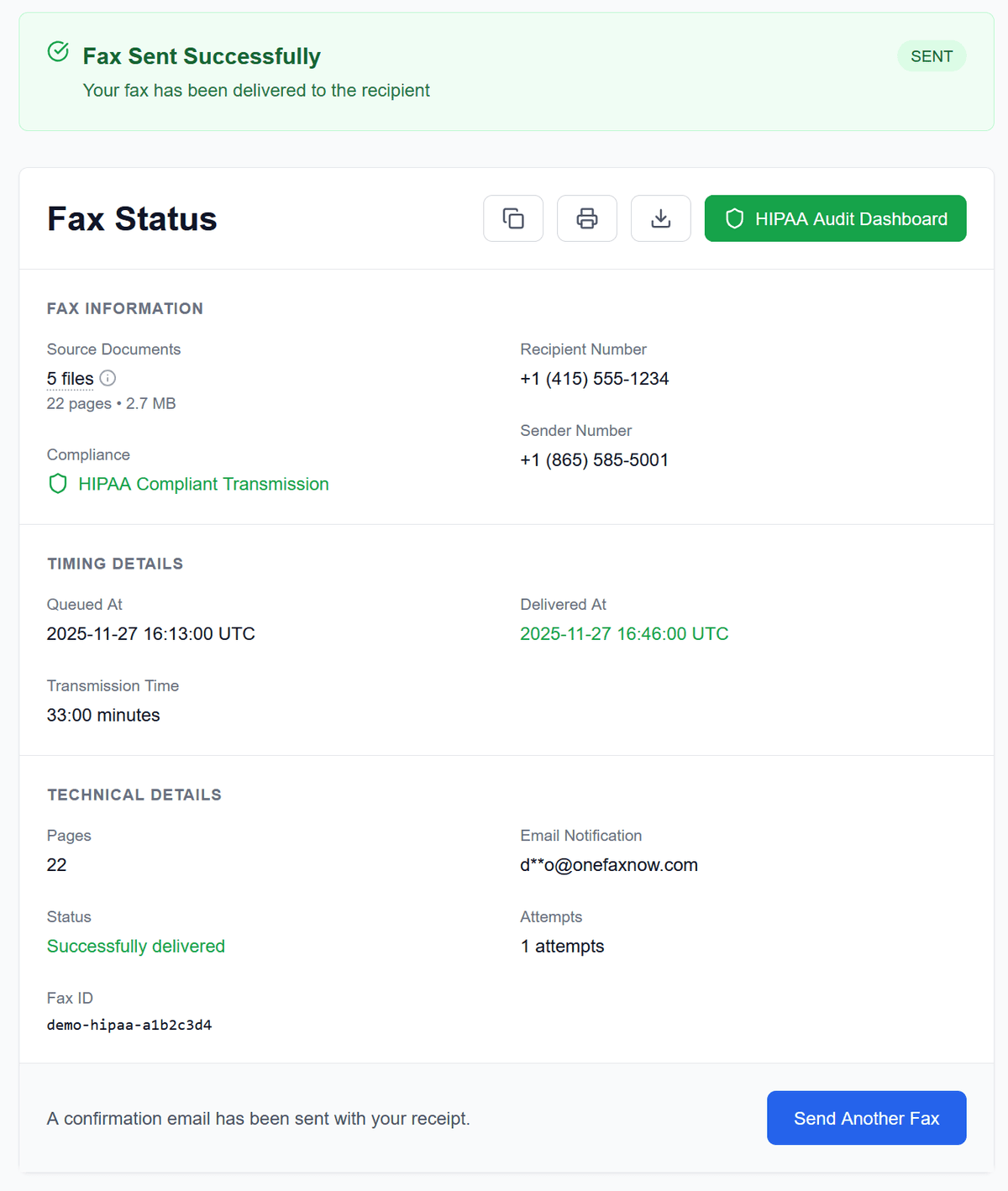
Watch live progress on your Fax Status page. If the IRS line is busy, we retry up to 3 times. Receive email confirmation when delivered. Keep your confirmation as proof.
Why Use OneFaxNow for IRS Faxes?
No account or subscription
Send a one-time IRS fax without creating an account. No monthly plans, no recurring charges. Perfect for occasional tax document submissions.
Pay only on successful delivery
Your card is authorized at checkout. If delivery fails after all retries, you are never charged. Zero risk when IRS fax lines are congested.
Real-time tracking & email confirmation
See each step of the fax transmission in real time. Receive an email confirmation when your IRS document is delivered. Keep this as proof.
Automatic retries for busy lines
IRS fax lines can be notoriously busy, especially during tax season. OneFaxNow automatically retries up to 3 times. You can follow each attempt on your status page.
Secure handling of tax documents
Documents are transmitted over encrypted channels. Files are deleted after successful delivery. The IRS prefers fax over email for security reasons.
Meet tight IRS deadlines
Fax arrives in minutes vs 4+ weeks by mail. Critical for 30-day audit responses, S-Corp election deadlines, and time-sensitive IRS correspondence.
Simple Pay-Per-Fax Pricing for IRS Documents
Most IRS forms fit into our standard pricing tiers.
Lite IRS Fax
1–10 pages
Ideal for single-page forms like SS-4, 2848, or 8821
Standard IRS Fax
11–50 pages
For longer forms and supporting documentation
- U.S. & Canada fax numbers only
- Cover page counts toward total page count
- Pay only on successful delivery
IRS Tax Fax Questions
What is the IRS fax number?
There is no single IRS fax number. Use the number in the current form instructions, the number printed on your IRS notice, or the number provided by the IRS office handling your case. Form-specific and notice-specific fax numbers can change.
Can I fax my Form 1040 tax return to the IRS?
No. The IRS does not accept Form 1040 tax returns by fax. Tax returns must be filed electronically (e-file) or by mail. However, many other IRS forms CAN be faxed, including Form SS-4, Form 2848, Form 8821, Form 2553, and supporting documents for audits.
Which IRS forms can I fax?
Common faxable forms include: Form SS-4 (EIN application), Form 2848 (Power of Attorney), Form 8821 (Tax Information Authorization), Form 2553 (S-Corp Election), Form 4506-T (Transcript Request), Form 8023 (Section 338 Elections), and Form 8806 (which is fax-only). You can also fax supporting documents when responding to IRS correspondence or audits.
How do I find the correct IRS fax number for my form?
IRS fax numbers vary by form type and your geographic location. Always check the official form instructions at IRS.gov for the current fax number. Numbers can change, so verify before sending.
How long does it take the IRS to process a faxed form?
Processing times vary: Form SS-4 (EIN) takes about 4 business days by fax vs 4 weeks by mail. Form 2848/8821 takes 3–5 business days. Form 2553 (S-Corp) determination takes up to 60 days. Form 4506-T transcript requests take about 10 business days.
Does the IRS confirm receipt of my faxed documents?
The IRS typically does not provide fax confirmation. Keep your OneFaxNow delivery confirmation as proof of transmission. For Form SS-4, include a return fax number you control if you want the IRS to fax your EIN back.
Can the IRS fax my EIN back through OneFaxNow?
No. OneFaxNow sends your fax and emails delivery updates, but we do not receive inbound faxes or assign fax numbers. If you fax Form SS-4, use your own fax number or an inbound fax service for the IRS return fax field.
Can I use a digital signature on IRS forms?
For Forms 2848 and 8821 submitted by fax or mail, the IRS requires a wet ink (handwritten) signature. Digital or electronic signatures are not accepted for these forms when faxed.
What if the IRS fax line is busy?
OneFaxNow automatically retries your fax up to 3 times if the line is busy. You can track each attempt on your Fax Status page. If all retries fail, you pay $0.
Is faxing tax documents to the IRS secure?
The IRS prefers fax over email because fax is harder to intercept. OneFaxNow uses encrypted transmission and deletes your files after successful delivery. On cover sheets, include only the last 4 digits of your SSN.
Can I fax a CP2000 response to the IRS?
Often, yes. The IRS says CP2000 responses can be returned using the IRS Document Upload Tool, fax, or mail, using the instructions and fax number on the notice. Follow the notice deadline and keep delivery confirmation.
Does the IRS require 300 DPI for faxed documents?
The IRS recommends scanning documents at 300 DPI to ensure text is clear and legible. This refers to the quality of the file you scan and upload—not the fax transmission itself. Our system transmits at Fine resolution (the industry standard for high-quality faxing), which ensures your text is crisp and readable for government forms. Just make sure the file you upload is clear and high-quality, and OneFaxNow handles the rest.
Ready to Fax Your IRS Documents?
Upload your IRS form, enter the fax number from the form instructions, and send. No fax machine, no subscription, no account required.