Fax Medical Forms Online — No Fax Machine, No Subscription
Send medical forms to doctors, schools, HR, and insurers in minutes. U.S. & Canada fax numbers, no account required, pay only if delivery succeeds. Enable HIPAA Mode for any form that contains PHI.
Fax Medical Forms Without Leaving Home
Many organizations still require medical forms by fax: doctor's offices, schools, HR departments, disability carriers, and more. OneFaxNow lets you send those forms online in a few minutes—no fax machine, no account, no subscription.
Typical medical forms people fax with OneFaxNow:
- New patient intake and registration forms
- School and college health forms (immunizations, physicals, medication authorizations)
- Pre-op and surgical clearance forms
- Workplace medical forms (FMLA, fitness-for-duty, return-to-work)
- Disability and insurance forms that include medical details
- Specialist referrals and care coordination forms
If your form includes protected health information (PHI)—like diagnoses, treatment details, or medical record numbers—turn on HIPAA Mode before sending so your fax is processed through our HIPAA-grade pipeline with instant BAA and detailed audit logs.
Quick rule of thumb: If you'd hesitate to email the form unencrypted, use HIPAA Mode.
Standard vs HIPAA Mode — Which Should I Use?
You can send medical-related forms in either Standard Pay-Per-Fax or HIPAA Mode, depending on what's on the page.
When HIPAA Mode is recommended
Use HIPAA Mode when your form includes:
- Diagnosis codes, test results, or treatment plans
- Medication lists or medication administration forms
- Detailed medical histories or exam notes
- Medical record numbers or insurance IDs tied to medical info
- Any PHI/ePHI required by a clinic, hospital, or insurer
With HIPAA Mode ON, you get:
- HIPAA-compliant transmission
- Instant BAA at checkout
- Audit logs and downloadable reports
- Automatic PHI file deletion after completion
When Standard Pay-Per-Fax is usually fine
Standard mode is typically fine when:
- The form only includes basic contact information plus a simple checkbox or signature, and
- The recipient does not require HIPAA-grade handling
Examples:
- •A non-medical HR form that only asks for confirmation you saw a separate medical document
- •General admin forms with no detailed medical information
If you're not sure, it's safest to use HIPAA Mode.
How to Fax Medical Forms with OneFaxNow
Upload your medical forms
Use your phone, tablet, or computer.
- • Supported types: PDF, DOCX, TXT, JPG/JPEG, PNG, TIF/TIFF
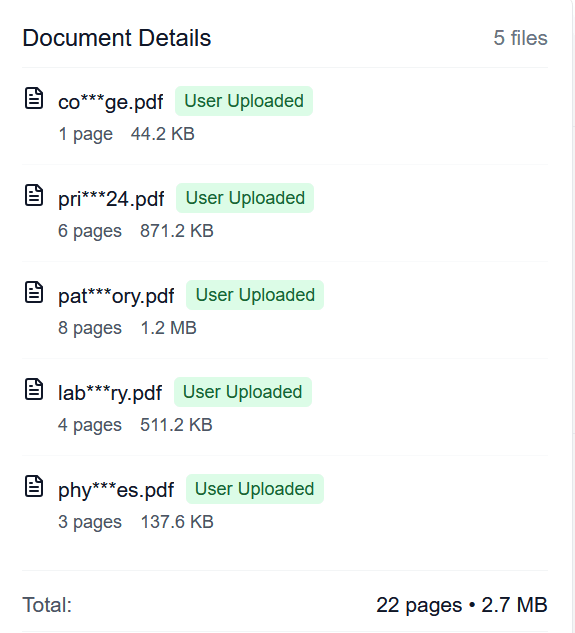
- • Up to 20 MB per file and 50 pages total
- • Multiple files are merged in your chosen order
Choose HIPAA Mode if your forms contain PHI
For forms with diagnoses, test results, or other PHI, toggle HIPAA Mode ON. This enables our stricter PHI pipeline with encryption, automatic deletion, and an instant BAA.
Enter the recipient fax number
Enter the fax number for your doctor, school, HR department, or insurer. We support U.S. & Canada fax numbers only. The number is auto-formatted for you.
Pay only if delivery succeeds
Pricing from $3.50 for 1–10 pages (Standard), $5.00 for 11–50 pages.
HIPAA Mode adds $3 (Lite) or $5 (Standard). We authorize your card at checkout and capture only on successful delivery.
Track your fax in real time
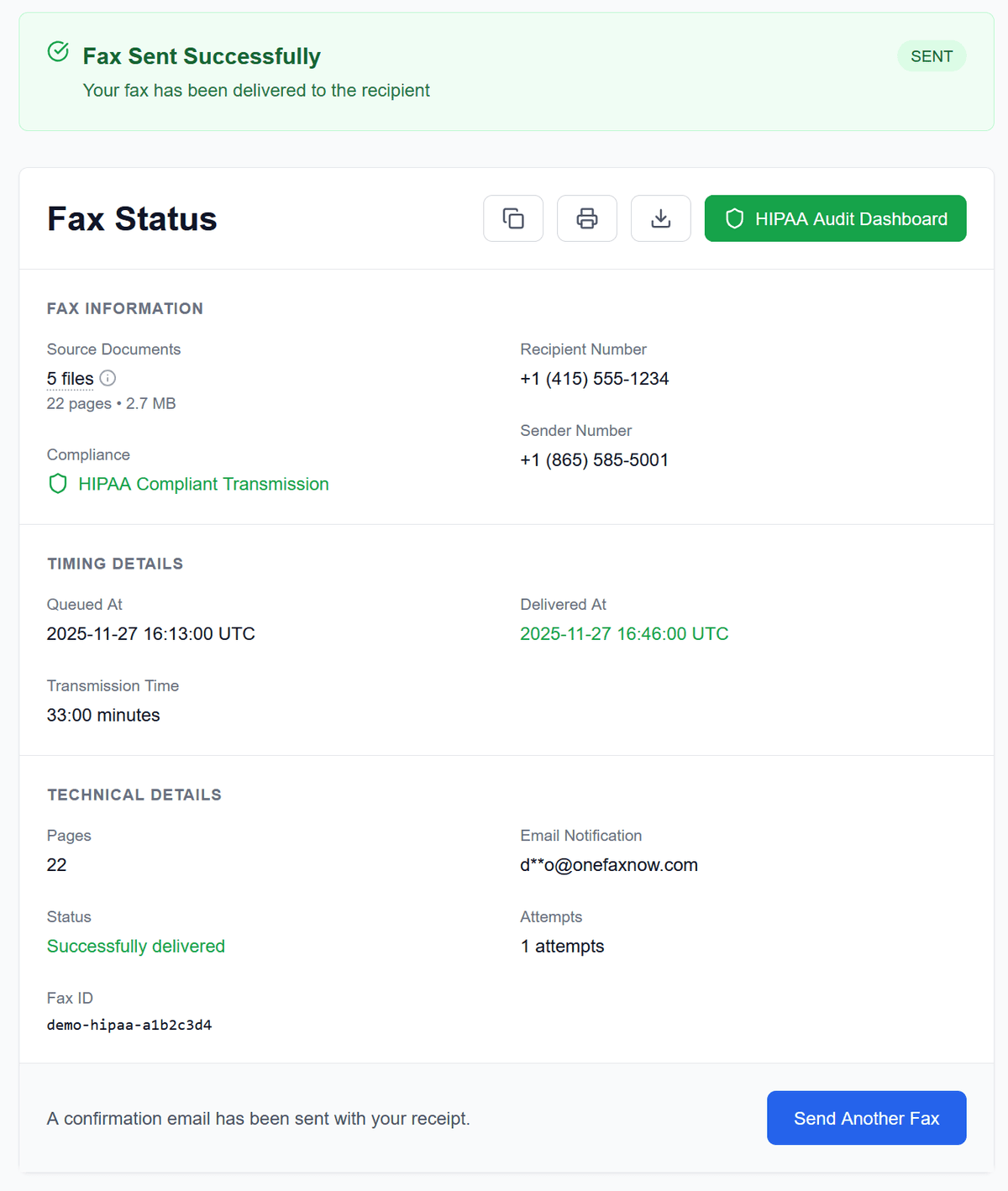
Watch your fax send on your Fax Status page. Get email confirmations when delivered. If the line is busy, we automatically retry up to 3 times. If it still fails, you pay $0.
Why Use OneFaxNow for Medical Forms?
No account or subscription
Send a one-time fax without creating an account. No monthly plan, no unused pages, no contracts.
Pay only on successful delivery
We authorize at checkout and charge only if delivery succeeds. If the fax ultimately fails after retries, your authorization is released.
HIPAA Mode with instant BAA
When HIPAA Mode is ON, you get a fully executed Business Associate Agreement (BAA) right after sending. Access a HIPAA Audit Dashboard with detailed logs and exports.
Real-time tracking & automatic retries
Watch live status updates as your fax transmits. If the recipient's line is busy, we retry automatically up to 3 times.
Secure handling of your forms
Encrypted transmission in transit. Forms kept only as long as needed. In HIPAA Mode, PHI files are deleted after completion with audit logging, while audit logs/receipts remain for your records.
Simple Pricing for Medical Forms by Fax
Whether you're a patient sending one form or a clinic faxing a packet, pricing stays simple and pay-per-fax.
Standard (non-HIPAA)
Lite Fax: 1–10 pages
Standard Fax: 11–50 pages
- U.S. & Canada fax numbers
- Pay only on successful delivery
HIPAA Mode (for PHI)
RecommendedLite HIPAA Fax: 1–10 pages
Standard HIPAA Fax: 11–50 pages
- Instant BAA included
- Full audit trail & secure deletion
Cover pages count toward the total page count. Full details are available on our Pricing and HIPAA Fax pages.
Examples of Medical Forms You Can Fax
You can use OneFaxNow for most medical-related forms that must be faxed within the U.S. or Canada:
For any of these that contain PHI, turn HIPAA Mode ON before sending.
Frequently Asked Questions About Faxing Medical Forms
Is faxing medical forms with OneFaxNow HIPAA-compliant?
Yes—when you enable HIPAA Mode. In HIPAA Mode, your fax is processed through our HIPAA-grade pipeline with encrypted transmission, automatic PHI file deletion after completion, an instant BAA, and a detailed audit trail accessible through the HIPAA Audit Dashboard.
Should I use HIPAA Mode for school or HR health forms?
If the form includes medical diagnoses, treatment details, medications, or other PHI, you should use HIPAA Mode—even if it's "just for school" or HR. When in doubt, turning HIPAA Mode ON gives you compliant handling and documentation.
Can I fax multiple forms together?
Yes. You can upload multiple files (for example, a school health form plus a separate immunization record). We merge them into a single fax in the order you upload them. The total page count across all files (plus an optional cover page) must be 50 pages or fewer.
How fast will my medical forms be delivered?
Most faxes begin transmitting within seconds of payment. Delivery time depends on the recipient's fax line and the number of pages, but you can watch real-time progress on your Fax Status page and receive email notifications when delivery completes.
What happens if the fax fails or the line is busy?
If the recipient's line is busy or temporarily unavailable, we automatically retry up to three times. You can watch each attempt on your status page. If we still can't deliver after retries, we release the payment authorization and you're never charged.
Ready to fax your medical forms?
Upload your forms, choose HIPAA Mode if they contain PHI, and send them securely to any U.S. or Canada fax number.