Police Report Fax Service — Send & Receive Incident Records Online
Fax police reports and incident records to insurers, attorneys, HR, or other agencies without a fax machine. No account or subscription—just upload your documents, enter the fax number, and pay only if delivery succeeds.
Important: Always confirm the agency's current fax number and whether fax is accepted for your specific request or submission.
When Faxing Police Reports & Incident Records Makes Sense
Police and law enforcement agencies still use fax for certain records and communications. OneFaxNow helps when you need to:
- Send a police report to an insurance company after an accident or theft
- Fax an incident report to your employer or HR for workplace incidents
- Provide a copy of a report to your attorney or legal team
- Send records between agencies when fax is listed as an accepted method
- Submit forms or documentation to a police records division that accepts fax
Typical scenarios:
- •Auto accident police report to your auto insurer
- •Theft or vandalism report to homeowners or renters insurance
- •Incident report to HR/employer for workplace injuries or security incidents
- •Copies of reports or records requested by an attorney or investigator
Always check the agency's website or contact the records division to confirm: (1) whether fax is accepted, and (2) which fax number to use for your type of request.
Before You Fax a Police Report or Incident Record
To avoid delays or rejected submissions, use this quick checklist:
Confirm that fax is accepted
- • Check the police department or agency's records / public information page.
- • Look for instructions on how to submit or receive reports (online portal, mail, fax, in person).
- • If unsure, call the records division and ask if fax submissions are allowed.
Get the correct fax number
- • Use a fax number specifically listed for records, reports, or insurance requests, not just a general office line.
- • Double-check the number before sending.
Prepare your documentation
- • Have your police report or incident number handy.
- • Include any required request form, ID copy, or release form (if the agency requires one).
- • If you're sending the report onward (to insurance, HR, attorney), make sure the report is complete and legible.
Add a clear cover page
- • Your name and contact information
- • The agency or company name
- • Report/incident number (if available)
- • Purpose (e.g., "Police Report for Insurance Claim")
- • Total page count
Note: OneFaxNow doesn't generate or request reports for you; we simply transmit your documents to the fax number you provide.
How to Fax Police Reports & Incident Records with OneFaxNow
Prepare your report or request
- • If you already have a copy of the report: scan or save it as PDF, or use a clear photo (JPG/PNG).
- • If you're requesting a report: fill out the agency's request form or write a letter following their instructions.
- • Make sure all pages, signatures, and report numbers are legible.
Upload your documents
- • Supported: PDF, DOCX, TXT, JPG/JPEG, PNG, TIF/TIFF
- • Up to 20 MB per file and 50 pages total
- • Upload multiple files (request form + ID + report); we merge them in your order
Add a cover page (recommended)
Use OneFaxNow's cover page option or upload your own. Include agency name, report number, your contact details, and reason for sending.
Enter the fax number
Enter the U.S. or Canada fax number for the police records division, insurance company, attorney, HR department, or other recipient. The number is auto-formatted as you type.
Pay only on successful delivery
Pricing starts at $3.50 (1–10 pages) and $5.00 (11–50 pages).
We authorize at checkout and only capture if delivery succeeds. If all retries fail, you pay $0.
Track your fax and save the confirmation
Watch your fax progress on the Fax Status page. If the line is busy, OneFaxNow automatically retries up to 3 times. Keep your email confirmation and status page as proof of transmission.
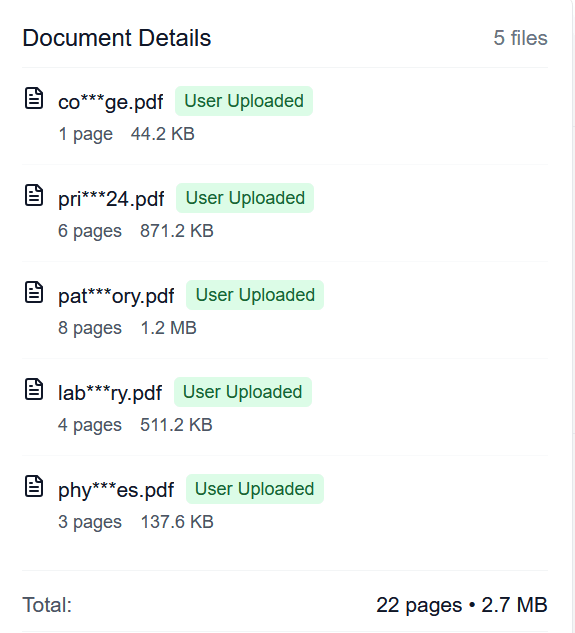
Verify your report before sending
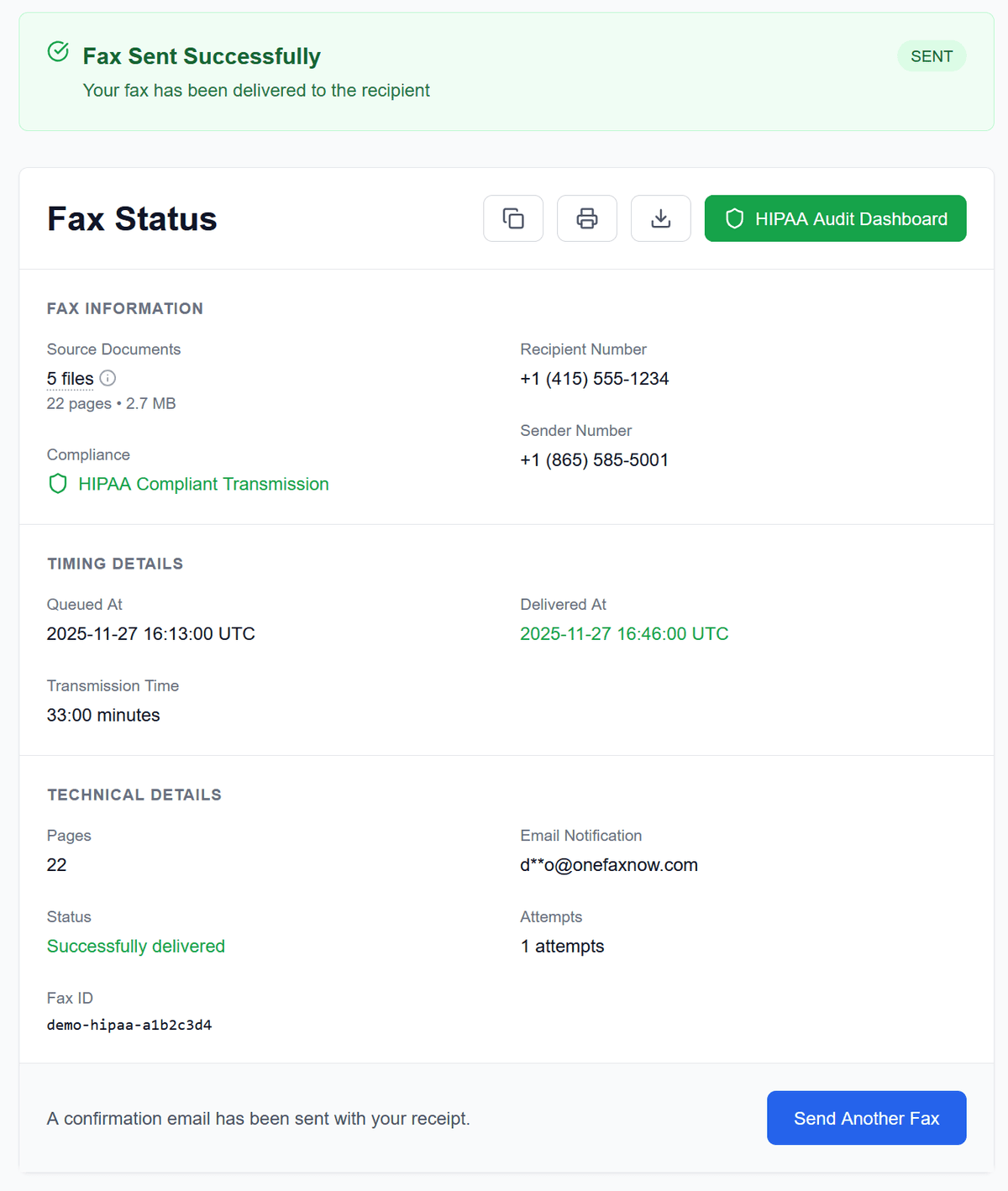
Confirmation of successful delivery
For Individuals, Insurers, Attorneys, and HR
Individuals & policyholders
- Fax police or incident reports to your auto, home, or renters insurance.
- Send incident reports or documentation to your employer or HR.
- Share copies of reports with an attorney or representative.
Insurers & claims handlers
- Receive police reports from policyholders or third parties.
- Fax records to other departments, agencies, or vendors that still use fax.
- Use pay-per-fax for one-off situations without maintaining a dedicated fax line.
Attorneys & legal teams
- Receive or forward police reports and incident records to insurers or agencies.
- Keep fax confirmations as part of your case file.
Simple Pricing for Police Report Faxing
Most police reports and incident packets fit within our standard tiers.
Lite Fax
1–10 pages
Ideal for a single report or short packet
Standard Fax
11–50 pages
For longer reports, attachments, or combined documents
- U.S. & Canada fax numbers only
- Cover page counts toward total page count
- Pay only on successful delivery
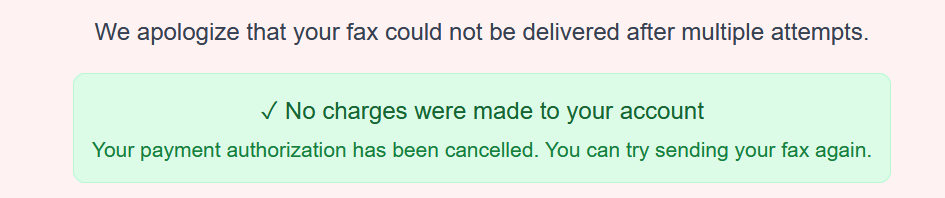
If delivery fails after all retries, you pay nothing.
Security & Handling of Sensitive Information
Police reports often contain personal information (names, addresses, dates of birth, etc.), and sometimes details about injuries or medical treatment.
With OneFaxNow:
Encrypted transmission
Your documents are sent over encrypted channels between your browser and our servers and across our faxing pipeline.
Temporary file handling
Files are retained only as long as needed to complete the fax, then deleted according to our retention policies.
Optional HIPAA Mode for PHI
If your police report packet includes medical records or detailed PHI (for example, attached medical documentation), you can choose to use HIPAA Mode for stricter handling, instant BAA, and a HIPAA Audit Dashboard. For typical police reports without medical attachments, Standard Pay-Per-Fax is usually sufficient.
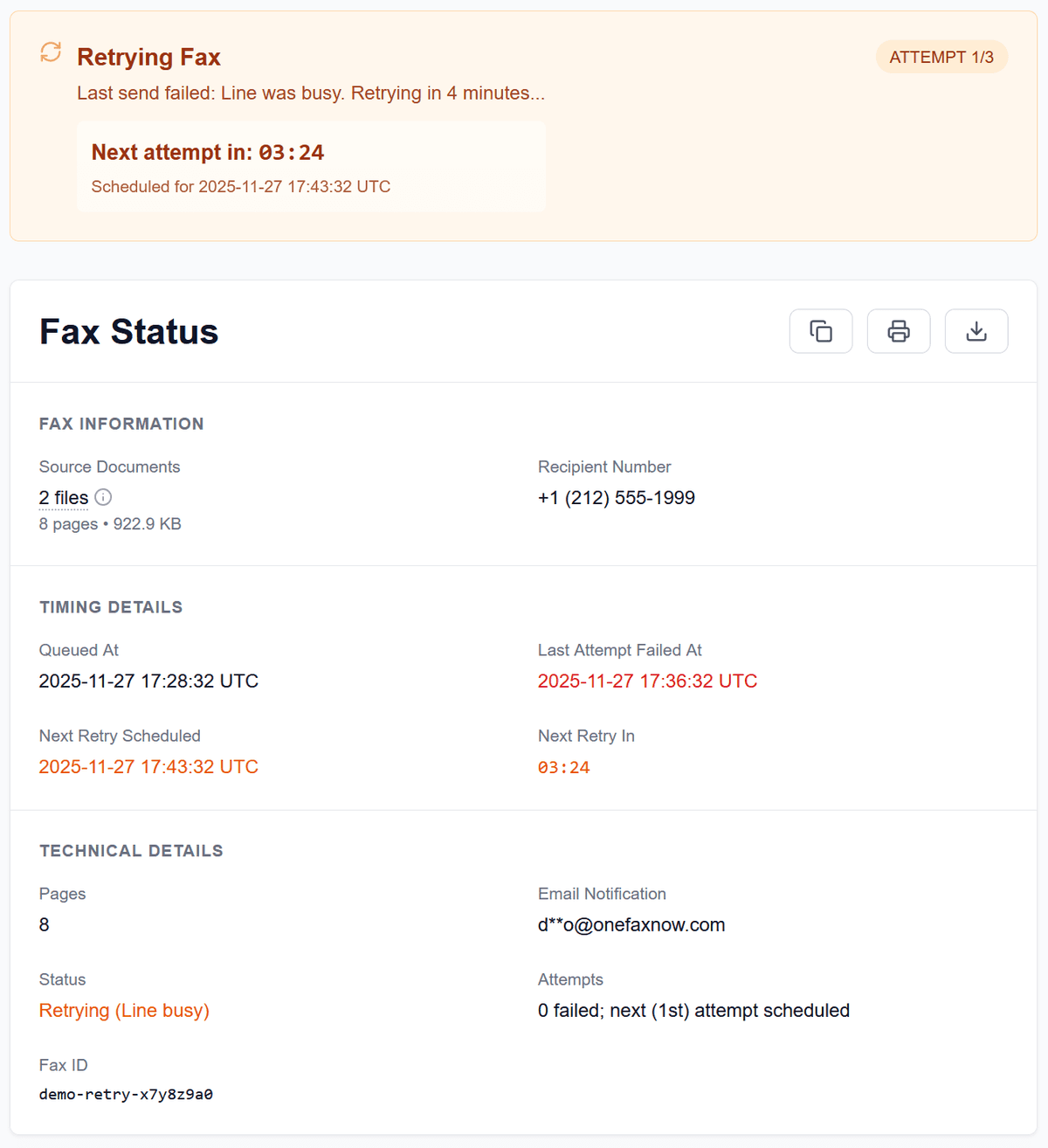
Automatic retries if the line is busy
Police Report Fax Questions
Can OneFaxNow request a police report for me?
No. OneFaxNow is a fax delivery service. You are responsible for requesting the report from the police department or agency using their official process. Once you have the report or request form, we help you fax it to the number you provide.
How do I know which fax number to use?
Check the police department or agency's official website for records, reports, or public information sections, or call their records division. Use only a fax number they list for report-related requests or submissions.
Can I fax a police report directly to my insurance company?
In many cases, yes—if your insurer provides a fax number for claims documents or police reports. Check your claim paperwork or insurer's website for the correct fax number and any required claim identifiers.
What if the fax line is busy or doesn't answer?
OneFaxNow automatically retries your fax up to three times if the line is busy or temporarily unavailable. You can watch each attempt and outcome on your Fax Status page. If all attempts fail, your payment authorization is released and you are not charged.
Can I include multiple documents in one fax?
Yes. You can upload multiple files (e.g., a request form, ID copy, report pages, or attachments). We merge them into a single fax in the order you upload them, up to 50 total pages including the cover page.
Is this a substitute for a portal or in-person submission?
Not always. Some agencies require online portal submissions, mail, or in-person requests for police reports. Fax should only be used when the agency explicitly lists fax as an accepted method for your type of request or document.
Ready to Fax a Police Report or Incident Record?
Upload your police report or incident documentation, enter the correct fax number, and send it securely to insurers, attorneys, HR, or agencies—no fax machine or subscription required.