Dental Records Fax Service — Transfer X-Rays, Charts & Forms Online
Fax dental records, X-rays, insurance claims, and HIPAA release forms to a new dentist, specialist, or insurance company without a fax machine. No account or subscription—just upload, enter the fax number, and pay only if delivery succeeds.
When You Need to Fax Dental Records
Dental offices still rely on fax for record transfers, specialist referrals, and insurance claims. Here are the most common scenarios:
- You are switching dentists and your old office requires a faxed HIPAA release form before sending records
- Your dentist referred you to an oral surgeon, endodontist, or periodontist and you need to help transfer X-rays
- You are submitting a dental insurance claim or predetermination request via the ADA Dental Claim Form
- Your new dentist asked you to request records from a previous provider who only accepts fax
- You need to fax dental records for a disability claim, workers comp case, or legal matter
Common dental documents people fax:
Your right under HIPAA: Your dental office must provide copies of your records within 30 days of a written request. They cannot refuse due to an unpaid balance. If they refuse, you can file a complaint with the HHS Office for Civil Rights.
Before You Fax Your Dental Records
To avoid delays and ensure your records arrive clearly, follow this quick checklist:
Sign a HIPAA release form
- • Contact your old dental office and ask for their Authorization to Release Dental Records form
- • Fill in the receiving dentist or specialist's name, address, and fax number
- • Sign and date the form—most offices accept faxed or emailed signatures
Request the right records
- • Ask for your complete dental chart including X-rays, clinical notes, and treatment history
- • Specify periapical, bitewing, or panoramic X-rays if your new dentist requested specific types
- • Include periodontal charts and any orthodontic evaluations if applicable
Confirm the destination fax number
- • Call your new dentist's office or specialist to confirm their fax number
- • For insurance claims, check the fax number on your insurance card or the insurer's website
- • Double-check the number—a wrong digit sends your PHI to a stranger
Prepare your files for upload
- • Export or scan documents to PDF for the clearest results
- • OneFaxNow also accepts DOCX, JPG/JPEG, PNG, and TIF/TIFF
- • Keep files under 20 MB each and 50 pages total
Note: OneFaxNow is a fax delivery service, not a dental or legal practice. This page is for informational purposes only. Always follow your dental office's official records request procedures.
How to Fax Dental Records with OneFaxNow
Gather your dental records
- • Collect the signed release form, X-rays, charts, or insurance forms you need to send
- • Save as PDF, DOCX, JPG, PNG, or TIFF—PDF gives the best fax quality
- • If faxing X-rays, ensure images are high-resolution for readability
Upload your documents
- • Go to Pay-Per-Fax and upload your dental record files
- • Multiple files merge into a single fax in your specified order
- • Limits: up to 20 MB per file and 50 pages total
Add a cover page (recommended)
Include a cover page with your name, the receiving office name, and a subject line like "Dental Records Transfer" or "Insurance Claim." OneFaxNow can generate one for you, or upload your own.
Enter the destination fax number
Enter the U.S. or Canada fax number for your new dentist, specialist, or insurance company. We automatically format the number for you.
Choose Standard or HIPAA mode
If your documents contain patient identifiers, diagnosis codes, or treatment histories, enable HIPAA mode for compliant transmission with an instant BAA. For a simple release form without PHI, standard mode works fine.
Pay only if delivery succeeds
Standard: $3.50 for 1–10 pages, $5.00 for 11–50 pages.
HIPAA: $6.50 for 1–10 pages, $10.00 for 11–50 pages. We authorize at checkout and capture only if delivery succeeds. If all retries fail, you pay $0.
Track your dental records fax in real time
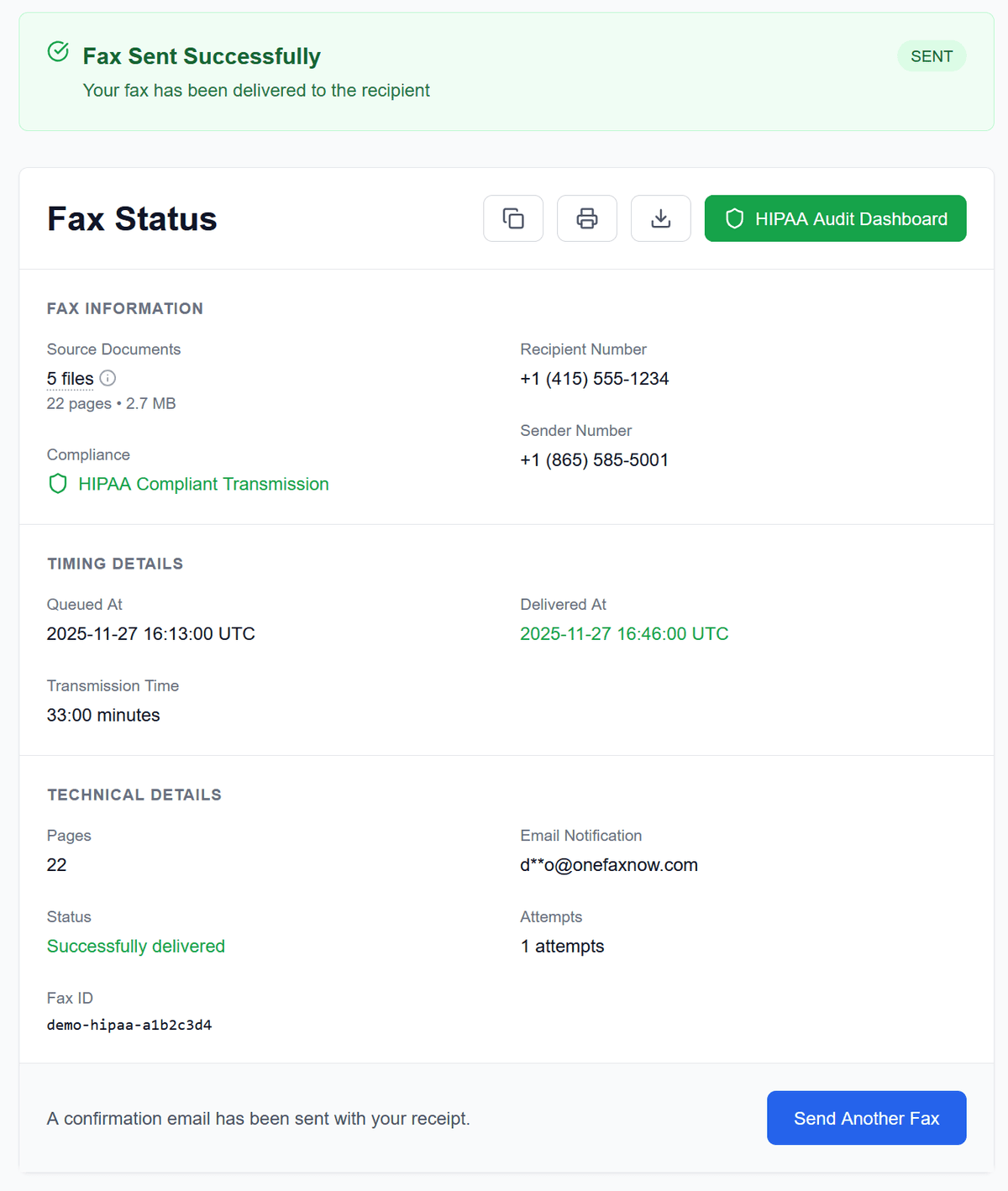
Watch live progress on your Fax Status page. If the line is busy, we retry up to 3 times. You'll receive email confirmation when delivered.
Why Use OneFaxNow for Dental Records Faxing?
No account or subscription
Transferring dental records is usually a one-time task. No monthly plans, no recurring charges—just pay for the fax you send.
Pay only on successful delivery
Your card (or Apple Pay/Google Pay) is authorized at checkout. If delivery fails after retries, you're never charged. Zero financial risk.
HIPAA mode with instant BAA
Dental records are Protected Health Information. Enable HIPAA mode for encryption, audit logs, secure deletion, and a digitally signed Business Associate Agreement.
Automatic retries for busy lines
Dental offices often have busy fax lines. OneFaxNow automatically retries up to 3 times. Follow each attempt on your status page.
Real-time tracking and email confirmation
See each step of the fax transmission in real time. Receive an email confirmation when your dental records are delivered—a receipt you can save for your own records.
Dental Records Fax Pricing
Most dental record transfers fit into our standard tiers. Need HIPAA compliance for PHI? Just toggle HIPAA mode.
Standard Dental Fax
1–10 pages
11–50 pages
Release forms, referral letters, and short records
HIPAA Dental Fax
1–10 pages
11–50 pages
PHI-safe with instant BAA, encryption, and audit trail
- U.S. & Canada fax numbers only
- Cover page counts toward total page count
- Pay only on successful delivery
Dental Records Fax Questions
Can I fax my own dental records to a new dentist?
Yes. Under HIPAA, you have the right to obtain copies of your dental records and send them wherever you choose. Request copies from your old dentist, then upload and fax them to your new provider using OneFaxNow. You can also sign a release form authorizing your old dentist to fax records directly.
What dental records should I transfer to a new dentist?
Request your complete dental chart including X-rays (periapical, bitewing, panoramic), clinical notes, periodontal charts, treatment history, any orthodontic evaluations, and relevant medical history such as allergies and medications. This helps your new dentist avoid repeating diagnostic procedures like X-rays, saving you time and money.
Do I need HIPAA mode to fax dental records?
Dental records are Protected Health Information (PHI) under HIPAA. If your documents contain diagnosis codes, treatment histories, or patient identifiers, HIPAA mode provides encryption, audit logs, secure deletion, and an instant BAA. For a simple release form without PHI, standard fax may be sufficient. Learn more about our HIPAA-compliant fax service.
Can my old dentist refuse to send my records?
No. Under HIPAA, dental offices must provide copies of your records within 30 days of a written request. They cannot refuse due to an unpaid balance. They may charge a reasonable copying fee, but cannot withhold your records. If they refuse, file a complaint with the HHS Office for Civil Rights.
Can I fax dental X-rays?
Yes. Upload your X-ray images as PDF, JPG, or PNG files. Faxed X-rays are commonly accepted for referral purposes and record transfers. For diagnostic-quality images, consider asking your old office to also send digital files via their patient portal or secure email.
What if the dental office fax line is busy?
OneFaxNow automatically retries your fax up to three times if the line is busy. You can see each attempt on your Fax Status page. If all attempts fail, you pay $0 and can try again later.
Ready to Fax Your Dental Records?
Upload your dental records, release forms, or insurance claim—enter the fax number and send. No fax machine, no subscription, and no account required.