DMV & Licensing Forms Fax Service — No Fax Machine Needed
Fax DMV forms, SR-22 documents, medical/vision reports, and professional licensing paperwork without driving to an office or copying center. No account or subscription—just upload your forms, enter the agency's fax number, and pay only if delivery succeeds.
Important: Always check your DMV or licensing board's latest instructions to confirm that fax is accepted for your specific form and which fax number to use.
When Faxing DMV & Licensing Forms Makes Sense
Many DMVs and licensing boards still publish fax numbers for forms and supporting documents. OneFaxNow is useful when you need to send:
DMV Forms
- Medical or vision evaluation forms
- Driver license review / medical review forms
- License reinstatement or suspension paperwork
- SR-22 / financial responsibility documents (when fax is allowed)
Licensing & Regulatory
- Professional licensing documents (nursing, contractor, real estate, etc.)
- Supporting documents for license renewal or reinstatement
- Compliance forms requested by a state board
Insurance & Compliance
- Proof-of-insurance when fax is listed as an accepted method
- Documentation for accidents or violations that must be faxed to a DMV or board
Typical scenarios:
- Your auto insurer asks you to fax forms or proof to a DMV or state agency.
- A doctor completes a DMV medical/vision form that must be faxed in.
- You're sending supporting documents (proof, letters, forms) to a professional licensing board that lists a fax number.
Always check the DMV/board's instructions to confirm that fax is accepted. Some forms must be submitted online, by mail, or in person instead.
Before You Fax DMV or Licensing Forms
A quick checklist to avoid delays and rejections:
Confirm fax is an allowed method
- Go to the DMV or licensing board's official website.
- Find the page for your specific form or process.
- Confirm that fax is listed as an accepted submission method.
Get the correct fax number
- Use a fax number specific to your form (e.g., medical review unit, driver control).
- Numbers can differ between offices and programs.
- If unsure, call the agency and ask: "What fax number should I use?"
Make sure your forms are complete
- Double-check all required fields, signatures, and dates.
- For medical/vision forms, confirm the provider portion is fully completed and signed.
- Attach any required supporting documents.
Add a cover page with key details
- Full name
- Driver license or ID number (or professional license number)
- Date of birth (if requested)
- Plate number or VIN (if applicable)
- Case/claim/reference number
- Contact phone and email
Note: OneFaxNow is a fax delivery service, not a DMV, licensing agency, or law firm. We can't tell you which form to use or whether your documents meet the agency's requirements.
How to Fax DMV & Licensing Forms with OneFaxNow
Prepare your forms
- Fill out your DMV or licensing forms as instructed.
- If your doctor or eye specialist must complete a section, have them finish it before you fax.
- Scan the pages or take clear, flat photos; save as PDF, or keep as images (JPG/PNG).
Upload your documents
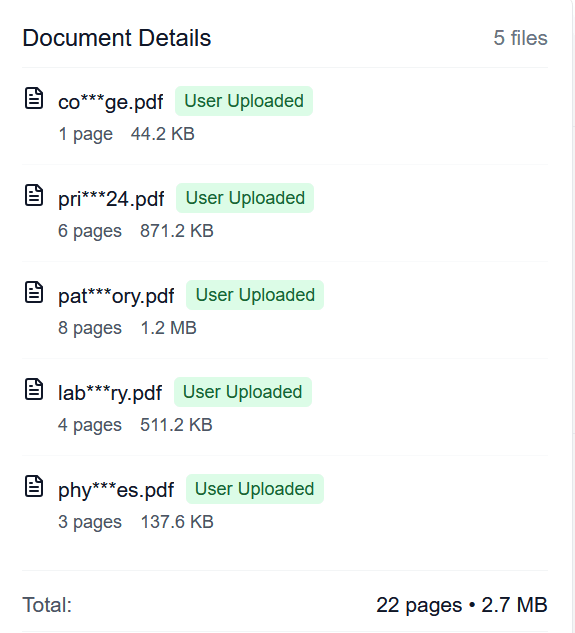
Go to the Pay-Per-Fax page and upload your files in the order you want them sent.
Supported formats: PDF, DOCX, TXT, JPG/JPEG, PNG, TIF/TIFF
Limits: Up to 20 MB per file, up to 50 pages total (cover page counts)
Multiple files are merged into a single fax in your specified order.
Decide whether to use HIPAA Mode
Use Standard Pay-Per-Fax when:
Your forms don't include detailed health information (e.g., simple change-of-address, proof-of-insurance without diagnoses).
Consider HIPAA Mode when faxing:
- • DMV medical or vision forms with diagnoses, conditions, or exam results
- • Other licensing forms that contain PHI or sensitive health details
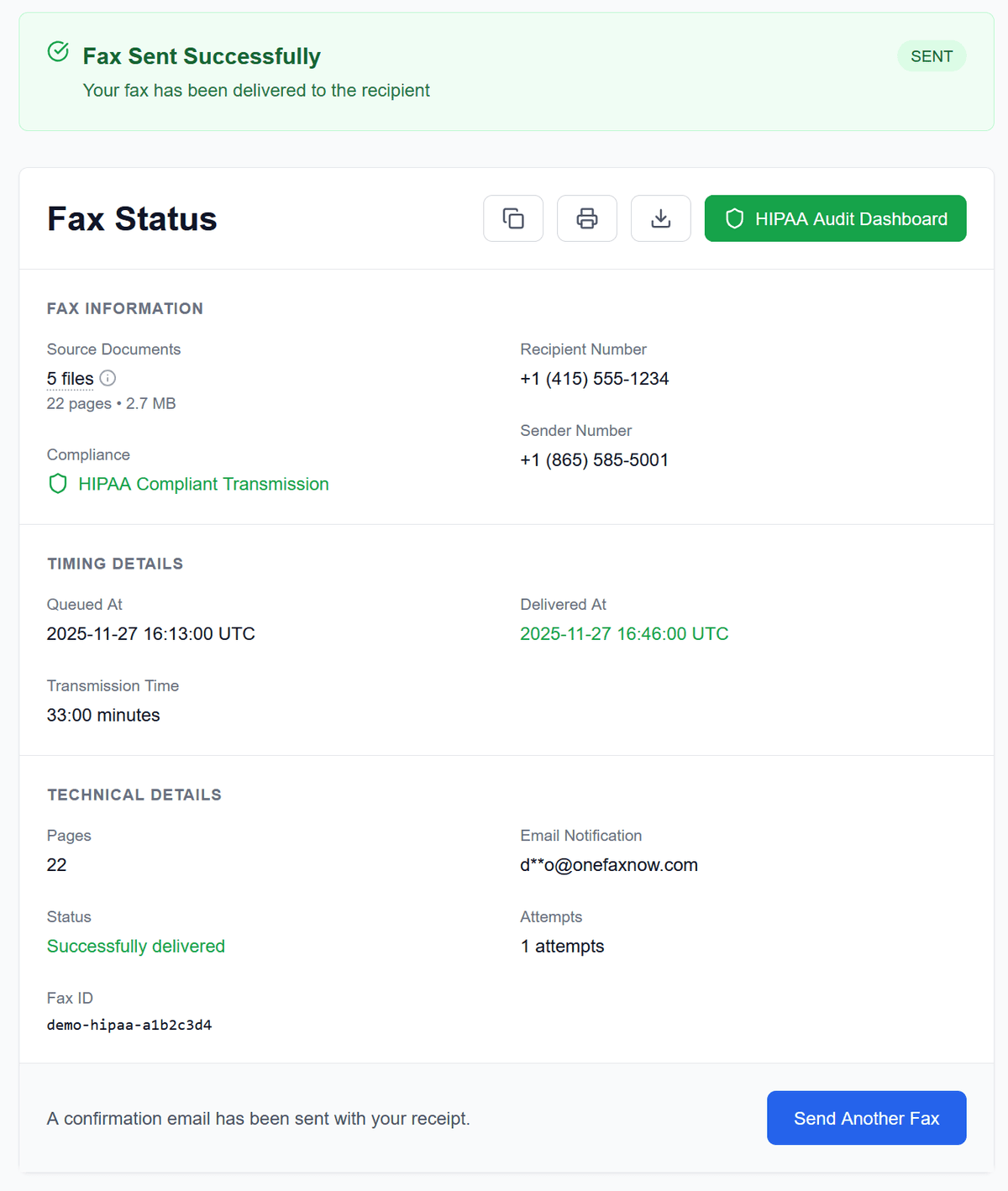
With HIPAA Mode, you get stricter handling, an instant BAA, and a HIPAA Audit Dashboard.
Enter the agency's fax number
- Enter the fax number listed in the DMV or board's instructions.
- OneFaxNow supports U.S. & Canada fax numbers.
- The number is automatically formatted for you.
Pay only if delivery succeeds
Pricing for U.S./Canada destinations:
- Lite Fax: $3.50 (1–10 pages)
- Standard Fax: $5.00 (11–50 pages)
- HIPAA Mode (optional): +$3 (Lite) or +$5 (Standard)
Your card (or Apple Pay/Google Pay) is authorized at checkout and only charged if delivery succeeds.
Track status and save your confirmation
- After sending, you'll get a Fax Status page showing real-time progress.
- If the line is busy or temporarily unavailable, OneFaxNow automatically retries up to 3 times.
- Keep your email confirmation and status page link for your records.
Standard vs HIPAA Mode for DMV & Licensing Forms
Not all DMV paperwork is medical—but some of it is.
Standard Pay-Per-Fax is usually enough when:
You're sending:
- Basic DMV forms without health information
- Proof-of-insurance or SR-22-related forms without detailed medical info
- Address changes, name changes, or general license forms
- Licensing documents without PHI
HIPAA Mode is worth using when:
You're faxing:
- Medical evaluation forms for driver fitness
- Vision exam reports with detailed results and restrictions
- Any licensing forms that include diagnoses, treatment details, or other PHI
With HIPAA Mode you get:
- • HIPAA-compliant transmission
- • Instant Business Associate Agreement (BAA)
- • HIPAA Audit Dashboard with CSV/PDF exports
- • Automatic PHI file deletion after completion
Who Uses DMV & Licensing Fax with OneFaxNow?
Drivers & Vehicle Owners
- Sending DMV forms you can't submit online.
- Faxing proof-of-insurance or SR-22-related documents when the DMV allows fax.
- Providing documentation for license reinstatement or suspension review.
Clinics, Optometrists & Medical Offices
- Faxing DMV medical and vision forms directly from the clinic.
- Sending medical evaluations for driver fitness or restricted licenses.
- Avoiding the need to maintain a dedicated fax machine or subscription.
Licensed Professionals & Businesses
- Faxing forms and supporting documents to professional licensing boards.
- Handling one-off requests for proof, compliance documents, or board-required forms.
Simple Pricing for DMV & Licensing Faxes
Most DMV and licensing packets fit into OneFaxNow's standard tiers:
Lite Fax
1–10 pages
Ideal for short forms and supporting documents
Standard Fax
11–50 pages
For larger packets or multiple forms sent together
HIPAA Mode
Optional add-on
Instant BAA, HIPAA Audit Dashboard, automatic PHI deletion
Details:
- U.S. & Canada fax numbers only
- Cover page counts toward total page count
- You only pay on successful delivery
DMV & Licensing Fax Questions
Will the DMV or licensing board accept my fax as an official submission?
That depends entirely on the agency's rules. Some forms can be faxed, others must be submitted online, by mail, or in person. OneFaxNow only handles transmission; you must confirm with the DMV or board that fax is accepted for your specific form and that you're using the correct fax number.
Can I fax DMV medical or vision forms from home?
Yes, if the DMV allows fax for those forms. You can upload a scan or clear photos of the completed form and send via OneFaxNow. Because these forms often include medical information, consider using HIPAA Mode for stricter handling and a BAA.
Can my doctor's office use OneFaxNow instead of their own fax machine?
Yes. Clinics and optometrists can use OneFaxNow for low-volume DMV faxes without maintaining fax hardware or a subscription. They simply upload the completed form, enable HIPAA Mode for PHI, and send.
What happens if the DMV's fax line is busy or doesn't answer?
OneFaxNow automatically retries up to 3 times if the line is busy or temporarily unavailable. You can watch each attempt on your Fax Status page. If all attempts fail, your payment authorization is released and you are not charged.
Should I use HIPAA Mode for DMV medical and vision forms?
If your forms contain PHI (diagnoses, conditions, exam results, etc.), HIPAA Mode offers extra protection: compliant transmission, instant BAA, and a detailed HIPAA audit log. For non-medical forms (e.g., address changes, basic license forms), Standard Pay-Per-Fax is usually sufficient.
Do I need an account or subscription to fax DMV forms with OneFaxNow?
No. OneFaxNow is built for one-time, pay-per-fax usage. You don't need to create an account or sign up for a monthly plan—just upload, send, and pay on success.
Ready to Fax DMV or Licensing Forms?
Skip the drive, the copier line, and the per-page surprises. Upload your DMV or licensing forms, enter the agency's fax number, and send from your phone or computer with flat pricing and optional HIPAA Mode for medical/vision forms.