Medicare Provider Enrollment Fax Service — CMS-855 Forms
Fax CMS-855 enrollment applications and supporting credentials to your Medicare Administrative Contractor (MAC) without a fax machine. No account, no subscription. Enable HIPAA Mode for compliant transmission of provider credentials with instant BAA and audit logs.
When to Fax Medicare Enrollment Applications
CMS accepts paper CMS-855 enrollment applications submitted to your regional MAC by mail or fax. Faxing makes sense when:
- PECOS is difficult to navigate or you prefer paper applications
- You are enrolling a new practice location or provider type
- You need to submit supporting credentials like licenses and DEA certificates
- You are revalidating your enrollment before the deadline
- You need to reassign Medicare benefits to a new group (CMS-855R)
Common Medicare enrollment forms people fax:
Important: Submit your CMS-855 application to the correct MAC for your practice location. Each MAC has its own fax number. Visit CMS.gov to identify your MAC.
Before You Fax Your Medicare Enrollment Application
Avoid costly delays by preparing your application carefully:
Identify your MAC
- Visit CMS.gov to find the MAC for your state and provider type
- Each MAC publishes its own fax number and submission requirements
- Some MACs have different fax numbers for different form types
Choose the correct CMS-855 form
- CMS-855I for individual physicians and NPPs
- CMS-855B for clinics and group practices
- CMS-855A for institutional providers
- CMS-855R for benefit reassignment
Complete every section
- Over 85% of applications contain errors or missing information
- Incomplete applications are returned, adding weeks to processing
- Include original signatures where required
Gather supporting documents
- State medical license(s) for all practice states
- DEA certificate, board certifications, NPI documentation
- W-9, malpractice insurance certificate, CV
Tip: CMS targets 15 business days for PECOS applications and 30 business days for paper/fax applications. Faxing avoids mail transit time, giving you the fastest paper submission possible.
How to Fax Medicare Enrollment Forms with OneFaxNow
Complete your CMS-855 application
Download the correct CMS-855 form from CMS.gov. Complete all sections with original signatures. Scan to PDF along with your supporting credentials.
Upload your documents
Go to HIPAA Fax and upload your CMS-855 form and supporting documents. Multiple files merge into a single fax. Supports PDF, DOCX, JPG, PNG, and TIF.
Add a cover page (recommended)
Include your NPI, provider name, and "Medicare Enrollment Application" in the subject line. This helps your MAC route the application to their enrollment team.
Enter your MAC's fax number
Enter the fax number listed on your MAC's website for enrollment submissions. Double-check the number for your specific form type and state.
Enable HIPAA Mode
HIPAA Mode provides compliant transmission with instant BAA, encryption, audit logs, and secure file deletion. Sign the BAA before sending.
Pay only if delivery succeeds
Standard: $3.50 for 1-10 pages or $5.00 for 11-50 pages.
HIPAA: $6.50 for 1-10 pages or $10.00 for 11-50 pages.
If delivery fails after retries, you pay $0.
Why Use OneFaxNow for Medicare Enrollment Faxing?
HIPAA-compliant transmission
Provider credentials and enrollment applications deserve secure handling. HIPAA Mode provides encryption, instant BAA, audit logs, and secure file deletion.
Avoid enrollment delays
Every day without Medicare enrollment is lost revenue. Get instant delivery with real-time tracking instead of waiting for mail delivery.
Pay only on successful delivery
Your card is authorized at checkout. If the MAC's fax line fails after all retries, the authorization is released and you pay $0.
Automatic retries for busy MAC lines
MAC fax lines handle high volume. OneFaxNow retries up to 3 times automatically. Track each attempt on your status page.
No account or subscription
Send your CMS-855 application without creating an account. No monthly plans — just pay per fax when you need it.
Delivery confirmation for your records
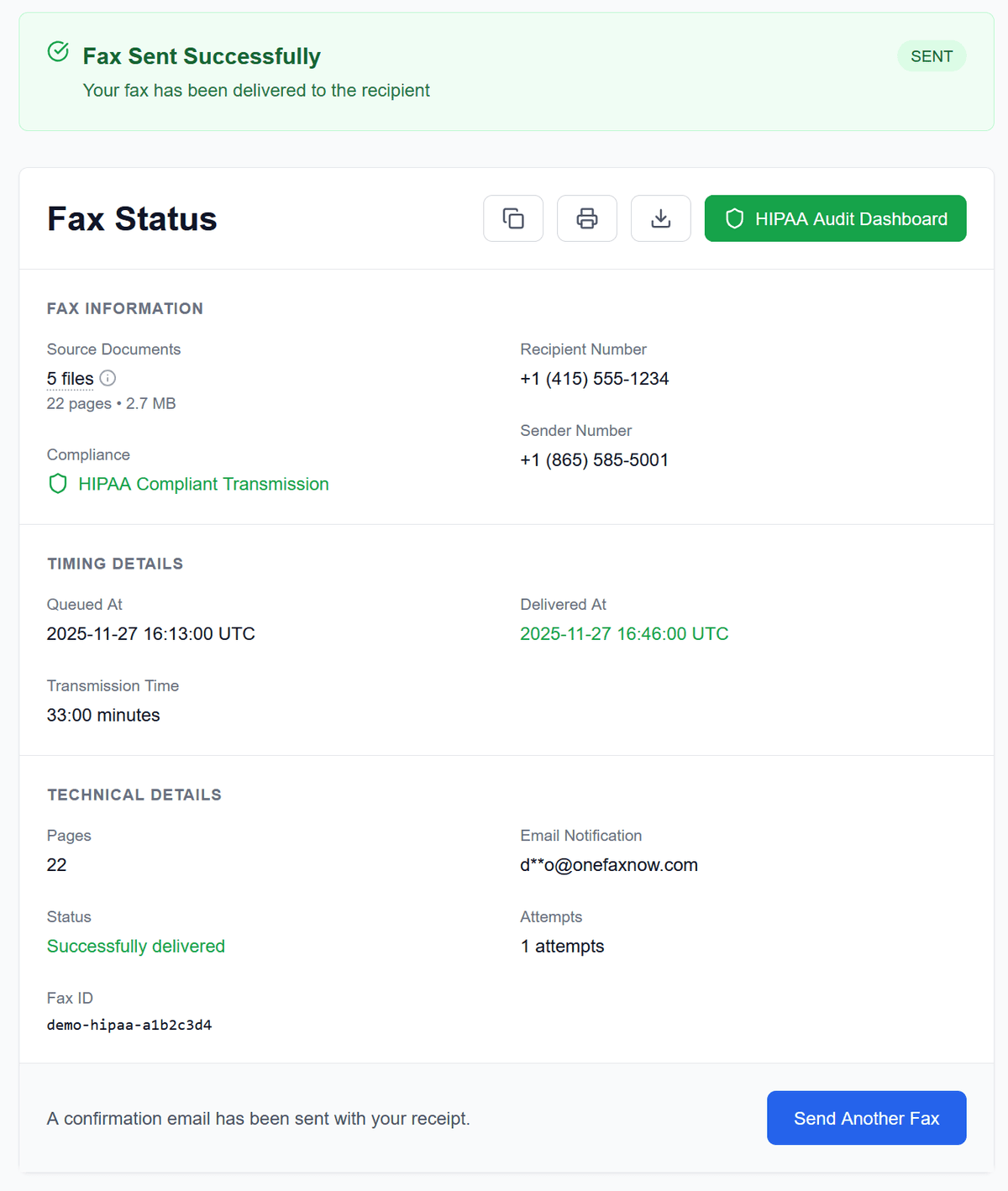
Get real-time tracking and email confirmation of delivery. Keep this as proof of your enrollment submission date.
Medicare Enrollment Fax Pricing
CMS-855 applications often run 20+ pages with supporting documents.
Standard Medicare Fax
Non-credential supporting documents
HIPAA Medicare Fax
CMS-855 applications with provider credentials
- U.S. & Canada fax numbers only
- Cover page counts toward total page count
- Pay only on successful delivery
Medicare Enrollment Fax Questions
Can I fax a CMS-855 Medicare enrollment application?
Yes. CMS accepts paper CMS-855 applications submitted by mail or fax to your regional Medicare Administrative Contractor (MAC). Verify the correct fax number on your MAC's website, as it varies by state and application type.
How long does Medicare enrollment take by fax vs PECOS?
CMS targets 15 business days for PECOS applications and 30 business days for paper/fax applications. However, processing often takes longer, especially if the application has errors or missing documentation.
Do I need HIPAA mode for Medicare enrollment faxes?
If your enrollment application includes medical licenses, credentials, or any documentation containing Protected Health Information, HIPAA mode provides compliant transmission with instant BAA, encryption, and audit logs.
Which CMS-855 form do I need?
Use CMS-855I for individual physicians and non-physician practitioners, CMS-855B for clinics and group practices, CMS-855A for institutional providers, CMS-855R for benefit reassignment, and CMS-855S for DMEPOS suppliers.
What is a MAC and how do I find my MAC's fax number?
A MAC (Medicare Administrative Contractor) is the regional entity that processes Medicare enrollment for your area. Visit CMS.gov to find your MAC based on your practice state and provider type. Each MAC publishes its own fax numbers.
What if my Medicare enrollment fax fails?
OneFaxNow automatically retries up to 3 times if the line is busy. You can track each attempt in real time on your status page. If all retries fail, you pay $0.
Ready to Fax Your Medicare Enrollment Application?
Upload your CMS-855 form and supporting credentials, enter your MAC's fax number, and send. No fax machine, no subscription, and no account required. HIPAA mode available for secure transmission.