7 Ways to Reduce Fax Costs for Your Business
Explore practical strategies to reduce fax costs for your business while ensuring compliance and improving efficiency.
7 Ways to Reduce Fax Costs for Your Business
Faxing is still essential for industries like healthcare and legal services, but traditional fax systems can be expensive. Switching to online fax services and optimizing your faxing habits can save your business thousands annually. Here are seven practical strategies to cut fax-related costs while maintaining compliance and efficiency:
- Switch to Online Fax Services: Eliminate hardware, phone lines, and consumables by using cloud-based faxing. Options like pay-per-fax or subscriptions cater to different usage levels.
- Reduce Unnecessary Fax Volume: Audit your workflows to avoid redundant transmissions and switch to alternatives like secure emails or shared drives.
- Choose the Right Pricing Model: Match your faxing habits to either pay-per-fax for occasional use or subscription plans for consistent needs.
- Use HIPAA-Compliant Faxing: Protect sensitive data and avoid penalties with secure, compliant fax solutions.
- Eliminate Physical Fax Machines: Save on maintenance, supplies, and space by going fully digital.
- Train Your Team: Educate employees on cost-saving practices, like optimizing documents and batching transmissions.
- Track and Review Usage: Monitor fax volume, evaluate providers quarterly, and switch to better options as needed.
Quick Comparison of Fax Services
| Service | Pricing Model | Cost (1–10 Pages) | Cost (11–50 Pages) | HIPAA Compliance | Account Required | Payment Options |
|---|---|---|---|---|---|---|
| OneFaxNow | Pay-per-fax | $3.50 | $5.00 | Optional (+$3–$5) | No | Stripe, Apple Pay, Google Pay |
| eFax | Subscription | Included | Included | Available | Yes | Credit/Debit Cards |
| FaxZero | Pay-per-fax | Free (3 pages max) or $1.99 | $2.09 (15 pages max) | Not available | No | Credit/Debit Cards |
| FedEx/UPS | In-store, per-page | ~$1.89–$2.00/page | Per-page pricing | Not available | No | Cash, Credit/Debit Cards |
Switching to online fax services and adopting these cost-saving practices can help your business reduce expenses, improve efficiency, and maintain compliance. Services like OneFaxNow offer flexible, secure options without long-term commitments.
1. Switch to Online Fax Services
Traditional fax machines can quickly become a financial burden. Between the upfront cost of the machine, dedicated fax lines (typically $30–$50 per month), and recurring expenses like paper, toner, and maintenance, annual costs can easily exceed $1,000.
Online fax services simplify this process and slash costs. Instead of relying on clunky hardware, you can send and receive faxes directly from your computer, smartphone, or email. These cloud-based systems eliminate the need for equipment purchases, phone line fees, and constant supply restocking. Plus, with an internet connection, you can fax from virtually anywhere - whether you're in the office, working remotely, or on the go.
Most providers offer two pricing models: subscription plans or pay-per-fax. Subscriptions typically range from $6.99 per month for individuals to $79.99 per month for larger enterprises, making them ideal for businesses with consistent faxing needs. On the other hand, pay-per-fax options - priced at $3.50 for 1–10 pages and $5.00 for 11–50 pages - are perfect for occasional users who want to avoid monthly fees. This flexibility ensures you’re only paying for what you actually use.
For industries like healthcare and legal services, where handling sensitive information is non-negotiable, online fax services deliver robust security features. These include 256-bit AES encryption for storing documents, TLS 1.2+ encryption for secure data transfer, and Business Associate Agreements (BAAs) to ensure compliance with HIPAA regulations. While some providers require lengthy negotiations to establish a BAA, others streamline the process with instant BAA generation via their dashboards.
Beyond compliance, these services integrate seamlessly into everyday workflows. You can send faxes directly from platforms like Google Drive, Dropbox, or even your email. Features like digital signatures make document handling more efficient, while admin panels allow businesses with multiple fax numbers to monitor and manage usage from a central hub.
OneFaxNow offers a unique solution for those who want to avoid subscription fees altogether. With OneFaxNow, there’s no need to set up an account or commit to monthly payments. Simply upload your document (PDF, Word, JPG, etc., up to 50 pages), and securely pay using Stripe, Apple Pay, or Google Pay. Standard pricing is straightforward: $3.50 for 1–10 pages and $5.00 for 11–50 pages. For sensitive documents like medical records or insurance forms, you can enable HIPAA mode for an additional $3.00 or $5.00, ensuring stricter handling, audit logging, and instant BAA generation - no waiting or complicated negotiations required. Best of all, you’re only charged if the fax is successfully delivered, with automatic retries, real-time status updates, and tracking links included.
Another useful feature to consider is data residency. Some online fax providers allow you to choose where your faxes are stored, such as in the United States, Canada, or Switzerland, to meet specific regulatory requirements for data protection.
Switching to online fax services isn’t just about reducing costs - it’s about gaining flexibility, enhancing security, and streamlining your operations. Whether you need a subscription plan for frequent faxing or a pay-per-fax option for occasional use, this modern approach offers immediate savings and long-term convenience.
Why choose OneFaxNow?
If your business occasionally sends sensitive documents - like medical records, insurance forms, or legal filings - OneFaxNow provides a flexible, affordable, and secure solution without the commitment of monthly subscriptions or account setups.
2. Reduce Unnecessary Fax Volume
Cutting down on unnecessary faxing is a smart way to trim costs. Each fax your business sends racks up expenses - not just in per-page fees but also in the time spent preparing documents and managing outdated processes. The solution? Eliminate faxes that aren't truly needed.
Start by auditing your workflows to identify where faxing happens out of habit rather than necessity. Take a close look at recent fax logs and ask questions like: Is this fax legally required? Could a secure email or digital file-sharing tool have been used instead? Has this document already been sent? This kind of review often uncovers inefficiencies. For example, internal teams might be faxing documents back and forth when a shared drive or project management tool could handle the job faster and more securely. Platforms like Google Drive, Microsoft SharePoint, or Dropbox can replace internal faxing, while digital signature tools such as DocuSign or Adobe Sign can eliminate the need for printing, signing, and scanning. These changes don’t just save money - they also make your workflows smoother.
Duplicate transmissions are another hidden cost. To avoid this, set clear policies about when and by whom faxes should be sent. For example, if a patient's medical records need to go to a specialist, assign one person to handle the transmission to ensure accuracy and security. A centralized tracking log can also help prevent unnecessary duplicates.
For non-essential communications like appointment reminders or marketing materials, switch to more affordable options like email or text messages.
When faxing is unavoidable - think insurance claims, legal filings, or medical records - evaluate your overall fax usage. If you’re sending fewer than 20 faxes a month, a pay-per-fax service might save you more money than maintaining a dedicated fax line or subscription plan. Adding an approval process for faxes can also be a game-changer. Before sending, staff should confirm if the fax is legally required, if a digital alternative exists, or if the document has already been sent. This simple step can significantly cut down on unnecessary transmissions.
Employee training is equally important. Many people stick to faxing because they’re unfamiliar with modern alternatives or unaware of the costs involved. A quick training session on secure email, file-sharing platforms, and digital signature tools can help your team adopt more cost-effective practices right away.
OneFaxNow’s pay-per-fax model offers another way to control costs. Since you’re only charged for successful transmissions, it encourages careful use. Unlike subscription plans that might tempt users to send unnecessary faxes just to “get their money’s worth,” this model ensures every fax sent is truly needed, saving money and boosting efficiency.
Up next, we’ll compare online fax service providers to help you find the most budget-friendly option.
3. Select the Right Pricing Model for Your Volume
Once you've explored ways to cut costs and reduce fax volume, the next step is picking the pricing model that fits your faxing habits. The best choice depends on how often you send faxes.
Pay-per-fax models charge you only when you send a fax. Typically, you’ll pay a flat fee per transmission - around $3.50 for 1 to 10 pages or $5.00 for 11 to 50 pages. Some services also offer an optional HIPAA mode, which adjusts the per-fax fee for added compliance. This model is perfect for businesses with sporadic faxing needs, such as sending 5 to 15 faxes a month, or for those with unpredictable usage patterns. There's no monthly commitment, and you won’t pay for unused capacity.
On the other hand, subscription plans charge a recurring monthly fee that includes a set number of pages. For example, some providers offer plans starting at $6.99 per month, with options for custom enterprise rates. These plans are best suited for businesses that send dozens or even hundreds of faxes each month and can reliably predict their usage. This distinction makes it clear how each pricing model caters to different levels of faxing activity.
A quick cost comparison can help you decide. If two pay-per-fax transmissions cost about $7.00 (based on $3.50 per fax), a subscription plan becomes cost-effective only when your monthly fax volume consistently exceeds this threshold. For solo practitioners or small businesses sending fewer than 20 faxes a month, pay-per-fax pricing often makes more sense because you only pay for what you use. Reviewing your fax logs over several months can help you determine which model saves you the most money.
For industries like healthcare and legal services, where HIPAA compliance is a must, the cost structure varies. Subscription plans often include advanced security features, while pay-per-fax services may add HIPAA compliance as an optional fee per fax. Be sure to compare these options carefully, factoring in page limits and overage charges.
Analyzing your fax logs over two to three months can help you pinpoint your average usage. Multiply your monthly fax volume by the per-fax cost, then compare that total to the subscription fees available. This approach ensures you select the most cost-effective option.
For high-volume operations, such as insurance companies or medical billing departments, enterprise solutions can lower the cost per fax. However, it’s important to review the plan details to ensure it meets your specific operational needs.
OneFaxNow offers a transparent pay-per-fax pricing model that only charges for successful transmissions, so you won’t pay for failed attempts.
Why consider OneFaxNow for your needs?
Its flexible, no-account, pay-per-fax pricing is ideal for small businesses, medical practices, and legal firms looking for affordable, HIPAA-compliant faxing without long-term commitments.
Next, we’ll explore how HIPAA-compliant faxing safeguards your organization from costly penalties.
4. Use HIPAA-Compliant Faxing to Avoid Penalties
Relying on fax solutions that don't meet HIPAA standards can lead to serious consequences for healthcare providers, insurance companies, and legal firms. Even a single misdirected fax containing Protected Health Information (PHI) can result in hefty fines, legal battles, and expensive remediation efforts.
OneFaxNow offers a straightforward solution with its HIPAA-enabled transmissions. Pricing starts at $6.50 for 1–10 pages and $10.00 for 11–50 pages, with charges applying only to successful faxes. This pay-per-fax model eliminates the need for costly monthly subscriptions, offering a secure and compliant option that helps reduce the risk of penalties and remediation costs.
HIPAA-compliant faxing prioritizes security by encrypting data both in transit and at rest. Typically, these services use 256-bit AES encryption for stored documents and TLS 1.2+ for transmissions. Additionally, they provide Business Associate Agreements (BAAs), which are critical when third-party vendors handle PHI. Without a signed BAA, your organization could be held accountable for any data breaches.
Streamlined Compliance with OneFaxNow
Fast and transparent documentation is essential for compliance. Unlike other providers that require lengthy BAA negotiations, OneFaxNow allows you to instantly generate and download BAAs when HIPAA mode is enabled. This feature, combined with real-time status updates, removes the delays often associated with subscription-based services.
Comprehensive Audit Logs
HIPAA-compliant fax services also maintain detailed audit logs, recording every transmission with timestamps, sender and recipient details, and delivery confirmations. These logs are invaluable for internal reviews or regulatory audits, ensuring your organization can demonstrate compliance when needed.
Control Over Data Residency
Some HIPAA-compliant fax providers, including OneFaxNow, offer options to specify where your fax data and backups are stored. This added control helps meet local compliance requirements and safeguards sensitive information.
The cost of HIPAA-compliant faxing is a small price to pay compared to the risks of non-compliance. Beyond avoiding penalties, secure faxing also reduces expenses by eliminating the need for physical fax machines and associated hardware. OneFaxNow’s pay-per-fax model - with instant BAA access, detailed audit logs, and success-only billing - provides a secure and cost-effective solution for organizations handling sensitive documents.
Why choose OneFaxNow for HIPAA compliance?
With its optional HIPAA mode, OneFaxNow delivers instant compliance documentation, robust audit trails, and billing exclusively for successful transmissions - ensuring secure and auditable fax communications.
Next, we’ll explore how eliminating physical fax machines can further lower your operational costs.
5. Eliminate Fax Machines and Related Hardware
Cutting out fax machines and their associated hardware can significantly reduce your business expenses. While the upfront cost of a fax machine might seem manageable, the hidden costs add up quickly.
Breaking Down the Real Costs
A typical business fax machine costs between $200 and $800 to purchase. But that’s just the start. A dedicated phone line adds $30 to $50 per month (around $360 to $600 annually). Then there are ongoing expenses: paper (about $25 per ream of 500 sheets), toner cartridges ($50 to $150 each), and maintenance agreements that can run $150 to $300 per year. On top of that, the office space required for the machine depends on local rental prices, which can vary widely.
The Hidden Productivity Drain
Fax machines don’t just hurt your wallet - they also slow down your team. Employees have to walk to the machine, wait for transmissions to go through, confirm delivery, and then handle the paperwork by filing or scanning it. All of this eats into valuable work time, reducing overall productivity.
How Online Fax Services Solve the Problem
Switching to an online fax service eliminates all these hardware-related costs. With these services, you can send and receive faxes directly from your computer, smartphone, or email. There’s no need for physical machines, dedicated phone lines, or consumables like paper and toner. Plus, digital signing capabilities let you sign documents electronically, cutting out the hassle of printing, signing, and scanning. The cost savings are clear when you compare the numbers.
Pay-Per-Fax vs. Subscription Models
Online fax services typically offer two pricing options: subscription plans starting around $6.99 per month or pay-per-fax models. For example, OneFaxNow charges $3.50 for 1–10 pages and $5.00 for 11–50 pages, with a success-only billing structure.
Calculating Your Savings
Let’s take a medical office that sends 20 faxes per month. Using a traditional fax machine, the annual costs could exceed $1,200. This includes $400 for the machine (amortized), $480 for the phone line, $150 for paper and toner, and $200 for maintenance. Compare that to OneFaxNow’s pay-per-fax model, which would cost approximately $1,020 annually at an average rate of $4.25 per fax. Not only does this save money, but it also eliminates the need for equipment management, maintenance, and supply orders.
Why Choose OneFaxNow to Eliminate Hardware Costs?
OneFaxNow offers a streamlined solution for businesses looking to cut infrastructure costs. With secure transmissions for up to 50 pages, no account required, and success-only billing, it’s a reliable and cost-efficient alternative to traditional fax machines.
Up next, we’ll explore how training your team on cost-saving fax practices can further reduce expenses.
sbb-itb-0df24da
6. Train Staff on Cost-Efficient Fax Practices
Unclear faxing habits can lead to unnecessary expenses. By training your team on smarter faxing practices, you can cut costs while staying compliant with legal and contractual requirements.
Define When Faxing Is Necessary
Teach your staff to differentiate between essential and non-essential faxing. Faxing should only be used when legally or contractually required. If a third party or regulatory body doesn’t explicitly demand a fax, explore alternative communication methods. A simple decision-making process - such as verifying whether the recipient specifically requires a fax or if faxing is the only secure option - can help reduce unnecessary transmissions.
Optimize Documents to Minimize Pages
Encourage employees to streamline documents before faxing. Small adjustments, like removing unnecessary cover pages, tightening margins, slightly reducing font sizes (while keeping text readable), and eliminating blank pages, can significantly reduce the total number of pages. This approach is especially helpful with pay-per-page fax services, where fewer pages mean lower costs.
Approval for High-Volume Faxing
Set up an approval process for large faxing jobs to ensure they are necessary. This extra step not only helps manage costs but also ensures compliance and security when handling sensitive documents.
Combine Documents for the Same Recipient
Whenever possible, batch multiple documents for the same recipient into a single fax. This reduces the number of transmissions, cutting down on fees and saving administrative time.
Track and Share Cost-Saving Results
Regularly share fax cost reports with your team to highlight the financial impact of their efforts. When employees see how their actions contribute to savings, they’re more likely to stick with efficient practices. Recognize and reward individuals or teams who consistently make cost-effective faxing decisions to encourage ongoing improvement.
Why Use OneFaxNow for Cost-Conscious Teams?
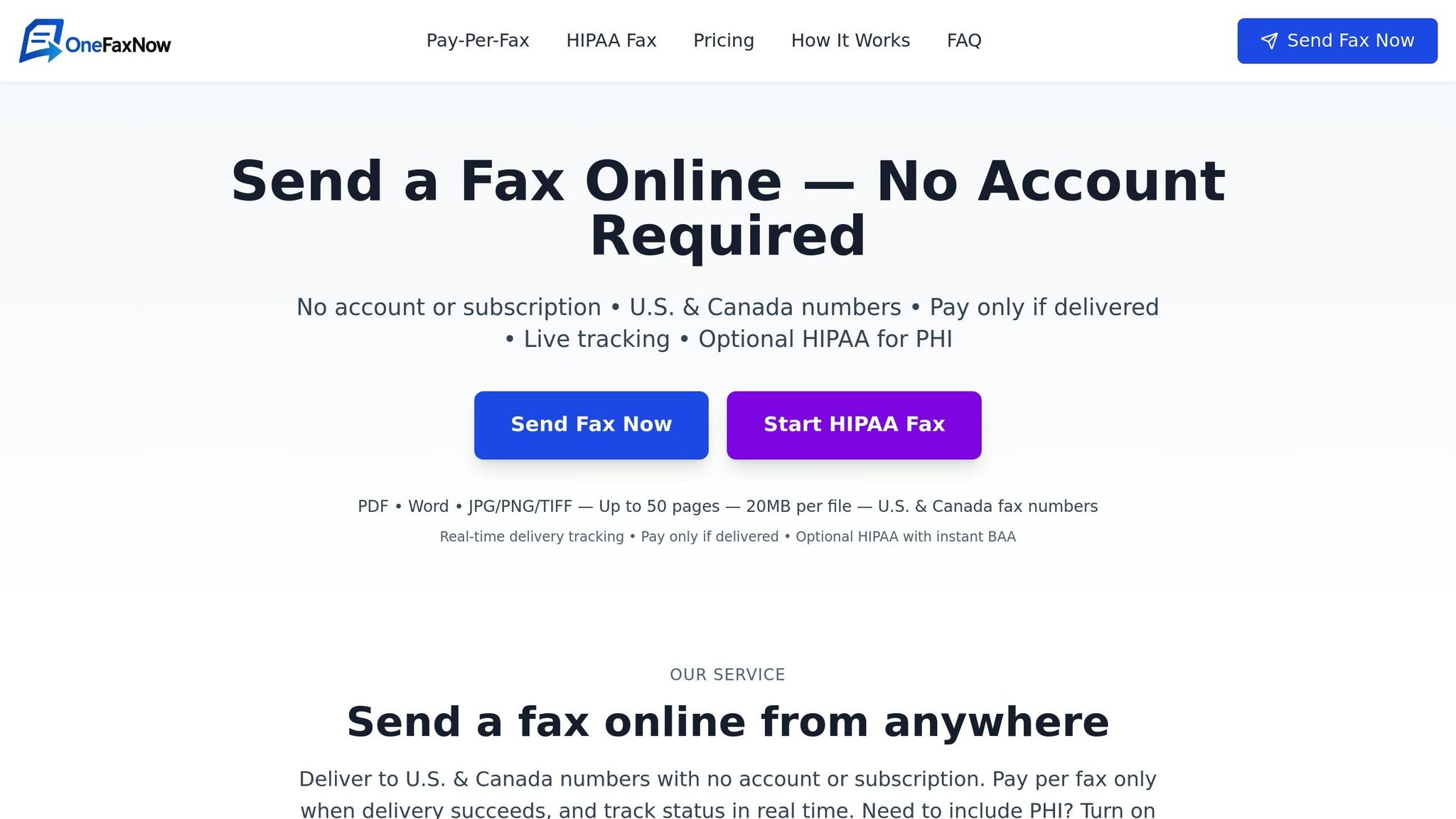
OneFaxNow offers straightforward pricing that helps employees understand how their faxing habits affect costs. With clear rates - $3.50 for 1–10 pages and $5.00 for 11–50 pages - staff can immediately see how optimizing documents saves money. Plus, OneFaxNow’s success-only billing ensures you only pay for faxes that go through, and its no-account-required model makes it easy for employees to use without added management headaches.
7. Track Fax Usage and Review Providers Regularly
To keep your faxing expenses in check, it’s essential to monitor usage and routinely evaluate your service provider. Without tracking, you risk overspending or sticking with plans that don't match your needs. By keeping tabs on your faxing patterns and reviewing providers periodically, you can identify inefficiencies, adjust plans, and switch to better options when necessary.
Keep an Eye on Monthly Fax Volume and Costs
Start by tracking how many faxes you send each month and calculate the cost per transmission. Most online fax services offer admin dashboards that provide a clear view of your usage across different departments or team members. These tools can help you pinpoint areas with unusually high fax activity, making it easier to manage costs.
For businesses using pay-per-fax services like OneFaxNow, tracking is straightforward. Each fax generates an email confirmation with a job ID and tracking link, giving you real-time insights into your spending. To stay organized, consider maintaining a simple spreadsheet to log monthly fax counts, total costs, and average cost per page. This data not only highlights trends but also serves as a baseline for evaluating whether your current plan is cost-effective.
Conduct Regular Quarterly Reviews
Fax service pricing and features can change frequently, so what worked for you six months ago might not be the best fit today. Set a quarterly schedule - every three months - to assess your current provider against other options in the market.
During these reviews, ask yourself key questions: Does your current plan match your faxing needs? Are you paying for unused allocations, or are overage charges becoming a problem? For example, if you’re on a subscription plan that includes 500 pages per month but only use 150, you’re likely overspending. On the flip side, if you’re consistently exceeding your limit, a higher-tier plan or a different provider might save you money.
Also, check for any changes in your provider’s pricing structure. Some companies may introduce new fees, like setup costs or per-page overages, that weren’t part of your original agreement. Additionally, look out for new features that could cut other operational expenses. For example, if your provider now includes eSign capabilities, you could save on printing, signing, and scanning costs.
Match Providers to Your Usage Patterns
As part of your review process, take a fresh look at competing services. Different providers cater to different needs, so finding the right one depends on your fax volume and specific requirements.
- Low-volume users: If you send fewer than 50 faxes per month, pay-per-fax services often provide better value.
- High-volume users: For those sending large numbers of faxes, subscription plans starting at $6.99/month or custom enterprise solutions may be more cost-effective.
Don’t overlook security and compliance. Providers that meet standards like HIPAA, SOC 2, or GDPR can help you avoid costly penalties and protect sensitive data - an important factor when managing long-term expenses.
Know When to Switch Providers
If your quarterly review reveals a better option, don’t hesitate to consider switching. Calculate potential savings against costs like early termination fees, number porting charges, or any time needed for staff training. Some providers offer flexibility with no long-term contracts or mandatory account setups, making it easier to test their services without committing upfront. This approach ensures your fax solution continues to meet your operational needs.
How OneFaxNow Makes Tracking Simple
OneFaxNow’s straightforward pricing structure takes the guesswork out of cost tracking. With rates of $3.50 for small faxes (1–10 pages) and $5.00 for larger documents (11–50 pages), plus optional HIPAA add-ons for $3.00 or $5.00, there are no hidden fees or monthly minimums.
Since OneFaxNow doesn’t require an account, there’s no subscription to manage or cancel. Each fax generates a tracking email with detailed delivery status, and you’re only billed for successful transmissions. For healthcare organizations, the HIPAA dashboard provides instant access to audit logs and Business Associate Agreement (BAA) execution. This simplifies compliance documentation during provider reviews, reducing administrative headaches while keeping your operations aligned with regulatory requirements.
Comparison Table: Online Fax Services
When considering online fax services, it's essential to weigh factors like pricing, compliance, and ease of use. Here's a breakdown of how popular providers compare across these key aspects:
| Provider | Pricing Model | 1–10 Pages | 11–50 Pages | HIPAA Compliance | Account Required | Delivery Tracking | Payment Options |
|---|---|---|---|---|---|---|---|
| OneFaxNow | Pay-per-fax | $3.50 | $5.00 | Optional: +$3.00 (Lite) / +$5.00 (Standard); instant BAA | No | Real-time tracking, email updates, success-only billing | Stripe (Apple Pay, Google Pay, credit/debit cards) |
| eFax | Subscription | Included | Included | Available; BAA provided (additional costs not disclosed) | Yes | Email confirmations; limited tracking details | Credit/debit cards |
| Fax.Plus | Subscription | Included | Included | Included in service | Yes | Email status updates | Not disclosed |
| iFax | Subscription | Included | Included | Available; BAA offered (additional cost not disclosed) | Yes | Email notifications | Credit/debit cards |
| HelloFax/Dropbox Fax | Subscription | Included | Included | Not disclosed | Yes | Basic confirmation | Credit/debit cards |
| SRFax | Subscription | Included | Included | Available; BAA provided (additional cost not disclosed) | Yes | Email confirmation | Credit/debit cards |
| MyFax | Subscription | Included | Included | Not disclosed | Yes | Basic confirmation | Credit/debit cards |
| MetroFax | Subscription | Included | Included | Available; BAA offered (additional cost not disclosed) | Yes | Email confirmation | Credit/debit cards |
| FaxZero | Pay-per-fax (free tier) | Free (3 pages max; ads included) or $1.99 (5 pages) | $2.09 (15 pages max) | Not available | No | Email confirmation | Credit/debit cards |
| GotFreeFax | Pay-per-fax (free tier) | Free (3 pages max; ads included) | Not available | Not available | No | Basic confirmation | N/A for free tier |
| PayPerFax | Pay-per-fax | ~$2.00–$3.00 | ~$5.00–$7.00 | Not disclosed | No | Email confirmation | Credit/debit cards |
| FedEx Fax Services | In-store, per-page | ~$1.89/page | Per-page pricing | Not available | No | Receipt provided | Cash, credit/debit cards |
| UPS Faxing Services | In-store, per-page | ~$2.00/page | Per-page pricing | Not available | No | Receipt provided | Cash, credit/debit cards |
Last verified: November 26, 2025
Breaking Down the Numbers
Looking at the table, it's clear that pricing models vary significantly. For example, in-store options like FedEx and UPS charge $1.89–$2.00 per page, which can quickly add up - $18.90 to $20.00 for a 10-page fax.
Pay-per-fax services, such as OneFaxNow, offer a more flexible solution for those with infrequent faxing needs. Sending a 10-page document costs just $3.50, a fraction of the price compared to in-store alternatives. On the other hand, subscription services like Fax.Plus or MetroFax are better suited for businesses with consistent faxing needs, as they include a set number of pages in their monthly plans.
HIPAA Compliance: What You Need to Know
For businesses handling sensitive data, HIPAA compliance is a must. OneFaxNow offers a straightforward, optional HIPAA mode priced at $6.50 for 1–10 pages or $10.00 for 11–50 pages, complete with instant BAA execution. This transparency is ideal for occasional use, like sending medical records or insurance forms.
Other providers, such as Fax.Plus, include HIPAA compliance as part of their service, along with additional certifications like SOC 2 and GDPR. Subscription-based services like eFax, SRFax, and MetroFax also offer BAAs, though specific pricing for HIPAA features isn't always disclosed.
Account-Free Options and Payment Flexibility
For users who need to send a fax quickly without the hassle of creating an account, providers like OneFaxNow, FaxZero, GotFreeFax, and PayPerFax stand out. These services allow you to send documents immediately, saving time in urgent situations. In contrast, subscription-based services require account registration, which can delay one-off transmissions.
OneFaxNow also offers a range of payment options through Stripe, including Apple Pay, Google Pay, and credit/debit cards. In-store services like FedEx and UPS accept cash and cards but require a physical visit, adding time and travel costs.
Delivery Tracking and Billing Transparency
OneFaxNow sets itself apart with real-time tracking, email updates, and retries for failed transmissions - charging only for successful deliveries. This ensures you’re never billed for a failed attempt. While other services like Fax.Plus and eFax provide email confirmations, they lack the same level of tracking detail or success-only billing. In-store options, while reliable for receipts, don’t offer digital tracking once you leave the counter.
Why Choose OneFaxNow?
For cost-conscious users, OneFaxNow’s pay-per-fax model is a practical choice. You only pay when you send a document, making it perfect for occasional needs. The optional HIPAA add-on, complete with instant BAA execution, ensures compliance without long-term commitments. And with no account required, you can send a fax in under a minute - ideal for urgent tasks like court filings or medical records.
With success-only billing, real-time tracking, and flexible payment options, OneFaxNow combines affordability with reliability.
Send a Fax Online - No Account Required
For healthcare-specific needs, explore HIPAA-compliant faxing with instant BAA execution and audit-ready features.
Conclusion
The seven strategies outlined here offer practical ways to cut down on fax-related expenses without compromising reliability or compliance. By transitioning to online fax services, reducing unnecessary fax volume, choosing a pricing model that fits your needs, ensuring HIPAA compliance, phasing out outdated hardware, training staff on best practices, and keeping a close eye on usage, you can effectively manage costs.
Online fax services help you avoid traditional expenses tied to physical fax machines, dedicated phone lines, paper, toner, and maintenance. Pay-per-fax pricing ensures you’re only billed for what you actually use, while HIPAA-compliant services protect your organization from penalties and enhance data security. Regularly evaluating your fax usage and service provider ensures that your setup stays cost-effective and meets your needs.
If you're looking for an efficient and affordable solution, consider OneFaxNow’s pay-per-fax service. It’s designed to prioritize compliance and ease of use.
Send a Fax Online - No Account Required
For healthcare providers or businesses managing sensitive information, check out HIPAA-compliant faxing with instant BAA execution and audit-ready features.
FAQs
What are the advantages of using online fax services instead of traditional fax machines for small businesses?
Switching to online fax services can bring several advantages to small businesses compared to sticking with traditional fax machines. For starters, it cuts costs by doing away with the need for physical equipment, paper, ink, and a dedicated phone line. Plus, it simplifies workflows, letting you send and receive faxes from virtually anywhere using a computer or mobile device - a big win for remote work or when you're on the move.
These services also come with useful features like real-time delivery tracking, automatic retries for failed faxes, and support for a wide range of file types, including PDFs, images, and DOCX files. For industries like healthcare or legal, many services include optional HIPAA-compliant modes and make it easy to execute a Business Associate Agreement (BAA) to stay on top of regulatory requirements. In short, online faxing offers a more convenient, budget-friendly, and efficient way for small businesses to handle fax communication.
How does OneFaxNow meet HIPAA requirements, and why is it a good choice for businesses handling sensitive data?
OneFaxNow takes HIPAA compliance seriously, offering an optional HIPAA mode that enforces stricter data handling protocols. This includes the ability to instantly generate and download a Business Associate Agreement (BAA) directly from the dashboard. The platform also supports features tailored for audits, like detailed logs and secure data storage practices.
For industries like healthcare and legal services, where safeguarding sensitive information is critical, OneFaxNow offers a reliable solution. It blends strong compliance measures with intuitive tools, making secure faxing both simple and efficient.
What’s the best way for businesses to decide between pay-per-fax and subscription faxing models?
The best way to choose between faxing options is to take a close look at your business's faxing habits. If your faxing needs are low or vary a lot, pay-per-fax could be the smarter choice since you’re only paying for what you use. However, if your business consistently sends a large number of faxes, a subscription model with a flat monthly fee might end up being more economical in the long run.
It’s also important to weigh other factors, like upfront costs, potential hidden fees, and any extra charges for features like HIPAA compliance. To make an informed decision, try comparing the costs for typical fax volumes - say, 1–10 pages versus 11–50 pages - and see which option fits your budget and workflow best.