Faxing Medical Records to Out-of-Network Providers: What to Include So They Don’t Reject It
Include full patient IDs, signed ROI, a clear cover sheet, organized clinical notes, and use HIPAA‑compliant faxing to prevent out‑of‑network rejections.
Faxing Medical Records to Out-of-Network Providers: What to Include So They Don’t Reject It
When faxing medical records to out-of-network providers, missing information or disorganized documents can lead to rejections and delays in patient care. To ensure smooth processing, your fax packet must be complete, well-structured, and HIPAA-compliant. Here's what you need to include:
- Patient Details: Full legal name, date of birth (MM/DD/YYYY), contact information, and, if available, a medical record number (MRN).
- Receiving Provider Info: Full name, credentials, practice name, fax number, and National Provider Identifier (NPI).
- Scope of Records: Specify the date range and purpose (e.g., referral or continuity of care).
- Clinical Documents: Include the most recent progress note, problem list, medication list, lab results, and imaging reports.
- Authorization: A signed HIPAA-compliant Release of Information (ROI) form, unless covered under treatment exceptions.
For compliance, avoid public fax machines and use HIPAA-compliant online fax services that offer encryption, audit logs, and secure transmission. Double-check all details before sending to prevent errors or rejections.
Why Out-of-Network Providers Reject Fax Requests
Out-of-network providers often reject fax requests because they lack shared electronic systems, requiring them to review each fax independently. This process leaves little room for error - missing or unclear details can trigger additional verification steps, slowing everything down. Let’s break down the common issues and how the type of request impacts processing.
Common Challenges
The most frequent reason for fax rejections is incomplete or poorly organized documentation. When details are missing or scattered, providers have to spend extra time verifying the information, which delays the process. To avoid these headaches, it’s essential to send a clear and well-organized fax packet. By doing so, you reduce the likelihood of rejection and help the process move forward without unnecessary back-and-forth. Recognizing these challenges also explains why different types of requests - like those between providers versus those initiated by patients - come with varying requirements.
Provider-to-Provider vs. Patient-Directed Requests
The standards for faxed records change depending on the nature of the request. For provider-to-provider communication, an existing professional relationship often allows minor ambiguities to slide, making the process smoother. However, patient-directed requests are an entirely different story. These require stricter verification to meet privacy regulations, leaving no room for incomplete or unclear submissions. Regardless of the request type, submitting a thorough and organized packet saves time and prevents delays. This underscores the importance of paying close attention to detail when preparing any faxed records for transmission.
What to Include in Every Fax Packet
Making sure your fax packet is complete from the start is crucial. Every detail matters - missing even one piece of information can lead to delays or outright rejection. Here's what you need to include in every fax you send to ensure smooth processing.
Patient Identity and Contact Information
To match your fax with the correct patient file, always include the patient’s full legal name as it appears on their official ID. Add their date of birth in MM/DD/YYYY format, a standard identifier across healthcare systems in the United States. For extra accuracy, include another unique identifier like the Medical Record Number (MRN) from the receiving facility, if available.
Don’t forget to provide the patient’s current phone number and mailing address. This is especially important for out-of-network offices, which may need to contact the patient directly for consent or clarification.
Receiving Provider Details
To ensure your fax reaches the right person, include the full name and credentials of the receiving provider (e.g., “Dr. Sarah Chen, MD” or “Michael Torres, PA-C”). Add the practice or facility name exactly as it appears in official communications and include the office address if needed to avoid confusion.
The National Provider Identifier (NPI) is another critical detail for provider-to-provider communication. Double-check the fax number before sending - one wrong digit could result in a failed or misdirected transmission. If possible, call the receiving office to confirm their current fax number.
Lastly, define the scope of the records you’re sending by specifying the date range and purpose.
Date Range and Purpose of Records
Be clear about the timeframe of the records in your fax. For example, specify “Records from January 15, 2024, through November 30, 2025.” If the records are for a specific event, state it explicitly - e.g., “Emergency department visit on October 12, 2025” or “Surgical consultation and follow-up in August 2025.”
Explain why the records are being sent. Whether it’s for continuity of care, a specialist referral, prior authorization, or a patient-directed transfer, providing this context helps the receiving provider prioritize and process the information.
Required Clinical Documents
The clinical section of your fax packet should include everything the receiving provider needs to make informed decisions. Key documents to include are:
- The most recent progress note or office visit summary, which provides an overview of the patient’s current health status, active diagnoses, and treatment plan.
- A problem list summarizing active diagnoses, chronic conditions, and resolved issues that might affect care.
- An updated medication list, detailing drug names, dosages, frequencies, and relevant prescription dates.
- Relevant lab results and imaging reports within the specified timeframe. Focus on results critical to current care decisions. For imaging, include the radiologist’s report and note that transferring actual images may require a different method.
Once your clinical documents are ready, make sure your packet also meets legal and authorization requirements.
Authorization and Legal Requirements
Before sending the records, confirm that you have the proper authorization to release them. For most patient-directed requests or out-of-network transfers, you’ll need a HIPAA-compliant Release of Information (ROI) signed by the patient or their legal representative.
A valid ROI should include:
- The patient’s name and identifying details.
- A description of the information being disclosed.
- Identification of the recipient authorized to receive the records.
- The purpose of the disclosure.
- An expiration date or event.
- The patient’s signature and the date it was signed.
Avoid using generic or outdated authorizations - they can lead to rejections and even compliance risks. Always include a copy of the signed ROI in your fax packet to confirm the release is properly authorized.
In some cases, records can be disclosed without patient authorization under HIPAA exceptions for treatment, payment, or healthcare operations. However, specific policies may vary, so verify before proceeding.
How to Organize Your Fax Packet
Getting your fax packet in order is a key step to ensure smooth processing. A clear and organized packet not only saves time but also reduces errors and makes a professional impression. For out-of-network providers, a well-structured fax packet can be the difference between swift action and unnecessary delays.
Creating a Clear Cover Sheet
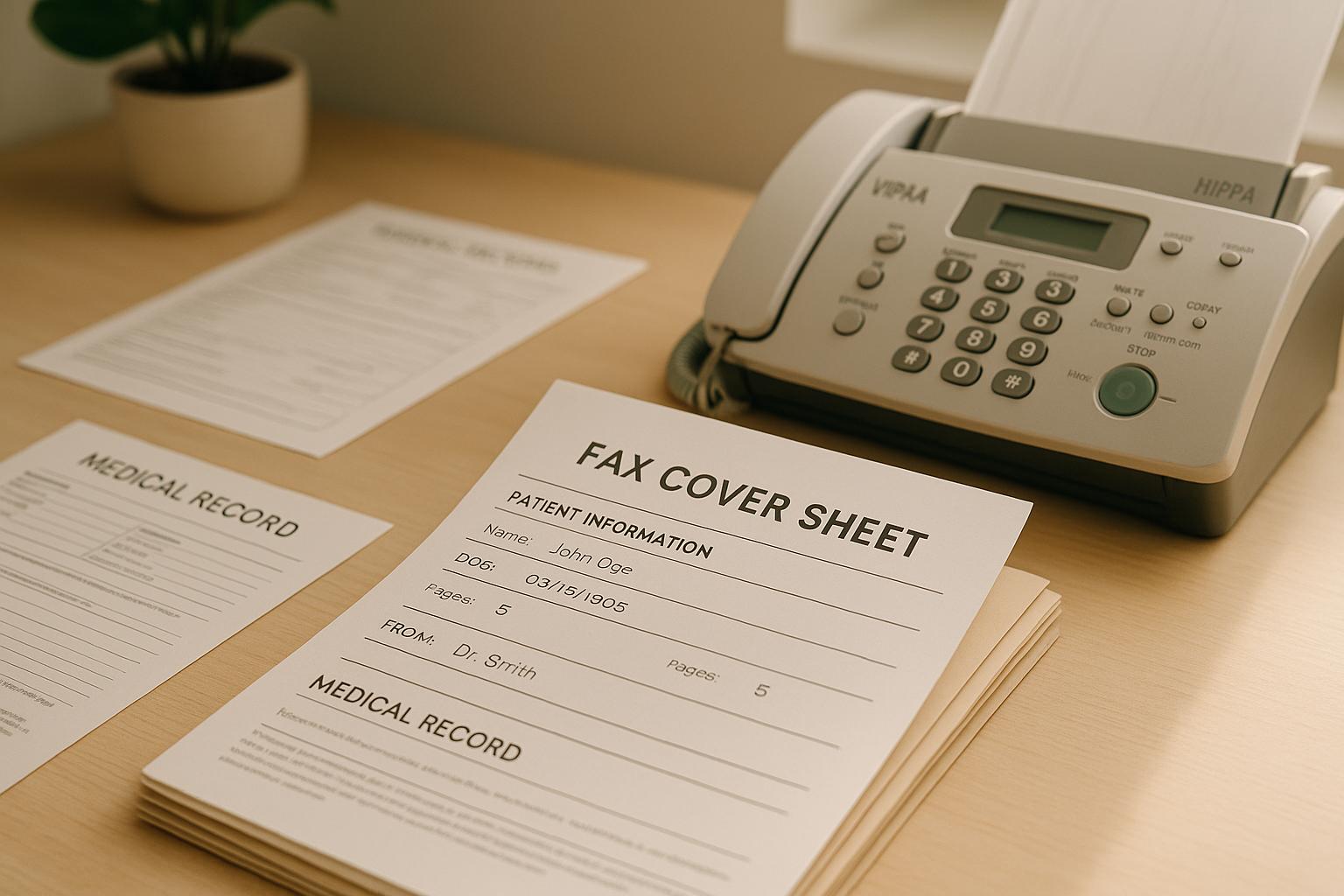
The cover sheet acts as a guide for the receiving office. Start by adding sender information at the top. Include your facility name, the sending provider's name and credentials, a direct phone number, and your fax number. This ensures the recipient can easily reach out if they have any questions. Next, provide recipient information, such as the receiving provider's full name, credentials, practice name, and fax number. Double-check this section to avoid miscommunication.
Include a subject line that clearly states the purpose of the fax. For example: "Medical Records for Specialist Referral – Patient: John Smith, DOB: 03/15/1978" or "Continuity of Care Records – Transfer Request." This helps the recipient understand the fax's intent immediately.
Add an index of attached records to outline what the packet contains. This list should mention each section and its page range. Here's an example:
- Cover sheet and authorization (pages 1–2)
- Progress notes, January 2024–November 2025 (pages 3–8)
- Problem list and medication list (pages 9–10)
- Lab results, March 2025–October 2025 (pages 11–15)
- Radiology report, chest X-ray, September 12, 2025 (page 16)
This index ensures the recipient can verify that all pages have been received. If you're using an online fax service, you can customize the cover page to include these details before uploading your documents [2].
Arranging Records in Logical Order
The arrangement of your documents is just as important as their content. Start with the cover sheet and signed authorization, as these are essential for confirming permission to release the records and avoiding immediate rejection [1].
Next, organize clinical documents in reverse chronological order. Begin with the most recent progress note or visit summary, which provides an up-to-date snapshot of the patient’s condition. Follow this with the problem list and medication list for additional context. Then, arrange clinic notes in reverse chronological order, allowing the recipient to review the latest updates first. Clearly label each section (e.g., "Clinic Notes", "Lab Results") to make navigation easier.
Place lab results and imaging reports after the clinical notes, again in reverse chronological order. If you’re including multiple types of lab results - such as blood work, urinalysis, or pathology - group them by type and label them clearly.
For online fax services, remember that the upload order determines the transmission order. Arrange everything logically before uploading, and double-check the sequence to ensure it flows properly. Before finalizing, review the entire packet to confirm everything is in the right place and easy to follow.
Making Sure All Pages Are Readable
Even a perfectly organized fax packet is useless if it’s hard to read. Take steps to ensure every page is clear, properly oriented, and complete.
Start by inspecting your source documents. If you’re scanning paper records, make sure the scanner glass is clean and the pages are flat. Avoid skewed scans, cut-off text, or dark shadows that can obscure information. Adjust contrast and brightness settings to ensure the text is sharp and easy to read.
Check for orientation issues. A single upside-down or sideways page can disrupt the flow of the document. Make sure all pages are correctly oriented before combining them into a single file.
Pay attention to the file format and quality. Most online fax services accept formats like DOCX, PDF, TXT, JPG/PNG, and TIFF/TIF, with file size limits up to 20MB or 50 pages [1]. PDFs are generally the best choice because they maintain formatting and are widely compatible. Use high-resolution settings when converting documents to ensure clarity.
Before sending, review the entire packet. Verify that all pages are legible, oriented correctly, and match the index on your cover sheet. Check that no pages are missing, duplicated, or incomplete. Ensure page numbers are visible and sequential, and confirm the total page count matches what you listed on the cover sheet. These final checks can prevent delays and build trust with the receiving provider.
sbb-itb-0df24da
HIPAA Compliance and Faxing Methods
Faxing medical records involves the transmission of Protected Health Information (PHI), which means adhering to specific HIPAA regulations. While accuracy and completeness are crucial in faxing, ensuring secure and compliant transmission is equally important. Knowing when HIPAA rules apply and selecting the right faxing method can help protect your practice from violations and safeguard patient privacy.
When HIPAA Rules Apply to Faxing Medical Records
HIPAA's Privacy Rule governs how covered entities - such as hospitals, clinics, health plans, and clearinghouses - handle PHI disclosures. These rules apply to faxing medical records, but the specific requirements vary based on the purpose of the disclosure.
- Treatment-based disclosures: When sharing PHI for treatment purposes, such as sending records to an out-of-network specialist, patient authorization is not required. However, you must verify the recipient and ensure the transmission is secure.
- Patient-directed requests: If a patient requests their records be sent to a third party (e.g., a lawyer or family member), a signed Release of Information (ROI) form is required. This form must specify what records are being sent, the recipient, and the purpose. Including this authorization in your fax ensures compliance.
Even when patient authorization isn't required, HIPAA mandates reasonable safeguards to protect PHI during transmission. These include verifying the recipient’s fax number, using a cover sheet to limit PHI exposure, and choosing secure transmission methods to prevent unauthorized access.
Why Public Fax Machines Are Risky
Using public fax machines at locations like FedEx Office or the UPS Store poses several risks to privacy and compliance when handling medical records.
- Lack of encryption: Public fax machines use standard phone lines without encryption, leaving transmissions vulnerable to interception. Additionally, the machine may store copies of documents in its memory, exposing PHI to unauthorized access.
- No Business Associate Agreement (BAA): HIPAA requires covered entities to have a signed BAA with any third-party service provider handling PHI. Public fax services do not provide BAAs, creating a compliance gap and leaving you without legal assurances regarding PHI protection.
- Limited accountability: Public fax machines typically lack detailed audit trails or delivery confirmation. Without these, it's nearly impossible to verify who accessed the documents, confirm successful delivery, or investigate potential breaches.
- Physical exposure: Documents left in the output tray of a public fax machine can be seen by anyone nearby, violating HIPAA's principle of minimum necessary disclosure and increasing the risk of a privacy breach.
Switching to a HIPAA-compliant online fax service can help avoid these risks and provide a secure, accountable alternative.
How HIPAA-Compliant Online Fax Services Work
HIPAA-compliant online fax services address the shortcomings of traditional and public faxing by offering enhanced security and compliance features designed to protect PHI.
- Stricter handling with HIPAA mode: Services like OneFaxNow offer a dedicated HIPAA mode that enforces additional safeguards, such as disabling draft-saving and automatically deleting PHI files after transmission.
- Instant BAA execution: These services provide fully executed BAAs at checkout or upon transmission, ensuring compliance. Unlike public fax services, they make it easy to obtain the necessary documentation.
- Encryption at every stage: PHI is encrypted during upload and transit (using TLS 1.2+ encryption) and while stored (using 256-bit AES encryption). Traditional fax machines, by contrast, offer no encryption.
- Detailed audit logs: Online fax services generate comprehensive logs, recording every action from upload to delivery. These logs can be exported for compliance documentation, unlike public fax machines, which lack verifiable tracking.
- Secure deletion: After transmission, PHI files are automatically deleted, with only essential details - such as delivery status and receipts - retained. Public fax machines offer no such guarantees, leaving PHI at risk.
- Access controls and delivery tracking: These services limit PHI access to authorized processes and provide real-time tracking links and status updates. Automatic retries ensure temporary issues don’t result in failed deliveries.
For example, OneFaxNow offers secure faxing starting at $3.50 for 1–10 pages, with HIPAA mode available for an additional fee ($6.50 for 1–10 pages, $10.00 for 11–50 pages). This includes features like instant BAAs, encryption, audit logs, and automatic retries. You can send a fax online without creating an account, and payment is only processed upon successful delivery.
Pre-Send Checklist to Prevent Rejections
Before hitting "send", it’s essential to double-check everything to ensure your fax packet is complete, accurate, and fully compliant with HIPAA regulations. A few extra minutes spent on this step can save you from the headache of rejections or delays.
Content Completeness Checklist
Here’s what to look for to ensure your fax packet is ready to go:
- Patient and provider details: Make sure the cover sheet includes the patient's full name, date of birth (DOB), and medical record number (MRN). Double-check that the receiving provider's name, office name, fax number, and department are correctly listed. Add a clear subject line, like "Consultation request for orthopedic evaluation" or "Records for appointment on 3/15/2025", to explain the purpose of the fax.
- Logical file order: Arrange the documents in this sequence - cover sheet, authorization forms, and then clinical records. Most online fax services send them in the order you upload.
- Authorization and legal compliance: If you’re using a HIPAA-compliant fax service, ensure you’ve reviewed and agreed to the Business Associate Agreement (BAA). Many services include e-signature options for signing authorization forms directly within the platform. Also, enable HIPAA Mode for any documents containing Protected Health Information (PHI), such as medical records, lab results, or insurance claims.
- Required clinical documents: Double-check that you’ve included everything the receiving provider requested. This often includes the latest clinic note, a current problem list, active medication list, and relevant lab or imaging results. If they need records from a specific date range, confirm your packet covers the entire period without missing any key details.
Technical and Transmission Checklist
Technical hiccups are another common reason for rejections, but they’re easy to avoid with these simple checks:
- Fax number accuracy: Manually verify the receiving fax number to prevent errors. Even a single wrong digit could send sensitive records to the wrong place - or nowhere at all.
- File formats and compatibility: Ensure your documents are in supported formats like PDF, DOCX, JPG, PNG, or TIFF. Check your service’s specific requirements, including page and file size limits (usually up to 50 pages per fax and a 20 MB limit per file).
- Legibility: Open each file to confirm the text is clear and properly aligned. Blurry scans, faint text, or sideways pages can lead to rejections.
- Page and file size limits: Count the total pages and verify that individual files meet the size restrictions. Ensure the combined page count doesn’t exceed the service’s maximum limit.
- Tracking and confirmation tools: Enable delivery tracking and request confirmation receipts. Most online fax services offer real-time updates, email notifications, and downloadable audit logs (in CSV or PDF format). These features are especially useful for HIPAA compliance, as they provide a detailed record of the fax transmission process. Look for services that include automatic retries and only charge for successful deliveries.
Conclusion
To avoid fax rejections, make sure to include complete patient details, clearly labeled documents, and proper authorization. By taking the time to add clear patient identifiers, a detailed cover sheet, well-organized clinical documents, and valid authorization forms, you can greatly reduce the likelihood of your fax being returned or ignored. For out-of-network providers, it’s especially important to prepare a straightforward and self-explanatory packet.
But completeness isn’t the only thing that matters - HIPAA compliance is just as crucial. Using a HIPAA-compliant online fax service ensures the secure transmission of protected health information (PHI) and helps prevent breaches. Relying on public fax machines or non-compliant services can leave your clinic exposed to data breaches and regulatory fines. A service like OneFaxNow provides the security, tracking, and audit trails you need to stay compliant, all while keeping the process straightforward.
OneFaxNow offers a pay-per-fax model with optional HIPAA mode, starting at $6.50 for 1–10 pages. Features like instant Business Associate Agreement (BAA) execution, real-time tracking, and automatic retries ensure secure and reliable faxing. Plus, you only pay for successful transmissions - no wasted costs on failed faxes.
Whether you’re a clinic coordinator sending referral packets, a medical records specialist handling patient requests, or a provider managing care across networks, following these steps will help you achieve smooth, compliant transmissions. Simplify your faxing process and protect sensitive patient information.
Send a Fax Online - No Account Required | Learn More About HIPAA Fax
FAQs
Why do out-of-network providers often reject faxed medical records?
Out-of-network providers often turn down faxed medical records because they don’t have an established relationship with the sending clinic and don’t share the same electronic health record (EHR) system. This makes it especially important to ensure the faxed records are thorough and easy to process.
Some common reasons for rejection include missing key patient details like the full name, date of birth, or medical record number (if available). Incomplete provider information - such as the name, NPI, or contact details - can also lead to issues. Additionally, the content of the records may fall short if it doesn’t include crucial elements like dates of service or a minimum set of documents, such as recent clinic notes, problem lists, current medications, lab results, or imaging reports.
To minimize the risk of rejection, always include a clear cover page that explains the purpose of the fax and provides an index of the attached records. Ensure all sections are labeled, legible, and complete. Double-check that the Release of Information (ROI) form is properly filled out and verify the fax number before sending.
What steps should I take to ensure my faxed medical records meet HIPAA requirements when sending to out-of-network providers?
When faxing medical records to out-of-network providers, it's crucial to ensure compliance with HIPAA regulations. The best way to do this is by using a secure faxing service designed with privacy and compliance in mind. Look for features like an optional HIPAA mode, strict protocols for handling data, and the ability to sign a Business Associate Agreement (BAA) right away.
Before hitting "send", take a moment to verify that your fax includes all the necessary details. This means clear patient identifiers, the sending provider's information, and the specific records being shared. Also, steer clear of public fax machines - they often fail to meet HIPAA standards for safeguarding sensitive information.
How can I ensure my faxed medical records won't be rejected by an out-of-network provider?
To reduce the chances of your fax being rejected, it's crucial to put together a well-organized fax packet. Begin with a cover page that outlines the "reason for sending" and provides an index of the attached documents. Make sure each section is clearly labeled, such as "Clinic Notes" or "Lab Results."
Here’s what you should include:
- Patient details: full name, date of birth, and medical record number (if available).
- Sender information: provider’s name, NPI, and contact details.
- Record timeframe: specific dates of service being referenced.
- Essential records: last provider's note, problem list, medication list, and any relevant labs or imaging.
Before hitting send, take a moment to ensure all pages are clear and readable, the packet is complete, the page count matches, and the fax number is accurate. These small but important steps can help avoid unnecessary delays or rejections.