Is ‘Fax Near Me’ Still the Best Way to Send a Fax in 2026?
Compare in-store 'fax near me' services and online faxing for cost, security, availability, and HIPAA compliance to choose the right faxing option in 2026.
Is ‘Fax Near Me’ Still the Best Way to Send a Fax in 2026?
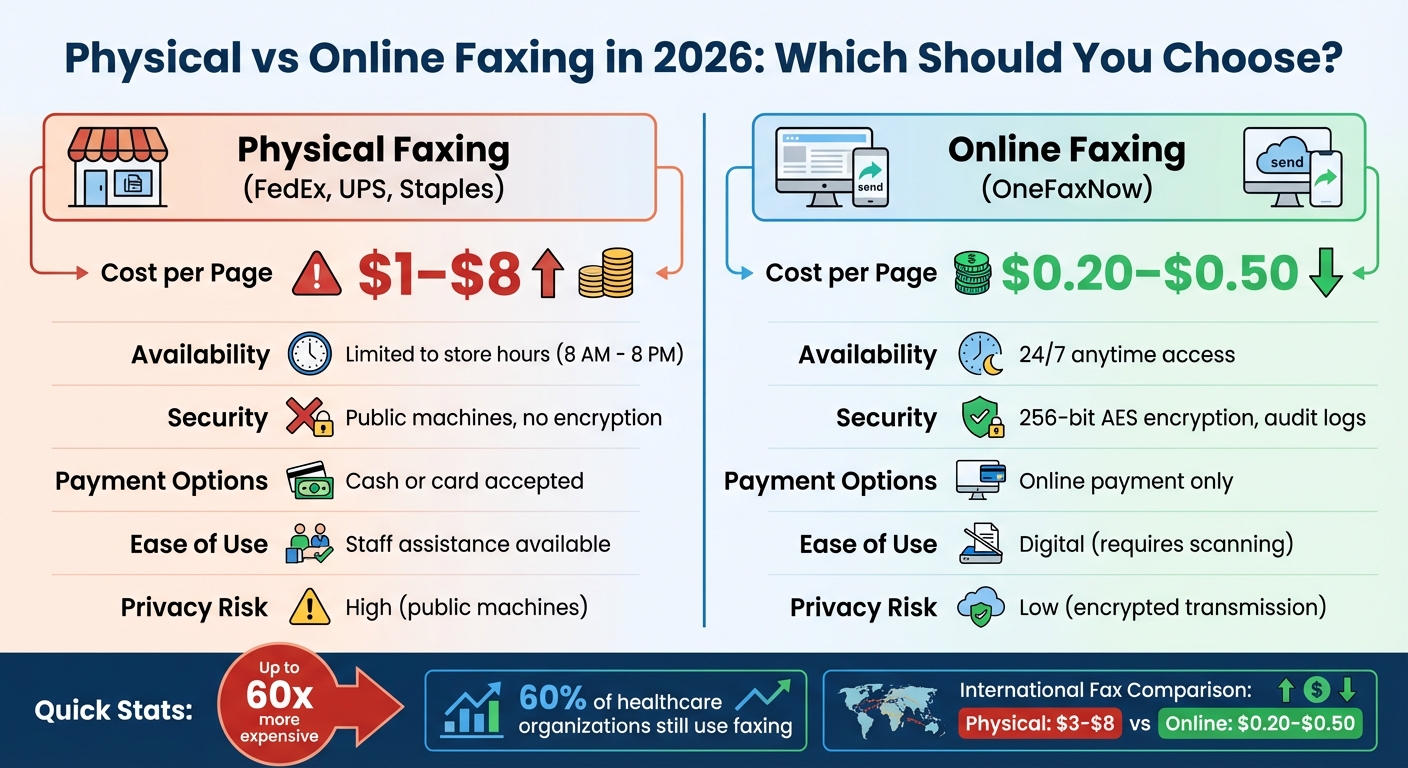
In 2026, deciding between "fax near me" services and online faxing depends on your priorities. Physical fax locations like FedEx or UPS remain popular for their familiarity and in-person assistance, but they come with higher costs (up to $8 per page internationally), limited hours, and potential privacy risks. Online faxing, on the other hand, offers convenience, lower costs, and better security features like encryption and audit logs, making it a strong alternative for sending documents quickly and securely.
Key Takeaways:
- Physical Faxing: Reliable for same-day needs, cash payments, and hands-on help but costly and less secure.
- Online Faxing: More affordable, available 24/7, and secure with encryption, but requires internet access and digital document preparation.
| Feature | Physical Faxing (e.g., FedEx, UPS) | Online Faxing (e.g., OneFaxNow) |
|---|---|---|
| Cost per Page | $1–$8 | $0.20–$0.50 |
| Availability | Limited to store hours | 24/7 |
| Security | Public machines, no encryption | Encrypted, audit logs |
| Payment Options | Cash or card | Online payment only |
| Ease of Use | Staff assistance | Digital, requires scanning |
For quick, secure, and affordable faxing, online services like OneFaxNow are often the smarter choice. Physical stores still work for those who prefer in-person help or need to pay in cash.
Physical vs Online Faxing Comparison 2026: Cost, Security, and Availability
In-Store Faxing: What It Costs and What You Get
Where to Fax and What It Costs
When you search for "fax near me", four familiar names often pop up: FedEx Office, The UPS Store, Staples, and Office Depot. Each of these chains charges per page, with prices depending on whether you're faxing locally, nationally, or internationally.
Here’s the pricing breakdown for 2026:
| Store | Local (1st Page) | Local (Add'l) | National (1st Page) | National (Add'l) | International (1st Page) |
|---|---|---|---|---|---|
| UPS | $1.00 | $1.00 | $2.00 | $1.00 | $3.00 |
| FedEx | $1.89 | $1.59 | $2.49 | $2.19 | $5.99 |
| Staples | $1.79–$1.80 | $1.59–$2.20 | $2.39 | $2.19 | $5.99 |
| Office Depot | $1.99 | $1.79 | $2.29 | $2.09 | $7.99 |
Last verified: January 27, 2026 [3]
These stores typically operate from 8 AM to 8 PM, but they’re closed late at night and on holidays [5][9]. Given the costs and limited hours, many people are turning to online faxing as a more convenient alternative.
Benefits: Cash Payments and In-Person Help
One big perk of in-store faxing is the option to pay with cash, which eliminates the need for online accounts or digital payment methods [5]. This can be especially helpful for those who aren’t comfortable navigating online tools. Plus, if you’re handling a tricky document, staff members are often available to assist with formatting and other details [2][4].
Another advantage is the printed confirmation receipt, which gives you immediate proof that your fax went through. Stores also offer extras like fax cover sheets, shredding, scanning, and laminating services, making them a one-stop shop for document needs [1][2][4]. While these hands-on benefits are appealing, it’s worth weighing them against the convenience of online options.
Drawbacks: Travel, Cost, and Privacy Issues
In-store faxing can be pricey - sometimes up to 60 times more expensive than online services. For instance, while digital faxing might cost just a few cents per page, in-store faxing can run you $2.00 per page or more [3]. International faxes are even steeper, with Office Depot charging as much as $7.99 for a single page [3]. And if your fax doesn’t go through due to a busy line or an incorrect number, some stores may still charge you for the failed attempt, which can quickly add up [5].
Privacy is another concern. Public fax machines are shared by many customers, so sensitive documents might be exposed to others nearby [5][9]. This is especially risky when faxing confidential information, like Protected Health Information (PHI), as it could jeopardize HIPAA compliance [7][8]. On top of that, you’ll need to account for travel time, gas, parking, and potential wait times [5][6].
These drawbacks highlight why many people are exploring online faxing options. Services like OneFaxNow let you send faxes at a fraction of the cost, all from the comfort of your own device - no travel, no waiting, and no privacy concerns to worry about.
Online Faxing: How It Works in 2026
Step-by-Step: Sending a Fax Online
Sending a fax online is easier than ever. Start by opening a browser-based fax service, upload your document (in a supported format), enter the recipient's fax number, and hit send. The service takes care of the technical side, converting your file into a fax signal, securely transmitting it through data centers, and delivering it to the recipient's fax machine or digital system.
Most platforms handle failed transmissions automatically, retrying up to three times. If the fax still doesn’t go through, you won’t be charged. You’ll also get real-time updates - often displayed as a progress percentage - and a delivery confirmation email once it’s successfully sent. Some platforms even let you add extras like a digital signature or a cover sheet for a more professional touch.
Platforms like OneFaxNow make the process even simpler. No account is needed; just drag and drop your file, and you’ll get a tracking link via email. This streamlined approach saves both time and money compared to traditional in-store faxing. Send a Fax Online - No Account Required
Why Online Faxing Saves Time and Money
Online faxing eliminates the hassle of traveling to a store or waiting in line. Plus, it avoids the high per-page fees that retail fax services often charge. With online services, you can send faxes from your phone, tablet, or laptop - anywhere you have an internet connection.
Many services offer flat-rate pricing instead of charging per page. For instance, OneFaxNow offers $3.50 for 1–10 pages and $5.00 for 11–50 pages, with no subscriptions or hidden fees. Everything is upfront and straightforward.
Another big advantage is detailed tracking. Digital platforms provide logs and real-time delivery updates, which come in handy when sending important documents like legal or medical files. Despite these benefits, first-time users might still have questions about moving away from traditional faxing methods.
Possible Concerns for First-Time Users
For those new to online faxing, a few concerns often come up. One common worry is the lack of in-person assistance or the need to convert paper documents into digital formats. Fortunately, this is easy to solve with smartphone scanning apps or local scanning services that quickly turn paper into digital files.
Another concern is the need for a stable internet connection. While in-store faxing might offer free Wi-Fi and computer access, online faxing requires your own device and internet. On the bright side, this means you can fax from just about anywhere - whether you’re at home, in the office, or sipping coffee at your favorite café.
Security is also a big consideration, especially when sending sensitive documents. Modern online fax platforms use 256-bit AES encryption for both transmission and storage, offering far better protection than leaving documents on a public fax machine. For those sending healthcare or legal documents, look for services that provide a Business Associate Agreement (BAA) to ensure HIPAA compliance.
OneFaxNow addresses these concerns directly with an optional HIPAA mode (available for an extra $3 on Lite plans or $5 on Standard plans). This mode includes stricter security measures, audit logging, and instant BAA execution, which you can download right from your dashboard. Learn more about HIPAA faxing
HIPAA Compliance for Healthcare and Legal Faxes
Online faxing not only boosts security but also ensures compliance with HIPAA regulations, which is essential for protecting PHI (Protected Health Information) during transmission. This is especially important when you consider the risks associated with traditional in-store faxing.
What HIPAA Compliance Means for Faxing
Under HIPAA, faxing is allowed as long as PHI is safeguarded with encryption, access controls, and audit logs [11]. Specifically, services must use TLS 1.2 or higher for data in transit and AES-256 encryption for data at rest [8].
Healthcare providers are also required to secure a Business Associate Agreement (BAA) from any vendor handling PHI. This agreement ensures the vendor is accountable for maintaining HIPAA compliance [8]. Traditional in-store fax services, like those at FedEx or Staples, generally lack encryption and do not provide BAAs for walk-in users [8]. As Gil Vidals, CEO of HIPAA Vault, explains:
Analog fax machines over plain old telephone service (POTS) lack encryption and audit capabilities. That puts PHI at risk.
HIPAA Options: In-Store vs. Online
In-store faxing comes with several compliance risks. Documents left in output trays, machines accessible to the public, and limited audit trails (often just a printed confirmation slip) are common issues [11][12]. WestFax highlights these vulnerabilities:
Traditional fax machines often lack the necessary security features to protect sensitive patient information. Documents... can be physically intercepted, misdirected, or left unattended, risking HIPAA violations.
Online faxing eliminates these risks by providing features like encrypted transmissions, secure user authentication, and automatic audit logs that track sender details and timestamps [8][12]. For instance, OneFaxNow offers a HIPAA-compliant mode for an added $3 on Lite plans (1–10 pages) or $5 on Standard plans (11–50 pages). This mode includes stricter document handling, detailed audit logs, and instant BAA execution, with the agreement available for immediate download from your dashboard. Learn more about HIPAA faxing.
For one-time needs like medical records, insurance forms, or court filings, OneFaxNow’s pay-per-fax model ensures secure handling with features like end-to-end encryption, immediate BAA generation, and a verifiable digital trail. These safeguards make it a reliable option for transmitting sensitive healthcare or legal documents.
OneFaxNow’s user-friendly system - with instant BAA creation, advanced encryption, and comprehensive audit logs - meets all HIPAA requirements, making it an excellent choice for compliant faxing.
sbb-itb-0df24da
How to Choose: Local vs. Online Faxing
Choosing between local and online faxing depends on what suits your specific needs better - whether you prefer hands-on assistance or the ease and speed of digital services.
When to Use In-Store Faxing
Heading to a local fax service makes sense in certain situations. If you’re working with physical documents, need help from staff, or want to pay in cash, in-store faxing is a practical option. These services can handle both letter-sized (8.5″ × 11″) and legal-sized (8.5″ × 14″) documents, and they provide a printed confirmation as proof of transmission [1][2].
For those who prefer cash payments, local fax services are a good fit since they don’t require a credit card or online account. Additionally, if you need guidance with a complex fax order or want to combine services like secure shredding or scanning to a USB drive, full-service counters can assist you. However, keep in mind that many locations charge an extra fee for orders under $50 if you opt for full-service help [1][2].
When Online Faxing Is the Better Choice
While in-store faxing is great for physical documents, online faxing stands out for its convenience and security. It’s especially beneficial when sending sensitive documents, such as medical records, insurance forms, or legal filings. With digital faxing, you don’t have to worry about leaving papers in a public tray or handing them over to someone else [2]. Plus, you can fax anytime - no need to work around store hours or make a trip.
Frequent users and remote workers will find online faxing particularly efficient. Instead of driving to a store, you can upload a PDF, input the recipient’s number, and get a tracking link via email. For those dealing with HIPAA regulations, encrypted transmission and audit logs offer an added layer of protection that traditional fax machines can’t match. Services like OneFaxNow provide these features, including secure transmission, detailed logs, and instant BAA (Business Associate Agreement) execution [13].
Why OneFaxNow Works for Most Users
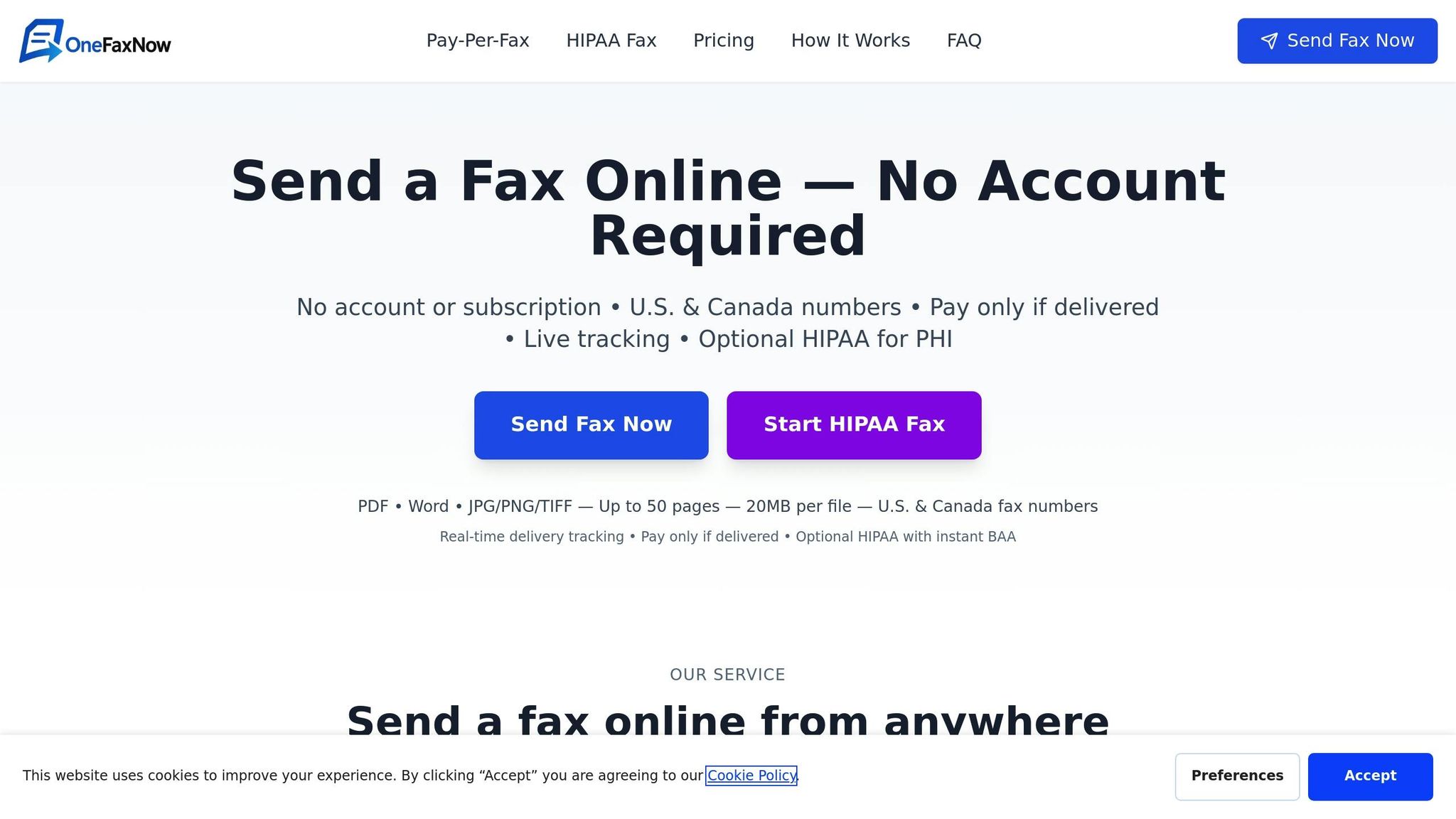
OneFaxNow strikes a balance between the convenience of online faxing and the reliability of in-store services. Their pricing is straightforward: $3.50 for 1–10 pages (Lite) or $5.00 for 11–50 pages (Standard). If you need extra security, you can add HIPAA mode for an additional $3.00 or $5.00, which includes stricter handling of documents, a downloadable BAA, and complete audit logs - all accessible through your account dashboard.
Payments are processed securely via Stripe, and you’re only charged if the fax is delivered successfully. Features like automatic retries and real-time status updates ensure your fax gets through. For occasional users or those needing to send medical, legal, or agency documents, this pay-per-fax model is a cost-effective alternative to subscriptions or the variable fees charged at retail counters. Send a Fax Online - No Account Required
Conclusion
If you're searching for a fax service in 2026, you'll still see familiar names like FedEx, UPS, and Staples. But the question remains: is in-store faxing still practical?
The comparison is straightforward. Online faxing, with rates as low as $0.20 per page [15], eliminates the hassle of travel and enhances security through 256-bit AES encryption and TLS protocols - a level of protection that far exceeds traditional methods [10]. On the other hand, in-store faxing costs around $1.50 to $2.00 per page locally and up to $8.00 per page internationally [14]. Plus, there's always the risk of leaving sensitive documents on public machines.
OneFaxNow stands out by offering a no-account, pay-per-fax service with features like automatic retries and billing only upon successful delivery. For those concerned about compliance, OneFaxNow's HIPAA mode includes instant BAA execution and audit logs, meeting requirements that in-store faxing cannot. It's worth noting that around 60% of healthcare organizations still depend on faxing for patient information [10].
Ultimately, the decision comes down to your priorities. If you need to pay with cash or prefer in-person assistance, local fax services might still serve a purpose. However, when it comes to speed, security, and affordability, online faxing emerges as the clear winner in 2026.
OneFaxNow caters to a variety of faxing needs with its transparent pay-per-fax pricing, secure digital transmissions, and optional HIPAA-compliant features. Whether you're handling one-time faxes, healthcare documents, legal paperwork, or time-sensitive communications, it’s a reliable and efficient choice. So, whether your focus is on convenience or compliance, your faxing solution should align with your urgency and security demands.
Send a Fax Online - No Account Required
Learn More About HIPAA Faxing
FAQs
What’s the cost difference between faxing in-store and online in 2026?
In 2026, sending a fax in-store at places like FedEx, UPS, Staples, or Office Depot can cost anywhere from $1.80 to $5.99 for the first page, with additional charges for extra pages. On top of that, you’ll need to factor in the hassle of traveling to the store, waiting in line, and working around their operating hours.
On the other hand, online faxing services like OneFaxNow offer a more straightforward and budget-friendly solution. Their pricing is simple: $3.50 for 1–10 pages and $5.00 for 11–50 pages. These services not only save you money but also time, as you can send faxes instantly from anywhere. Plus, they provide added privacy, making them ideal for occasional faxing without the extra trouble.
How do online fax services keep my documents secure and HIPAA-compliant?
Online fax services prioritize keeping your documents secure and compliant with regulations like HIPAA. They achieve this by using AES 256-bit encryption, which protects your data both during transmission and while it's stored. Many services also include features like secure storage protocols, automatic deletion of sensitive files, and the option to sign Business Associate Agreements (BAAs) for healthcare-related communications.
To further enhance security, these platforms often rely on SSL encryption to ensure safe connections. They also incorporate audit-friendly systems to log and confirm the delivery of documents. For added reassurance, some services provide real-time tracking links and automatic retries, making sure your faxes reach their destination securely and without fail.
What makes OneFaxNow a better choice than using traditional fax services?
OneFaxNow brings a modern twist to faxing, eliminating the need for trips to places like FedEx, UPS, or Staples. With clear pay-per-fax pricing - $3.50 for 1–10 pages and $5.00 for 11–50 pages - there are no hidden fees to worry about. Even better, you can send faxes from anywhere with an internet connection, and there's no need to set up an account.
The service offers features like real-time tracking, delivery updates, automatic retries, and billing only for successful transmissions, giving you reliability and peace of mind. For those handling sensitive information, OneFaxNow includes an optional HIPAA-compliant mode with instant BAA execution - something you won’t typically find with in-store fax services. Whether it’s medical records, legal paperwork, or business contracts, OneFaxNow makes faxing simple, secure, and cost-effective through its easy-to-use online platform.