Faxing Disability and FMLA Forms: Step-by-Step for Patients and HR
Step-by-step guide to preparing, organizing, and securely faxing FMLA and disability forms with HIPAA-compliant services, plus delivery tracking and common mistakes.
Faxing Disability and FMLA Forms: Step-by-Step for Patients and HR
Faxing FMLA and disability forms is still one of the most reliable and secure ways to send sensitive information. Around 70% of U.S. hospitals and many HR departments continue to rely on faxing due to its legal recognition and compatibility across systems. To ensure smooth submission, follow these steps:
- Prepare your documents: Ensure all fields are complete, including medical certification details, treatment timelines, and necessary signatures. Missing information can delay approvals.
- Use a HIPAA-compliant fax service: Protect sensitive health data by choosing a secure service that offers encryption, audit logs, and a Business Associate Agreement (BAA).
- Organize and send: Include a clear cover page with recipient details, your contact information, and a page count. Arrange documents logically to avoid confusion.
- Confirm receipt: Always track delivery and follow up with HR to ensure your forms were received and processed correctly.
Faxing remains a trusted method for submitting FMLA or disability forms, but accuracy and security are key. Using a HIPAA-compliant service like OneFaxNow can simplify the process while keeping your information safe.
What's in FMLA and Disability Forms
Standard Fields and Required Information
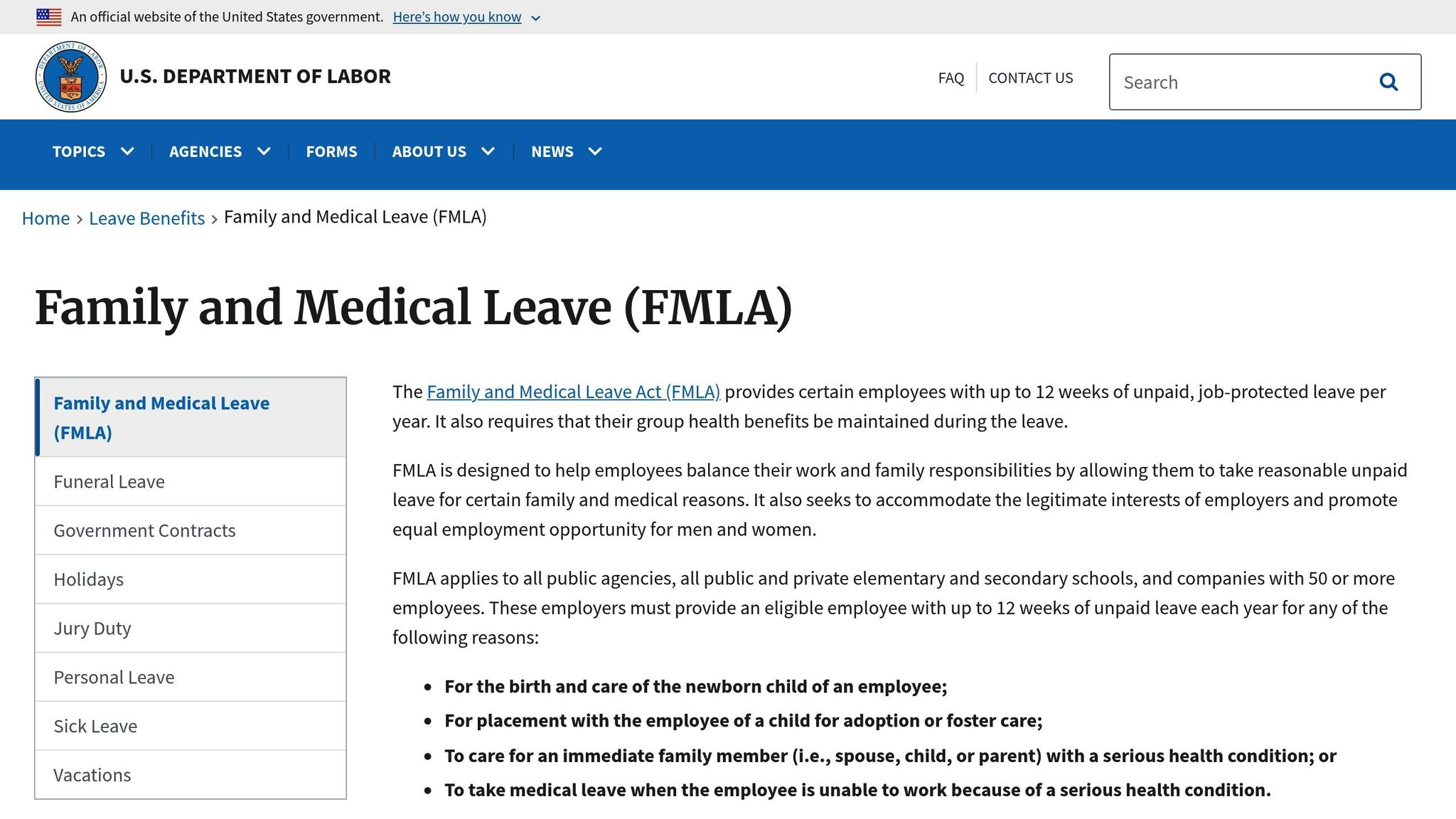
FMLA and disability forms are typically divided into three main sections. Section I collects your personal and job-related information. Section II, completed by your healthcare provider, includes their contact details and medical certification. This certification outlines your condition, treatment timelines, and the type of leave you need.
The medical certification section - often called Part A - asks for details like when your serious health condition started, how long it’s expected to last, and key medical facts such as symptoms, records of hospitalization, or doctor visits. Part B specifies the type of leave required: continuous, intermittent, or reduced schedule. It also includes estimates for the frequency and duration of the leave. Finally, Part C requires your provider to identify at least one essential job function that your condition prevents you from performing.
"As a health care provider, you are expected to provide only your best-informed medical judgment when estimating your patient's need for leave or care if the need is unpredictable." - U.S. Department of Labor [4]
Some fields are often missed, such as planned treatment dates or the provider's fax number and specialty. It's important to include specific frequency estimates when applicable. If any part of the form is incomplete or vague, you'll receive written notice and have at least seven calendar days to make corrections. Also, federal law prohibits including genetic information on these forms.
Filling out these forms accurately is crucial for a smooth submission process, particularly when you fax medical forms using HIPAA-compliant methods.
When Forms Contain PHI and Why HIPAA Matters
FMLA and disability forms always include Protected Health Information (PHI), such as medical facts, symptoms, and treatment details. While FMLA rules don’t require a specific diagnosis, they do demand enough medical information to justify the leave request. Employers must keep these certifications confidential, storing them separately from general personnel files.
When healthcare providers send these forms electronically, HIPAA compliance is critical. A HIPAA-compliant fax service ensures PHI is protected by encrypting transmissions and maintaining audit logs. This level of security is a significant improvement over traditional fax machines, which lack these safeguards.
Getting Your Forms Ready to Fax
Pre-Fax Checklist
Before hitting "send" on that fax machine, make sure every required field on the form is filled out. Missing or unclear information can lead to delays, as you'll receive a written notice and typically have just seven calendar days to fix any issues.
"A certification is considered incomplete if one or more of the applicable entries on the form have not been completed. A certification is considered insufficient if the information provided is vague, unclear, or non-responsive." - U.S. Department of Labor [1]
Double-check the provider's details for accuracy. The form must include a signature and date - leaving these out will invalidate the certification. The medical facts section should clearly outline when your condition began, how long it’s expected to last, and a description of symptoms or hospitalizations. For intermittent leave requests, make sure the form estimates both the frequency and duration of expected absences. Additionally, ensure it identifies at least one essential job function that you are unable to perform.
Another critical step: confirm that no genetic information is included. Federal law strictly prohibits this. If your documents include personal health information (PHI), always use a HIPAA-compliant cover sheet that includes a confidentiality statement and instructions for unintended recipients.
Once you've reviewed everything, it’s time to organize your documents for a smooth faxing process.
How to Organize Multiple Documents
Start by arranging your packet in a logical order. Place the cover page first, followed by the FMLA form (like WH-380-E), and then any supporting documents, such as a doctor’s note or a copy of your ID. The cover page should clearly display the recipient's name and fax number, your contact information, and the total number of pages being sent. This makes it easier for the recipient to confirm nothing is missing.
If you're using an online fax service, upload your files in the order you want them sent. Most platforms let you drag and drop PDFs, DOCX files, or image files into a single transmission. Be sure to include a clear list of the attached documents, so HR or your insurer knows exactly what to expect. For example:
- Page 1: Cover Sheet
- Pages 2–4: WH-380-E
- Page 5: Doctor’s Note
- Page 6: ID Copy
Employers will accept a complete certification as long as it includes all required medical facts, regardless of the format. By organizing your documents into one neat packet, you reduce the chances of losing pages and help speed up processing.
With everything in order, you're now ready to fax securely.
How to Fax FMLA and Disability Forms
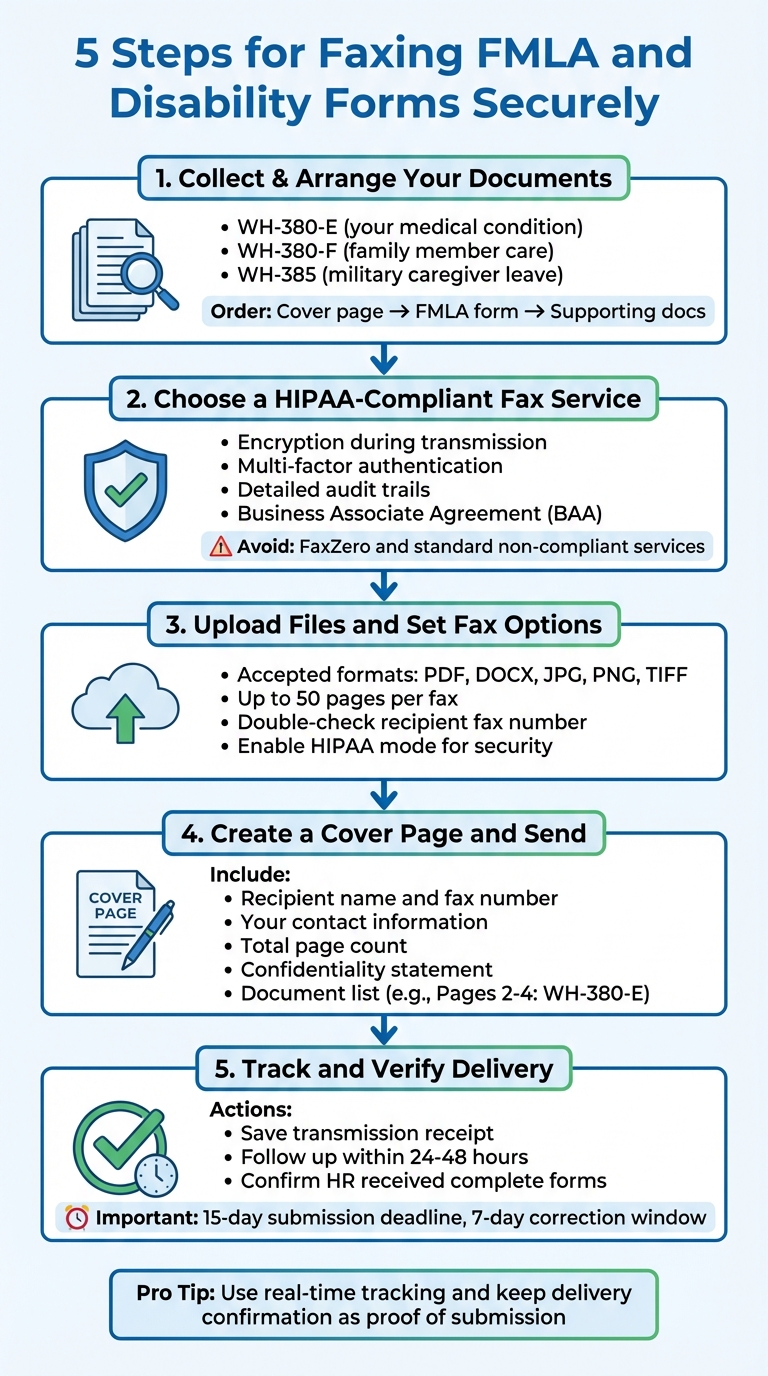
5-Step Process for Faxing FMLA and Disability Forms Securely
Once you've organized your document packet, follow these steps to efficiently fax your FMLA and disability forms.
Step 1: Collect and Arrange Your Documents
Start by gathering all the necessary documents. For most FMLA requests, you'll need the Department of Labor form - WH-380-E for your own medical condition, WH-380-F if you're caring for a family member, or WH-385 for military caregiver leave [6][2].
Arrange your documents in the proper order: place the cover page on top, followed by the main FMLA form, and then any supporting materials like doctor’s notes, treatment schedules, or copies of your ID. Keeping everything in order helps HR process your request more efficiently.
Once everything is ready, it’s time to pick a HIPAA-compliant fax service.
Step 2: Choose a HIPAA-Compliant Fax Service
FMLA and disability forms often include sensitive health information, such as diagnosis codes or treatment details. To protect this information, you need a fax service that meets HIPAA compliance standards [5]. Free services like FaxZero or standard fax plans usually don’t provide the necessary security [5].
Look for a provider that offers key features like encryption during transmission, multi-factor authentication, and detailed audit trails [8]. Additionally, the service should provide a Business Associate Agreement (BAA), a legal requirement when handling Protected Health Information (PHI). For example, OneFaxNow includes an optional HIPAA mode with instant BAA execution, which avoids delays from traditional contract processes.
It’s also wise to avoid services that store faxes indefinitely unless they have clear retention policies aligned with HIPAA standards. For one-time submissions, a pay-per-fax vs. subscription options without long-term storage is often the safest route.
Step 3: Upload Files and Set Fax Options
After choosing a service, upload your organized documents. Many services, like OneFaxNow, accept file formats such as PDF, DOCX, JPG, PNG, and TIFF, with a limit of up to 50 pages per fax [5]. If you’re using a mobile app, you can even take secure photos of your documents and upload them directly.
Enter the recipient’s fax number exactly as listed in your employer’s leave request notice or your insurance company’s instructions. Double-check the area code and any extensions. If your HR department has a specific fax line for leave requests, confirm this to ensure your documents reach the correct team.
Before sending, enable HIPAA mode for added security. For example, OneFaxNow offers this feature for an additional $3.00 for 1–10 pages or $5.00 for 11–50 pages. This option includes tracking and compliance records through their dashboard.
Once your documents are uploaded and options are set, you’re ready to create your cover page.
Step 4: Create a Cover Page and Send
Your cover page should include key details: the recipient’s name and fax number, your contact information, and the total page count. It’s also a good idea to add a confidentiality statement instructing unintended recipients to destroy the document and notify you immediately. Many fax services automatically generate this when HIPAA mode is enabled.
Clearly list all the documents you’re sending. For example:
- Page 1: Cover Page
- Pages 2–4: WH-380-E
- Page 5: Doctor’s Note
- Page 6: ID Copy
This helps HR verify that all required documents are included, reducing the chances of your certification being flagged as incomplete.
After reviewing everything, send your fax. Most services provide a job ID and tracking link immediately, so you can monitor the status of your submission.
Step 5: Track and Verify Delivery
Many online fax services send real-time email notifications once your fax is successfully delivered [5]. Save the transmission receipt, which includes details like the date, time, and recipient, as proof of delivery.
Within 24–48 hours, follow up with your HR leave administrator to confirm they’ve received your form and that it meets their requirements [7]. This step is crucial because you typically have only 15 calendar days to submit a complete certification after your employer’s request [1]. If the form is incomplete or insufficient, you’ll receive written notice and have seven calendar days to address any issues [1].
"The employer cannot refuse: A fax or copy of the certification; A certification that is not completed on the employer's standard company form; or Any other record of the medical documentation."
- U.S. Department of Labor [2]
If your fax doesn’t go through, check the delivery report for errors like "busy signal" or "no answer." Resend the fax during business hours. Services like OneFaxNow automatically retry failed transmissions up to three times and only charge you once delivery is successful.
sbb-itb-0df24da
Online Fax Service Comparison for Healthcare Forms
Service Comparison Table
When it comes to sending sensitive documents like FMLA or disability forms containing PHI, choosing a secure and cost-effective fax service is crucial. Below is a detailed comparison of popular online fax services:
| Service | Pricing Model | Cost for 1–10 Pages | Cost for 11–50 Pages | HIPAA/BAA Available | Account Required | File Support | Delivery Tracking |
|---|---|---|---|---|---|---|---|
| OneFaxNow | Pay-per-fax | $3.50 (or $6.50 with HIPAA mode) | $5.00 (or $10.00 with HIPAA mode) | Yes – instant BAA via dashboard | No | PDF, DOCX, JPG, PNG, TIFF (up to 50 pages) | Real-time tracking and email updates |
| eFax Plus | Subscription | $18.99/month (170 in/170 out) | Same monthly fee | Yes (Protect tier only) | Yes | PDF, DOCX, JPG | Email confirmation |
| Fax.Plus | Subscription | $8.99/month (200 pooled pages) | Same monthly fee | Yes (Enterprise tier only) | Yes | PDF, DOCX, JPG | Mobile app notifications |
| iFax Plus | Subscription | $30.00/month (500 pooled pages) | Same monthly fee | Yes | Yes | PDF, DOCX, JPG | Web portal status |
| SRFax Healthcare Lite | Subscription | $12.60/month (200 pooled pages) | Same monthly fee | Yes | Yes | PDF, DOCX, JPG | Email-to-fax confirmation |
| Dropbox Fax (HelloFax) | Subscription | $9.99/month (300 pooled pages) | Same monthly fee | Yes | Yes | PDF, DOCX, JPG | Web portal status |
| MyFax Home Office | Subscription | $12.00/month (100 in/100 out) | Same monthly fee | No | Yes | PDF, DOCX, JPG | Email confirmation |
| FedEx/UPS In-Store | Per-page | Starting at ~$2.49 per page | Additional fees apply | No | No | Paper only | Printed receipt |
This table shows how pricing and features vary across services. Subscription models like eFax and Fax.Plus offer flat monthly rates, but HIPAA-compliant options often come with higher-tier plans and added costs. For instance, eFax's $18.99 monthly plan includes 170 pages, but HIPAA compliance is only available with their Protect tier. Similarly, in-store options like FedEx/UPS charge around $2.49 per page but lack encryption and other essential security measures [9][10][11][12][13].
OneFaxNow stands out with its pay-per-fax model, offering instant BAA execution and secure transmissions without the need for a subscription. This makes it particularly well-suited for one-time submissions of sensitive documents.
Why OneFaxNow Works for FMLA and Disability Forms
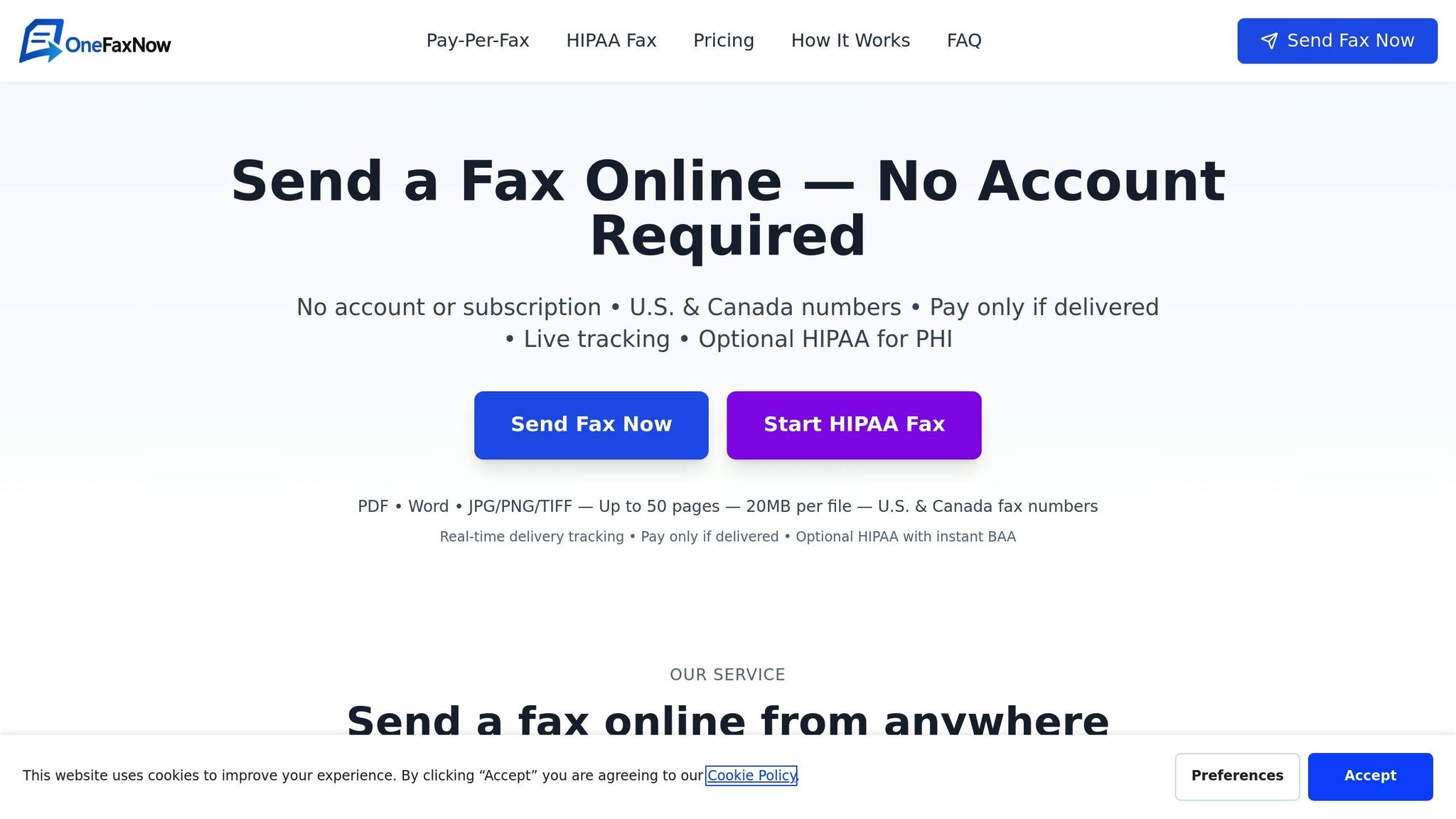
The comparison above highlights why OneFaxNow is an excellent choice for sending FMLA certifications or disability claims. Designed for one-time use, it eliminates the hassle of monthly subscriptions. You only pay for what you send - $3.50 for 1–10 pages or $5.00 for 11–50 pages. If your documents contain PHI, you can activate HIPAA mode for an additional $3.00 (Lite Fax) or $5.00 (Standard Fax), with instant BAA execution available directly through the dashboard. This feature bypasses the delays often associated with contract agreements.
OneFaxNow also ensures reliability with up to three automatic retries for failed transmissions. Charges are applied only after the fax is successfully delivered. You'll also receive a tracking link and real-time email updates, so you can confirm that your HR department or insurance provider has received your documents. For healthcare users who need a quick, secure solution without committing to a subscription, OneFaxNow offers a practical and affordable option.
Send a Fax Online - No Account Required | Learn About HIPAA Fax
Mistakes to Avoid When Faxing Forms
Missing or Wrong Information
The U.S. Department of Labor highlights two common types of errors: incomplete certifications, where required fields are left blank, and insufficient certifications, where the information provided is vague or unresponsive [1]. Both mistakes can lead to delays or even denial of your FMLA protection.
Before sending your forms, double-check that your provider has included all necessary details, such as the condition's start date, expected duration, and specifics proving your inability to perform essential job functions [6][4]. For intermittent leave, the form must outline how often and how long each absence is expected to be, along with the medical justification for that schedule [1][4]. Leaving these sections incomplete or unclear could result in a formal notice requiring corrections, which can slow down the approval process [1]. These extra steps ensure your documentation is accurate and ready for HR or insurance review.
Using Non-Secure Fax for PHI
FMLA and disability forms often contain Protected Health Information (PHI), even if they don't include a specific diagnosis [4]. Sending these forms through a non-HIPAA-compliant fax service can expose sensitive information and lead to regulatory violations [5]. Employers are required to store medical certifications in a separate, confidential file, not in your general personnel records [6].
To protect your privacy, use a fax provider that ensures HIPAA compliance with features like encryption and a Business Associate Agreement (BAA) [5]. For example, OneFaxNow offers a HIPAA mode with instant BAA execution, enhanced data handling protocols, and audit logging - essential tools for securely sending medical documents to HR or insurance companies. Safeguarding your transmission is just as important as completing your forms correctly.
Not Confirming Receipt
Even after completing and securely faxing your forms, your job isn’t done yet. Faxing alone doesn’t guarantee delivery. If your employer claims they didn’t receive your certification and you miss the 15-day deadline, you could lose your FMLA protections [1]. Always use a fax service that provides real-time delivery alerts and detailed transmission logs [5]. Keep the confirmation receipt as proof of delivery.
After sending, follow up with HR to confirm they received your forms. Also, check whether they’ve issued Form WH-382 (the Designation Notice), which they are required to send within five business days of receiving a complete certification [3][2]. If you don’t receive this notice or are informed that your forms are incomplete, respond immediately to avoid further delays [1]. Refer back to your transmission logs and delivery alerts to ensure everything was sent correctly and on time.
Summary
To sum up, start by preparing and organizing your forms. When faxing FMLA and disability forms securely, make sure they’re fully completed, comply with HIPAA regulations, and include delivery verification. Double-check that all required fields - such as the start date, expected duration, and important medical details - are filled out properly [1][4]. Arrange your documents in a logical sequence, like placing the certification form first, followed by the doctor’s note and identification.
The next step is to select a HIPAA-compliant fax service to protect the sensitive information in your forms. Using a non-compliant service could expose private health information (PHI) by failing to address digital fax security protocols [5]. Consider using OneFaxNow, which offers a HIPAA mode, instant BAA signing, and audit logs. Plus, you can send up to 50 pages without creating an account, and you’ll only be charged if the delivery is successful.
Lastly, monitor your delivery and confirm receipt. Real-time email updates and tracking links help ensure your fax reaches its destination, which is especially important when dealing with the 15-day FMLA deadline [1][5]. After sending, follow up with your HR department to confirm they’ve received everything. For a secure, one-time faxing option, OneFaxNow is a great choice.
Send a Fax Online - No Account Required | Learn About HIPAA Fax
FAQs
Why is faxing a secure way to send FMLA and disability forms?
Faxing remains a reliable way to send FMLA and disability forms securely because it ensures direct transmission of sensitive information, minimizing the chances of interception or unauthorized access. Unlike email, which can be susceptible to data breaches, faxing employs encryption to safeguard the data during transmission.
To further bolster security, many online fax services provide HIPAA-compliant options, designed to handle Protected Health Information (PHI) in accordance with strict federal regulations. Features like delivery confirmations, audit logs, and automatic retries add an extra layer of dependability, making faxing a trusted choice for transmitting sensitive documents.
What should I look for in a HIPAA-compliant fax service?
When selecting a HIPAA-compliant fax service, prioritize features that safeguard protected health information (PHI). A service offering an optional HIPAA mode for tighter data security is a big plus. Also, make sure they provide a Business Associate Agreement (BAA) that’s easy to execute and download - this is crucial for meeting legal requirements.
Reliability is another key factor. Features like real-time delivery tracking, automatic retries, and success-only confirmations can help ensure your faxes reach their destination without issues. Compatibility with various file types - such as PDFs, DOCX, images, and TIFFs - is important, especially if you deal with multi-page documents. Tools like audit logs and detailed records further simplify compliance by creating a transparent and audit-ready system.
By focusing on these capabilities, you can handle your faxing needs smoothly while adhering to HIPAA regulations.
How can I make sure my faxed FMLA or disability forms are received and processed correctly?
To make sure your FMLA or disability forms are received and processed without issues, consider using an online fax service with real-time delivery tracking and confirmation receipts. These features let you confirm exactly when your fax has been delivered. Plus, many services will automatically retry sending if the first attempt doesn’t go through, giving you peace of mind that your documents will arrive where they need to.
When dealing with sensitive forms like these, opt for a HIPAA-compliant fax service. These services provide audit logs and detailed transmission records, which not only confirm delivery but also help you stay compliant with privacy regulations. Keeping these records ensures you have a secure and reliable way to track your fax and maintain proper documentation for the future.