Internet Fax vs Email Fax: Key Differences
Understand the differences between internet fax and email fax to choose the best solution for your business needs, including pricing and compliance.
Internet Fax vs Email Fax: Key Differences
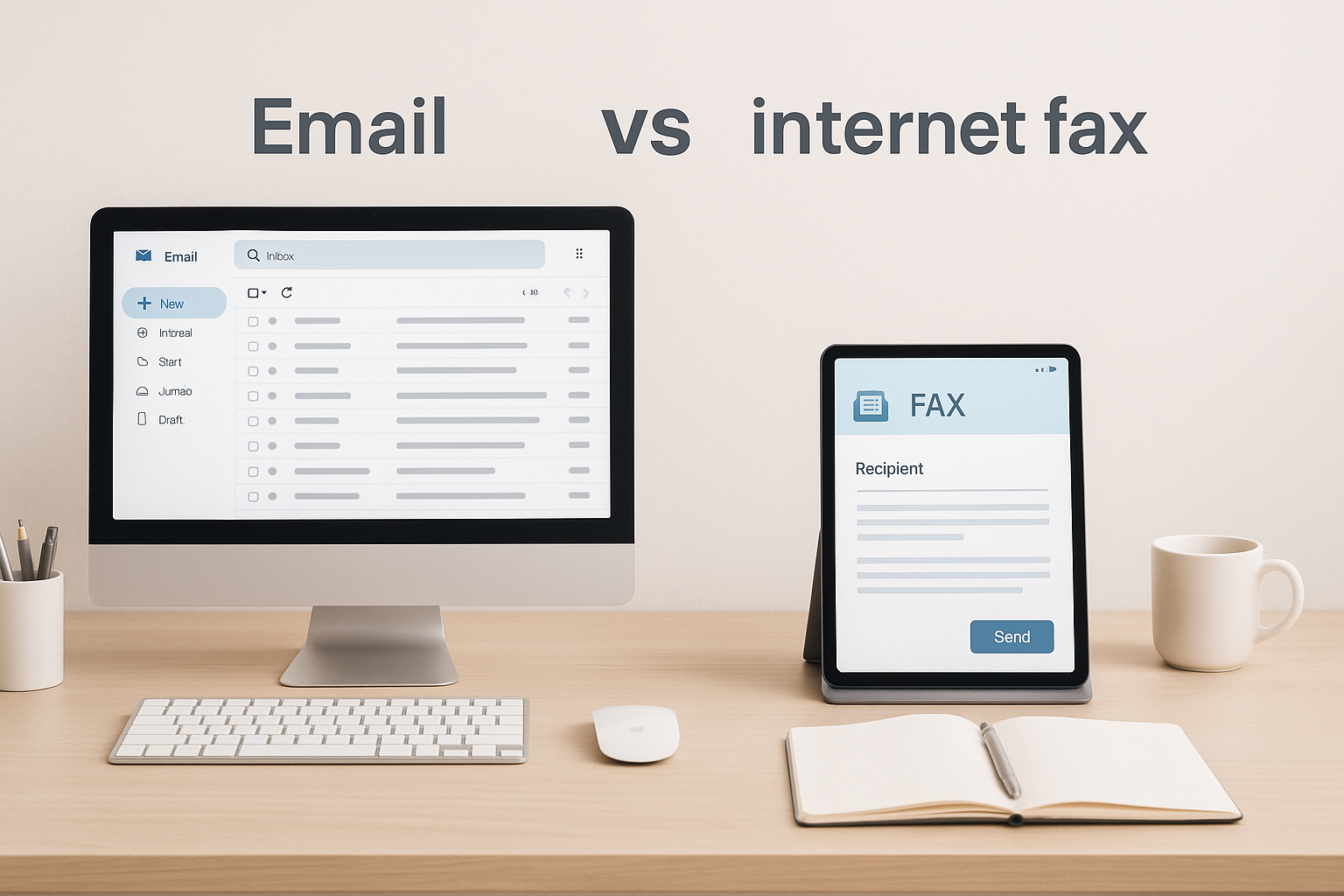
Choosing between internet fax and email fax depends on your workflow and needs. Here's a quick breakdown:
- Internet Fax: A web-based platform or app for sending/receiving faxes. Offers advanced features like cloud integrations, digital signatures, and compliance tools. Ideal for businesses needing robust functionality.
- Email Fax: Uses your email client (e.g., Gmail, Outlook) to send/receive faxes. It's simple and keeps everything in your inbox, perfect for those who prefer minimal tools.
Key Differences:
- Workflow: Internet fax uses dedicated platforms; email fax integrates with your email.
- Features: Internet fax offers more tools (e.g., storage, APIs); email fax focuses on simplicity.
- Security: Both can support HIPAA compliance, but features like encryption and audit trails vary by provider.
- Pricing: Internet fax often uses subscriptions; email fax leans toward subscriptions but can include pay-per-fax options.
Quick Comparison Table:
| Feature | Internet Fax | Email Fax |
|---|---|---|
| Interface | Dedicated app or platform | Email client (e.g., Gmail, Outlook) |
| Features | Advanced (e.g., cloud storage, APIs) | Basic (email-based workflow) |
| Compliance | HIPAA available (varies by provider) | HIPAA available (varies by provider) |
| Pricing | Subscription or pay-per-fax options | Mostly subscription-based |
| Ease of Use | Requires separate platform | Uses existing email system |
For businesses needing advanced features, internet fax is the better fit. If simplicity is your goal, email fax is the way to go.
Pricing: Pay-per-Fax vs Subscription
When deciding on the best faxing solution, understanding the pricing structure is crucial. The two primary models - pay-per-fax and subscription-based - cater to different usage patterns and budgets. Your choice will depend on how frequently you fax, whether you need consistent access, and how much control you want over your monthly spending.
Pricing Model Comparison
Pay-per-fax services allow you to pay only when you send a fax. There are no monthly commitments or recurring fees - just a straightforward pay-as-you-go system. This option is ideal for individuals or businesses that fax sparingly, perhaps a few times a month. Providers like OneFaxNow and FaxZero follow this model, helping you avoid unnecessary expenses.
Subscription-based services, on the other hand, charge a monthly or annual fee in exchange for a set number of pages or unlimited faxing within specific limits. Providers such as eFax, Fax.Plus, SRFax, and MyFax operate under this model. These services often include extras like a dedicated fax number, cloud storage, and integrations with other tools. If you fax regularly or need a dedicated fax number, a subscription might be the better option.
The main difference boils down to predictability vs flexibility. Subscriptions give you consistent monthly costs and constant access, while pay-per-fax services let you pay only when needed. For occasional tasks like sending medical records, court documents, or insurance forms, the pay-per-fax model can be more economical, as it avoids the expense of unused capacity.
Email fax services generally fall under the subscription model since they require a dedicated fax number linked to your email. However, some platforms offer pay-per-fax options without needing a dedicated number, making them more accessible for infrequent users.
These pricing structures set the stage for a deeper look at costs based on page volume.
Costs and Fees Breakdown
Here’s how costs compare across different providers:
- OneFaxNow: Charges $3.50 for 1–10 pages and $5.00 for 11–50 pages. HIPAA compliance adds $3.00 (Lite) or $5.00 (Standard). There are no hidden or recurring fees, and payments are processed via Stripe. Last verified: November 27, 2025
- Fax.Plus: Starts at $6.99/month for the Individual plan and $79.99/month for the Enterprise plan. Custom solutions are available for businesses, but the number of pages included and additional fees for setup or storage are not clearly stated. [Last verified: November 27, 2025]
- eFax: Costs $16.99/month for the basic plan, which includes 150 pages (sent and received). Additional pages cost $0.10 each. Even if you send only a few pages, you’ll still pay the full monthly fee. Setup fees are not disclosed. [Last verified: November 27, 2025]
- FaxZero: Offers a free option for up to 5 pages (with ads) or a paid option for up to 25 pages at $2.09 per fax. It does not support HIPAA compliance, and delivery tracking is limited. For faxes exceeding 25 pages, another service is needed. [Last verified: November 27, 2025]
- SRFax: Charges $9.95/month for 200 pages. HIPAA compliance is available but requires a Business Associate Agreement (BAA). Pricing details for HIPAA features are not always transparent. [Last verified: November 27, 2025]
- MyFax / MetroFax: Plans start at $10–$15/month for 100–200 pages. Both services offer HIPAA compliance as an add-on, but specifics like BAA availability and audit logging vary. [Last verified: November 27, 2025]
For example, if you send a single 10-page fax each month using OneFaxNow, you’d pay $3.50. With eFax, you’d be locked into a $16.99/month fee, even if you use only 10 of the 150 pages included. Over a year, that’s $42 with OneFaxNow versus $203.88 with eFax - a savings of $161.88. For healthcare providers requiring HIPAA compliance, OneFaxNow’s $6.50 per fax remains a cost-effective alternative compared to subscription fees and additional HIPAA add-ons.
Pricing Comparison Table
| Provider | Pricing Model | 1–10 Pages | 11–50 Pages | HIPAA Compliance | Account Required | Hidden Fees |
|---|---|---|---|---|---|---|
| OneFaxNow | Pay-per-fax | $3.50 | $5.00 | Optional (+$3 Lite / +$5 Standard) | No | None |
| Fax.Plus | Subscription | Starts at $6.99/month | Starts at $6.99/month | Not publicly stated | Yes | Not publicly stated |
| eFax | Subscription | ~$16.99/month (150 pages) | ~$16.99/month (150 pages) | Available (add-on cost varies) | Yes | Overage fees (~$0.10/page) |
| FaxZero | Pay-per-fax | $2.09 (up to 25 pages) | Not supported | Not available | No | None |
| SRFax | Subscription | ~$9.95/month (200 pages) | ~$9.95/month (200 pages) | Available (BAA required) | Yes | Overage fees vary |
| MyFax / MetroFax | Subscription | ~$10–$15/month (100–200 pages) | ~$10–$15/month (100–200 pages) | Available (add-on) | Yes | Overage fees vary |
All prices are in USD. [Last verified: November 27, 2025]
Why OneFaxNow is a Smart Choice for Cost-Conscious Users
For occasional faxing needs - whether for medical records, insurance claims, or court filings - OneFaxNow’s pay-per-fax model ensures you only pay for what you send. Its optional HIPAA compliance, complete with instant BAA execution and audit logging, offers a straightforward and budget-friendly solution for healthcare providers and businesses alike.
HIPAA Compliance and Security
For healthcare providers, legal professionals, and government agencies, safeguarding sensitive information while adhering to regulatory requirements is non-negotiable. Opting for a HIPAA-compliant fax solution ensures that confidential data remains protected.
Both internet fax and email fax services can be tailored to meet these security demands, but their approaches to HIPAA compliance, encryption, and data handling can vary significantly.
HIPAA Compliance Options
HIPAA compliance involves several key safeguards, such as encryption during data transmission, secure storage, access controls, and audit logging. However, not all fax services offer the same features, and even those that do may implement them differently:
- OneFaxNow provides an optional HIPAA mode as an add-on to its pay-per-fax service. This mode enforces stricter security protocols, including advanced encryption, detailed audit logs, and automatic deletion of fax data after successful delivery. Additionally, users can instantly execute and download a Business Associate Agreement (BAA) directly from the compliance dashboard, simplifying the process for healthcare providers Last verified: November 27, 2025.
- Fax.Plus ensures HIPAA compliance across its entire service, supporting both internet and email faxing. It incorporates robust security measures and aligns with standards like SOC 2, ISO 27001, GDPR, and CCPA. However, specific details about HIPAA pricing and the BAA process are not publicly disclosed [Last verified: November 27, 2025].
- eFax includes HIPAA compliance in its higher-tier plans, though the additional costs and BAA execution process vary by subscription. A monthly commitment is required even if HIPAA-compliant faxes are sent infrequently, and pricing details are not always transparent [Last verified: November 27, 2025].
- SRFax offers HIPAA-compliant faxing with a BAA available upon request. Starting at $9.95 per month for 200 pages, SRFax targets healthcare users, but specifics about its HIPAA features, like audit logging and data retention policies, require direct inquiry with their sales team [Last verified: November 27, 2025].
- FaxZero does not support HIPAA compliance and is designed for casual, non-sensitive faxing [Last verified: November 27, 2025].
One notable difference lies in data retention. Services like OneFaxNow delete fax data immediately after successful transmission, reducing exposure to potential breaches. On the other hand, email fax services deliver faxes to your email inbox, making it crucial to ensure that your email provider's security settings align with HIPAA standards.
Security and Data Handling
The security of fax transmissions hinges on encryption, data storage practices, and how information is managed post-delivery.
Encryption:
Most providers use TLS encryption to secure data during transmission. For example, Fax.Plus employs TLS 1.2+ with 256-bit AES encryption for stored documents. In HIPAA mode, OneFaxNow adds an extra layer of security by maintaining detailed audit logs and automatically deleting fax content after delivery Last verified: November 27, 2025.
Data Residency:
Some services, like Fax.Plus, allow users to choose where their data is stored, offering over 20 regions, including the United States, Canada, and Switzerland. This flexibility helps organizations comply with state-specific privacy laws and international data regulations.
Email Fax Considerations:
The security of email faxing largely depends on your email provider's settings. It's essential to verify that these settings meet HIPAA requirements to ensure compliance.
Access Controls and Audit Logging:
Access controls determine who can send, view, or manage faxes, while audit logs track all activity for compliance purposes. Pay-per-fax services like OneFaxNow simplify access by treating each fax as a separate transaction. In HIPAA mode, OneFaxNow also provides a compliance dashboard with audit logs and BAA documentation, making compliance audits more straightforward.
HIPAA and Security Comparison Table
| Provider | HIPAA Compliance | BAA Availability | Encryption (Transmission) | Encryption (Storage) | Data Deletion Policy | Audit Logging | Data Residency Options |
|---|---|---|---|---|---|---|---|
| OneFaxNow | Optional (+$3 Lite / +$5 Standard) | Instant execution via dashboard | TLS encryption | Not stored (deleted after delivery) | Automatic after success | Included with HIPAA mode | U.S. only |
| Fax.Plus | Included across service | Information not disclosed | TLS 1.2+ | 256-bit AES (unique keys per user) | Information not disclosed | Information not disclosed | 20+ regions (U.S., Canada, etc.) |
| eFax | Available (add-on, cost varies) | Available (contact required) | TLS encryption | Encrypted (details vary by plan) | Varies by plan | Included in higher-tier plans | Information not disclosed |
| SRFax | Available (BAA required) | Available upon request | TLS encryption | Encrypted | Information not disclosed | Available | Information not disclosed |
| FaxZero | Not available | Not available | Basic encryption | Not stored | Deleted after delivery | Not available | Not applicable |
| MyFax / MetroFax | Available (add-on) | Available (contact required) | TLS encryption | Encrypted (details vary) | Varies by plan | Varies by plan | Information not disclosed |
All information reflects publicly available data [Last verified: November 27, 2025].
Why OneFaxNow for This Use Case
For organizations that require HIPAA-compliant faxing without the complexity of account management, OneFaxNow stands out. Its optional HIPAA mode includes instant BAA execution, TLS encryption, automatic data deletion, and comprehensive audit logs. This pay-per-fax service is tailored to meet the compliance needs of healthcare, legal, and government sectors.
Primary CTA: Send a Fax Online - No Account Required
Secondary CTA: Explore HIPAA Fax Options
Account Requirements and Ease of Use
When it comes to industries where compliance is key, the ability to send documents quickly and efficiently is non-negotiable. Whether it's a medical records request or a court filing, professionals with time-sensitive, occasional faxing needs can't afford delays caused by account setup or other hurdles.
Account Setup and Payment Options
OneFaxNow skips the hassle of account creation entirely. Here’s how it works: upload your document, enter the recipient’s fax number, and check out securely via Stripe - all in about 60 seconds. Stripe handles payments with options like credit cards, Apple Pay, and Google Pay, ensuring a smooth and secure transaction process Last verified: November 27, 2025.
On the other hand, Fax.Plus requires users to create an account before sending a fax. This applies whether you're using their web platform, mobile app, or email-to-fax feature. While this setup grants access to features like email faxing and eSignatures, it’s not ideal for one-off users. Pricing starts at $6.99 per month for individuals, with enterprise plans available. However, their accepted payment methods beyond credit cards aren’t disclosed.
Other services, including eFax and MyFax, also require account registration and monthly subscriptions - even for infrequent use. SRFax follows a similar path, requiring users to select a dedicated fax number during sign-up, adding extra steps for those who just need to send a single document.
For those seeking a no-account option, FaxZero allows basic faxing without registration. While it offers a limited number of free faxes (with ads) per day, ad-free faxing is available for a fee. However, it lacks HIPAA compliance, making it unsuitable for sensitive healthcare or legal documents.
By removing the need for accounts and subscriptions, OneFaxNow offers a streamlined option for users who prioritize quick and secure faxing without long-term commitments.
Workflow for Healthcare and Legal Users
Healthcare providers and legal professionals often face tight deadlines, and their workflows demand efficiency. With OneFaxNow, the process is simple: upload a PDF, enter the recipient’s fax number, select optional HIPAA mode (priced between $3.00 and $5.00 per fax depending on page count), and complete the checkout. Within seconds, the fax is on its way. A tracking link sent via email allows real-time monitoring of the delivery status. If the fax fails, the system retries three times and only charges upon successful delivery Last verified: November 27, 2025.
For HIPAA-compliant transmissions, OneFaxNow simplifies the process even further. Users can instantly execute and download a Business Associate Agreement (BAA) directly from the compliance dashboard, eliminating the need for back-and-forth communication with sales teams.
In comparison, Fax.Plus requires full account setup before accessing its features. While its email-to-fax solution integrates well with existing workflows, and its eSignature capabilities are useful for signing contracts or medical consent forms, the need for registration and a recurring subscription may not suit occasional users. OneFaxNow’s pay-per-fax model is more cost-effective for professionals who fax infrequently, and it avoids the risks associated with storing credentials in shared office environments.
User Experience Comparison
User experience is another area where these services differ significantly.
OneFaxNow is designed to be simple and intuitive. It runs directly in any web browser with a mobile-optimized interface - no app downloads or logins required. Whether on a smartphone or desktop, you can upload a document, enter the fax number, and pay using Apple Pay or other options in seconds. The tracking link sent via email ensures you can monitor delivery status from any device. Automatic retries and real-time updates further enhance reliability Last verified: November 27, 2025.
In contrast, Fax.Plus offers dedicated iOS and Android apps, which provide a solid mobile experience but require prior account setup and login. Other services like eFax and MyFax also offer mobile apps, but their subscription-based models involve additional steps during the setup process.
FaxZero, while account-free, lacks mobile optimization and doesn’t provide advanced features like delivery tracking or retry attempts.
Setup time is another key differentiator. With OneFaxNow, you can send your first fax immediately. In contrast, account-based services like Fax.Plus require 5–10 minutes for registration, email verification, and plan selection. Subscription models also force users to estimate their monthly faxing needs, which could lead to overpaying for unused pages or incurring extra fees.
OneFaxNow’s use of Stripe ensures payment details are securely handled by a trusted third party, reducing compliance risks. Subscription-based services, however, store payment methods for recurring billing, adding another layer of dependency on the provider.
| Provider | Account Required | Setup Time | Payment Options | Mobile Experience | Email-to-Fax | Delivery Tracking |
|---|---|---|---|---|---|---|
| OneFaxNow | No | 0 minutes | Stripe (Apple Pay, Google Pay, credit cards) | Mobile-optimized web interface | Not available | Real-time tracking link and email updates |
| Fax.Plus | Yes | 5–10 minutes | Credit cards (specific methods not disclosed) | Dedicated iOS/Android apps | Included | Available through account dashboard |
| eFax | Yes | 5–10 minutes | Not publicly stated | Not publicly stated | Not publicly stated | Not publicly stated |
For professionals who value speed and simplicity, OneFaxNow’s no-account, pay-as-you-go model eliminates unnecessary steps and reduces operational headaches compared to traditional subscription-based services.
sbb-itb-0df24da
Delivery Tracking, File Support, and Performance
When sending sensitive documents like medical records, legal filings, or insurance forms, ensuring they arrive safely and on time is non-negotiable. Modern faxing services stand out by offering delivery tracking, broad file compatibility, and dependable performance - features that traditional faxing often lacks.
Delivery Tracking and Confirmation
Tracking fax deliveries is essential for peace of mind. OneFaxNow offers a seamless tracking experience. Once you send a fax, you receive an email with a unique job ID and a tracking link. This link provides real-time updates on the fax's status. If the recipient's line is busy or unavailable, the system retries up to three times. Charges are applied only if the delivery is successful. If all attempts fail, you aren’t charged a dime Last verified: November 27, 2025.
Fax.Plus allows tracking through its dashboard and email notifications, but you’ll need an active account to access these features. The service meets compliance standards like SOC 2, HIPAA, ISO 27001, GDPR, and CCPA, providing reassurance for users handling sensitive information [1].
"Every fax you send and receive is safeguarded, ensuring your information remains protected and private." - Fax.Plus [1]
Other providers, such as eFax and MyFax, typically offer tracking through their web portals or mobile apps. However, they don’t publicly disclose details about retry attempts or refund policies. Meanwhile, FaxZero provides basic email confirmations but lacks real-time tracking and automatic retries, making it less reliable for urgent documents.
These differences become critical when deadlines loom. For instance, a court filing due by 5:00 PM or an insurance authorization needed for a patient’s appointment demands certainty. With OneFaxNow, you can monitor delivery from any device without logging in, and its automatic retry system works quietly in the background, letting you focus on what matters.
File Formats and Limits
File compatibility can make or break your faxing workflow. If you need to convert files before sending, it slows you down.
OneFaxNow supports a wide range of file types, including PDF, DOCX, TXT, JPG, JPEG, PNG, TIF, and TIFF. You can send up to 50 pages per fax, with a maximum file size of 20 MB - more than enough for most professional needs. The system even handles file conversion automatically Last verified: November 27, 2025.
Fax.Plus supports similar formats via its web interface and mobile apps. Its email-to-fax feature lets you attach documents directly to an email, which is handy for those working from their inbox. Plus, it offers eSignature capabilities, making it easy to sign and send contracts or consent forms.
eFax and MyFax also accept common formats like PDFs and standard image files, but their specific page and file size limits aren’t clearly stated online. SRFax, which caters to healthcare providers, supports typical medical document formats, though detailed specs require access to an account.
FaxZero limits free users to five pages per fax, with support for PDF, DOC, DOCX, and common image formats. Paid users can send up to 25 pages.
For professionals like healthcare providers or legal teams, OneFaxNow’s 50-page limit and extensive format support are game-changers. For example, a medical office can send a complete patient intake packet - including scanned insurance cards, consent forms, and medical history - in a single TIFF file without splitting or converting documents.
Performance Comparison Table
Here’s a quick look at how these fax services stack up:
| Provider | Delivery Tracking | Automatic Retries | Success-Only Payment | Supported Formats | Page Limit | File Size Limit |
|---|---|---|---|---|---|---|
| OneFaxNow | Real-time tracking link + email | Up to 3 attempts | Yes | PDF, DOCX, TXT, JPG, JPEG, PNG, TIF, TIFF | 50 pages | 20 MB |
| Fax.Plus | Dashboard + email notifications | Not publicly stated | Not publicly stated | PDF, DOCX, images (specific formats not listed) | Not publicly stated | Not publicly stated |
| eFax | Not publicly stated | Not publicly stated | Not publicly stated | Not publicly stated | Not publicly stated | Not publicly stated |
| FaxZero | Basic email confirmation only | No | Not publicly stated | PDF, DOC, DOCX, images | 5 pages (free), 25 pages (paid) | Not publicly stated |
Why OneFaxNow for Time-Sensitive Documents
When time is of the essence - whether it’s a HIPAA-compliant patient referral, a court filing with a strict deadline, or an insurance approval - delivery reliability is non-negotiable. OneFaxNow’s real-time tracking, automatic retries, and success-only payment policy ensure you’re never left guessing. Plus, its 50-page limit and extensive file support make it easy to send complete document packets, from lengthy legal contracts to detailed medical charts. This level of reliability and efficiency sets the standard for evaluating overall performance and support in the next section.
Customer Support and Documentation
When dealing with sensitive documents like medical records, legal contracts, or government forms, having reliable customer support and clear documentation is non-negotiable. These elements are crucial in industries such as healthcare and legal services, where compliance isn't just a preference - it's a requirement. Whether it's proving your faxing process meets regulatory standards or resolving technical issues under tight deadlines, your fax service needs to deliver on both fronts.
Support Channels
Timely and accessible support can make all the difference, especially when you're under pressure or troubleshooting unexpected problems.
OneFaxNow keeps things simple. Most faxes are sent in under 60 seconds, often without the need for assistance. But when questions arise - whether about HIPAA mode, BAA execution, or delivery status - email support is available. For HIPAA users, the compliance dashboard provides instant access to audit logs and BAA documents, ensuring you always have the compliance information you need Last verified: November 27, 2025. This streamlined approach to support is paired with detailed compliance documentation, which we'll explore further below.
Fax.Plus offers a Help Center with FAQs and self-service documentation, along with options to contact sales or schedule calls for enterprise solutions. However, details about general support - like live chat availability, phone support, or email response times - aren't publicly disclosed, which could be a drawback for users needing immediate help [Last verified: November 27, 2025].
eFax and MyFax provide phone and email support as part of their subscription plans, but their websites don't clearly outline response times or availability. Similarly, SRFax, which caters to healthcare providers, offers email and phone support, though access requires an active account.
FaxZero, designed for basic, one-off faxing, provides email support for both free and paid tiers. However, real-time assistance isn't offered, making it less suitable for urgent or complex needs.
Compliance Documentation and Audit Features
When handling sensitive information, thorough documentation is just as important as responsive support. Compliance documentation, including audit trails and security policies, is essential for meeting regulatory requirements and demonstrating accountability.
OneFaxNow simplifies compliance with its HIPAA mode. The compliance dashboard allows users to instantly generate a Business Associate Agreement (BAA) and access detailed audit logs for every fax. These logs include timestamps, recipient details, delivery attempts, and confirmations - critical for audits, legal discovery, or internal reviews. Security practices, such as TLS encryption during transmission and no permanent storage of faxed content, are clearly documented on the website Last verified: November 27, 2025.
Fax.Plus boasts strong compliance credentials, including SOC 2, HIPAA, ISO 27001, GDPR, and CCPA certifications. The platform uses 256-bit AES encryption for stored documents and TLS 1.2+ encryption for data transfer. Users can store faxes in over 20 regions, including the U.S., Canada, and Switzerland, to meet data residency needs. A dedicated Trust Center and Compliance sections on the website provide easy access to security documentation. However, user-accessible audit logs aren't explicitly mentioned, which could be a concern for healthcare providers during audits [Last verified: November 27, 2025].
eFax and MyFax advertise HIPAA compliance for premium plans, but specifics about BAA execution, audit log access, and security measures aren't readily available. Users often need to contact support or sales to obtain detailed compliance documentation, which could delay time-sensitive projects.
SRFax is tailored for healthcare organizations, offering HIPAA-compliant faxing with available BAA execution. Audit trails and detailed transmission logs are included, but these features require an account setup.
FaxZero doesn't support HIPAA compliance or provide audit features. It's intended for casual, non-sensitive faxing and isn't suitable for transmitting protected health information or legally sensitive documents.
Support and Documentation Comparison Table
| Provider | Support Channels | Response Time | HIPAA Compliance | BAA Availability | Audit Logs | Compliance Certifications |
|---|---|---|---|---|---|---|
| OneFaxNow | Email support; compliance dashboard with self-service | Real-time tracking; email support as needed | Yes (optional add-on) | Instant via dashboard | Yes, accessible via dashboard | HIPAA-compliant transmission and handling |
| Fax.Plus | Help Center; Contact Sales; Schedule a Call | Not publicly stated | Yes | Not publicly stated | Not explicitly stated | SOC 2, HIPAA, ISO 27001, GDPR, CCPA |
| eFax | Not publicly stated | Not publicly stated | Yes (premium plans) | Not publicly stated | Not publicly stated | Not publicly stated |
| SRFax | Email and phone (account required) | Not publicly stated | Yes | Yes | Yes | HIPAA-focused |
| FaxZero | Email support | Not publicly stated | No | No | No | None |
Why Choose OneFaxNow for Compliance Needs
If you're a medical practice sending patient referrals or a law firm handling discovery documents, OneFaxNow stands out. Instant BAA execution and immediate audit log access mean you can start faxing compliantly without delays. The self-service compliance dashboard ensures you're ready for audits from day one, eliminating the need for lengthy sales calls or back-and-forth negotiations. Whether you're working solo or part of a team, this combination of real-time tracking, clear documentation, and straightforward support gives you the confidence to meet regulatory standards without hassle.
Conclusion and Recommendations
Key Differences
After diving into the details, let’s break down the main distinctions between internet fax and email fax services. These two methods cater to different needs, with variations in pricing, compliance, ease of use, delivery tracking, and customer support.
OneFaxNow operates on a straightforward pay-per-fax system, avoiding recurring fees entirely. This is a great fit for users who fax infrequently, unlike subscription-based platforms that charge monthly fees and may include additional costs.
When it comes to compliance, OneFaxNow offers an optional HIPAA mode with instant BAA execution through its compliance dashboard, making it particularly appealing for industries with strict regulatory requirements. On the other hand, services like Fax.Plus provide a broader range of certifications, such as SOC 2, ISO 27001, GDPR, and CCPA, along with advanced encryption and data residency options. However, features like user-accessible audit logs may not be as clearly outlined. Meanwhile, platforms like SRFax cater specifically to healthcare but require a full account setup, and options like FaxZero lack HIPAA compliance altogether.
Ease of use is another critical factor. With OneFaxNow, there’s no account setup required - just upload your document, enter the fax number, and pay securely through Stripe using Apple Pay or Google Pay. Most competitors, by contrast, require you to go through account creation and verification before sending even a single fax.
OneFaxNow also stands out with real-time tracking, automated retries (up to three attempts), and a policy of charging only after a successful transmission. This makes it an ideal choice for time-sensitive faxing needs in industries like healthcare, legal, and government.
Support and compliance documentation round out the picture. With OneFaxNow, users have instant access to audit logs and downloadable BAA documents through the compliance dashboard, avoiding the delays that can occur with other providers.
These differences make it easier to select the service that aligns with your specific compliance and operational requirements.
Why Consider OneFaxNow?
If you’re managing sensitive documents - whether as a healthcare provider sending patient referrals, a law firm handling discovery documents, or a government contractor filing critical forms - OneFaxNow delivers a secure, compliance-ready solution without the hassle of subscriptions or lengthy setups.
The pay-per-fax model ensures you only pay for what you use, eliminating the frustration of unused credits or hidden fees. The no-account requirement allows you to send documents quickly, which is perfect for urgent, compliant faxing. Plus, the optional HIPAA mode with instant BAA execution and audit-ready logging meets the rigorous demands of industries like healthcare and law.
With real-time tracking and automated retries, you’ll always know the status of your transmission. TLS encryption during transmission and a no-permanent-storage policy ensure both security and regulatory compliance.
Ready to Get Started?
Start sending secure, on-demand faxes today - no subscriptions or account setups required. Visit Send a Fax Online - No Account Required to experience the ease and reliability of OneFaxNow. For professionals handling sensitive documents, explore HIPAA Fax options for instant BAA execution and audit-ready logs.
FAQs
What are the key benefits of using internet fax instead of email fax for businesses?
Internet fax brings a host of benefits for businesses, especially when compared to email fax, with security, compliance, and functionality being key highlights. Unlike email fax, internet fax services are built with advanced encryption and robust data protection measures, making them a better fit for industries like healthcare, legal, and government. These sectors often require strict adherence to regulations such as HIPAA, and internet fax is designed to meet those demands.
Beyond security, internet fax offers practical features like real-time tracking, delivery confirmations, and automatic retries, ensuring your documents reach their destination without a hitch. Many services also accommodate a wider variety of file formats and support higher page limits, providing flexibility for diverse business needs. For organizations that need a Business Associate Agreement (BAA) to comply with HIPAA, internet fax services usually include this option, guaranteeing the secure management of sensitive data.
What’s the difference between pay-per-fax pricing and subscription plans, and which option is better for occasional fax users?
When it comes to faxing, you’ve got two main pricing options: pay-per-fax or a subscription plan. With pay-per-fax, you’re charged only for the faxes you send, usually based on the number of pages or the destination. On the other hand, subscription plans involve a recurring fee, giving you either a set number of pages or unlimited faxes each month.
If you’re someone who only sends faxes occasionally, pay-per-fax can be a more budget-friendly option since you’re not tied to a monthly fee or worrying about unused pages. But for frequent or high-volume faxing, a subscription plan could end up being the more economical choice over time.
How can I ensure HIPAA compliance when using internet fax services like OneFaxNow?
To meet HIPAA requirements with OneFaxNow, you can enable their optional HIPAA mode, which applies stricter security measures for managing sensitive information. On top of that, OneFaxNow offers a Business Associate Agreement (BAA) that you can instantly complete through their dashboard, streamlining the compliance process.
This setup ensures protected health information (PHI) is handled securely and in a way that supports audits, making it a dependable option for industries like healthcare, where meeting regulatory standards is essential.