How Therapists and Counselors Can Fax Treatment Notes and ROI Forms Securely
How therapists can fax treatment notes and ROI forms securely using HIPAA‑compliant e-faxing, audit logs, and instant BAAs.
How Therapists and Counselors Can Fax Treatment Notes and ROI Forms Securely
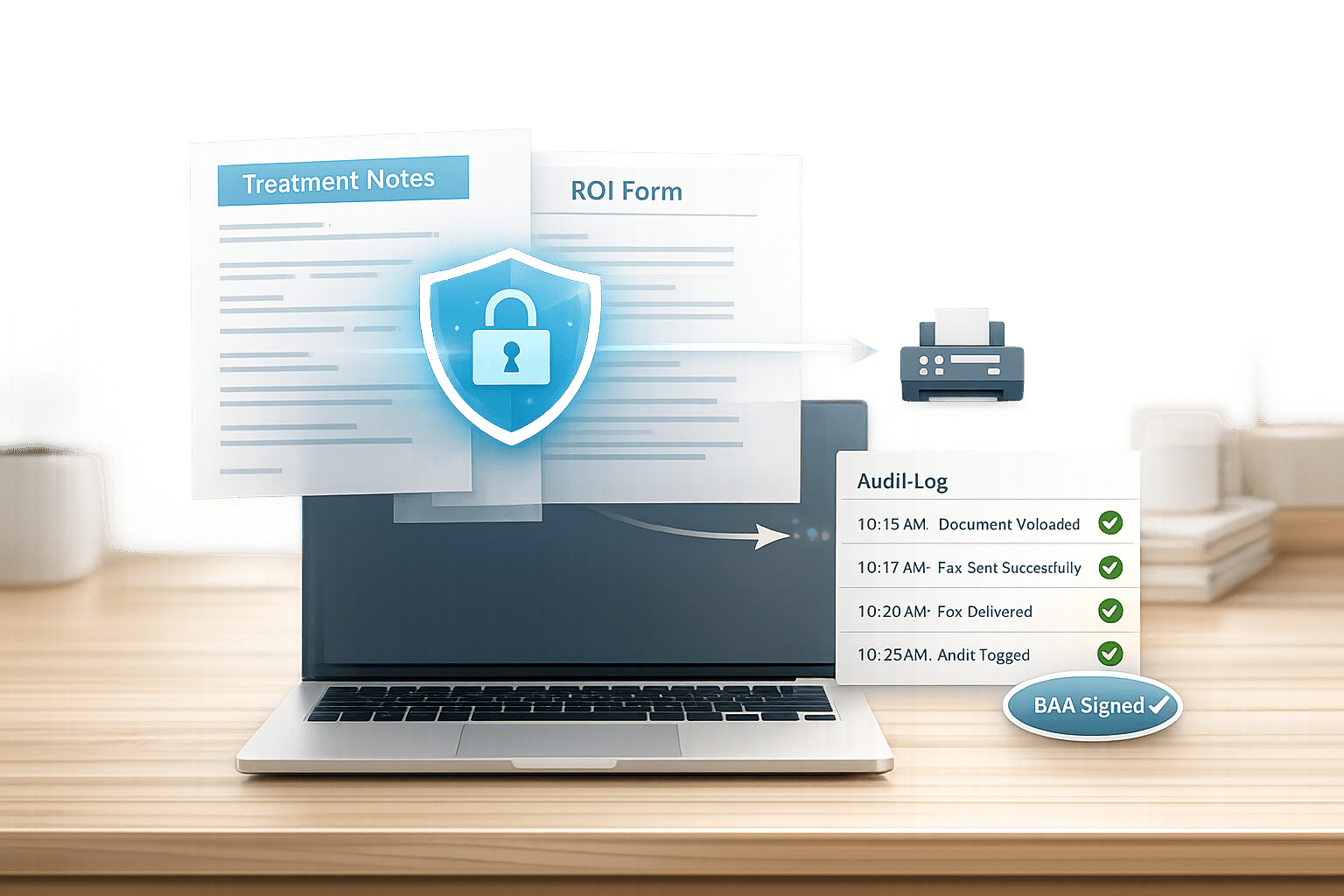
Therapists often fax sensitive documents like treatment notes, ROI forms, and coordination-of-care updates. These contain Protected Health Information (PHI) and must comply with HIPAA regulations for faxing medical records to ensure security. Traditional fax methods, such as retail services like faxing at Staples or FedEx, lack encryption, audit trails, and Business Associate Agreements (BAAs), putting PHI at risk and exposing therapists to potential HIPAA violations and fines.
Key Takeaways:
- Why security matters: HIPAA requires encryption, access controls, and BAAs to protect PHI during fax transmission.
- Risks of retail faxing: No encryption, no BAAs, and high costs ($20–$25 for 10 pages).
- Better alternative: Use HIPAA-compliant online fax services like OneFaxNow for secure, cost-effective, and trackable faxing.
OneFaxNow Benefits:
- Pay-per-fax pricing: $6.50 for 1–10 pages with HIPAA Mode.
- HIPAA compliance: Instant BAA generation, encryption, and detailed audit logs.
- Convenience: No account required, automatic retries, and real-time delivery tracking.
Switching to a HIPAA-compliant fax service ensures secure and efficient transmission of sensitive therapy documents, avoiding compliance risks and unnecessary costs.
Documents Therapists Commonly Fax
ROI Forms (Release of Information)
ROI forms are legal documents that allow clients to authorize the sharing of specific protected health information (PHI) with chosen individuals or organizations. These forms are often used by therapists to share details like diagnoses, treatment plans, or therapy progress with insurance companies, other healthcare providers, or even family members. For example, a therapist might send an ROI form to a primary care physician before sharing a treatment summary for anxiety therapy progress [5][7]. Since these forms contain sensitive information, such as patient identifiers and disclosure limits, they must adhere to HIPAA guidelines, including encryption and Business Associate Agreements (BAAs) [3][5].
Similarly, documents like treatment summaries and progress notes must also meet strict HIPAA requirements.
Treatment Summaries and Progress Notes
Treatment summaries and progress notes are frequently faxed for purposes like referrals, insurance claims, and ensuring continuity of care. These documents often include details such as diagnoses, appointment dates, therapy notes, and medication changes. Therapists may also send these notes, along with treatment plans, to insurers or pharmacy benefit managers (PBMs) to secure prior authorizations [4]. Given the heightened sensitivity of mental health and substance use records, these documents are protected under both HIPAA and 42 CFR Part 2 regulations. To ensure compliance, therapists should use encryption, limit disclosures to the minimum necessary information, and include cover sheets that shield PHI [5][6][7].
Coordination-of-Care Notes
Coordination-of-care notes play a vital role in facilitating communication between therapists and other healthcare providers. These notes are used to ensure seamless collaboration, such as when a therapist shares updates on medication adjustments with a referring psychiatrist or informs a primary care doctor about a patient’s mental health progress [5][8]. With approximately 75% of healthcare communication still relying on fax technology for transmitting therapy documents like treatment plans and insurance authorizations, secure faxing remains a key method for maintaining an encrypted "paper trail" for patient referrals [9]. As with other sensitive documents, coordination-of-care notes must comply with HIPAA by employing encryption and requiring BAAs.
sbb-itb-0df24da
Why Retail Fax Services (FedEx, Staples) Are Risky for Therapists
No HIPAA Compliance
Retail fax services, like those offered by FedEx Office, Staples, and UPS Stores, fall short when it comes to meeting HIPAA standards for transmitting sensitive Protected Health Information (PHI). Unlike HIPAA-compliant online fax services that use encrypted, secure cloud-based servers, these retail options rely on analog phone lines. This outdated technology leaves sensitive documents - such as treatment notes, ROI forms, and coordination-of-care notes - vulnerable to interception or unauthorized access.
Psychotherapy notes, which contain deeply personal reflections from therapy sessions, require explicit patient consent before disclosure. In a retail setting, these documents often sit exposed on public counters, are handled by multiple employees, or end up in shared output trays, increasing the risk of unauthorized viewing. Additionally, many public fax machines store digital images of scanned documents on internal hard drives, creating a long-term risk for data breaches. These issues not only jeopardize patient privacy but also make it harder to maintain accountability.
No Audit Trails or BAAs
HIPAA requires a Business Associate Agreement (BAA) between therapists and any third-party service handling PHI. This contract ensures that safeguards like encryption and breach notifications are in place. Retail fax services do not provide BAAs because they are not designed to handle HIPAA-compliant transmissions. Without this agreement, therapists could be held personally responsible if a breach occurs.
Another critical shortfall is the lack of audit trails. Retail faxing does not offer the detailed digital logs necessary to track who accessed PHI and when. This absence makes it difficult to verify compliance or respond to audits effectively. The lack of delivery tracking further complicates matters, leaving therapists without confirmation that sensitive documents reached their intended destination. These gaps not only increase privacy risks but also add unnecessary costs.
Hidden Costs and Privacy Risks
Retail faxing can cost up to four times more per page compared to HIPAA-compliant online services, as seen in this FedEx fax cost comparison [1][2]. Charges typically range from $1.00 to $2.00 per page, with additional fees for cover sheets, delivery confirmations, or retries. A multi-page ROI form could cost anywhere from $20.00 to $50.00. Beyond the monetary expense, physically transporting documents to a retail location raises the risk of exposure. Retail fax services also lack automatic retry features or delivery tracking, further undermining reliability.
The financial risks don’t stop there. If PHI is mishandled, therapists could face HIPAA fines of up to $50,000 per violation. Retail fax services also limit therapists to store hours and in-person visits, unlike secure online faxing options that are accessible 24/7 from any device. In some cases, lost paper faxes have led to incomplete client records and missing audit trails, further complicating compliance efforts.
These challenges highlight why therapists should rely on HIPAA-compliant online fax services to securely handle sensitive documents.
What to Look for in a HIPAA-Compliant Fax Service
Encryption and Secure Transmission
Security is the backbone of any HIPAA-compliant fax service. Look for services that use end-to-end encryption throughout the entire transmission process. Specifically, prioritize services employing TLS encryption for network security and AES encryption for protecting files on their servers. This combination ensures that sensitive documents remain inaccessible to unauthorized parties.
Another critical feature is how the service handles temporary file storage. HIPAA-compliant providers should automatically delete protected health information (PHI) files as soon as the fax is sent. Only essential metadata and audit logs should be retained for record-keeping purposes. This approach minimizes the risk of breaches by reducing the time sensitive information is stored. Compare this to retail fax machines, which often store scanned images on internal hard drives without secure deletion protocols - an obvious security gap.
Lastly, ensure the service provides detailed audit logs and makes a Business Associate Agreement (BAA) readily available upon setup.
Audit Logs and Immediate BAA Execution
A clear and comprehensive record of how PHI is handled is essential for staying compliant. A good fax service will offer immutable, timestamped audit logs that capture critical details like sender information, delivery status, and confirmation of PHI deletion. These logs should be exportable in common formats like CSV or PDF, making it simple to integrate them into your compliance records or provide them during audits.
Equally important is having a BAA in place. Since handling PHI without one violates HIPAA regulations, the best fax services streamline this process. For instance, OneFaxNow allows you to execute a BAA instantly when you enable HIPAA Mode. The agreement is immediately available for download from the audit dashboard, ensuring you can establish a compliant workflow without delays. This feature is especially helpful when you're dealing with urgent documents like treatment summaries or insurance authorizations.
Delivery Tracking and Automatic Retries
While security and compliance are critical, reliable delivery is just as important. A HIPAA-compliant fax service should offer real-time tracking and automated email updates to confirm when faxes are successfully delivered. This transparency eliminates the guesswork often associated with traditional faxing methods.
Additionally, automatic retries are a lifesaver when dealing with busy recipient lines. For example, OneFaxNow automatically retries failed faxes up to three times, at intervals of 3, 6, and 12 minutes after the initial attempt. This feature is particularly useful for professionals like therapists coordinating with high-traffic practices or for sending ROI forms to insurance departments that handle large volumes of faxes. To top it off, services that only charge for successfully delivered faxes provide added peace of mind and better cost management.
How to Send Secure Faxes Using OneFaxNow HIPAA Mode
Step 1: Upload Your Document
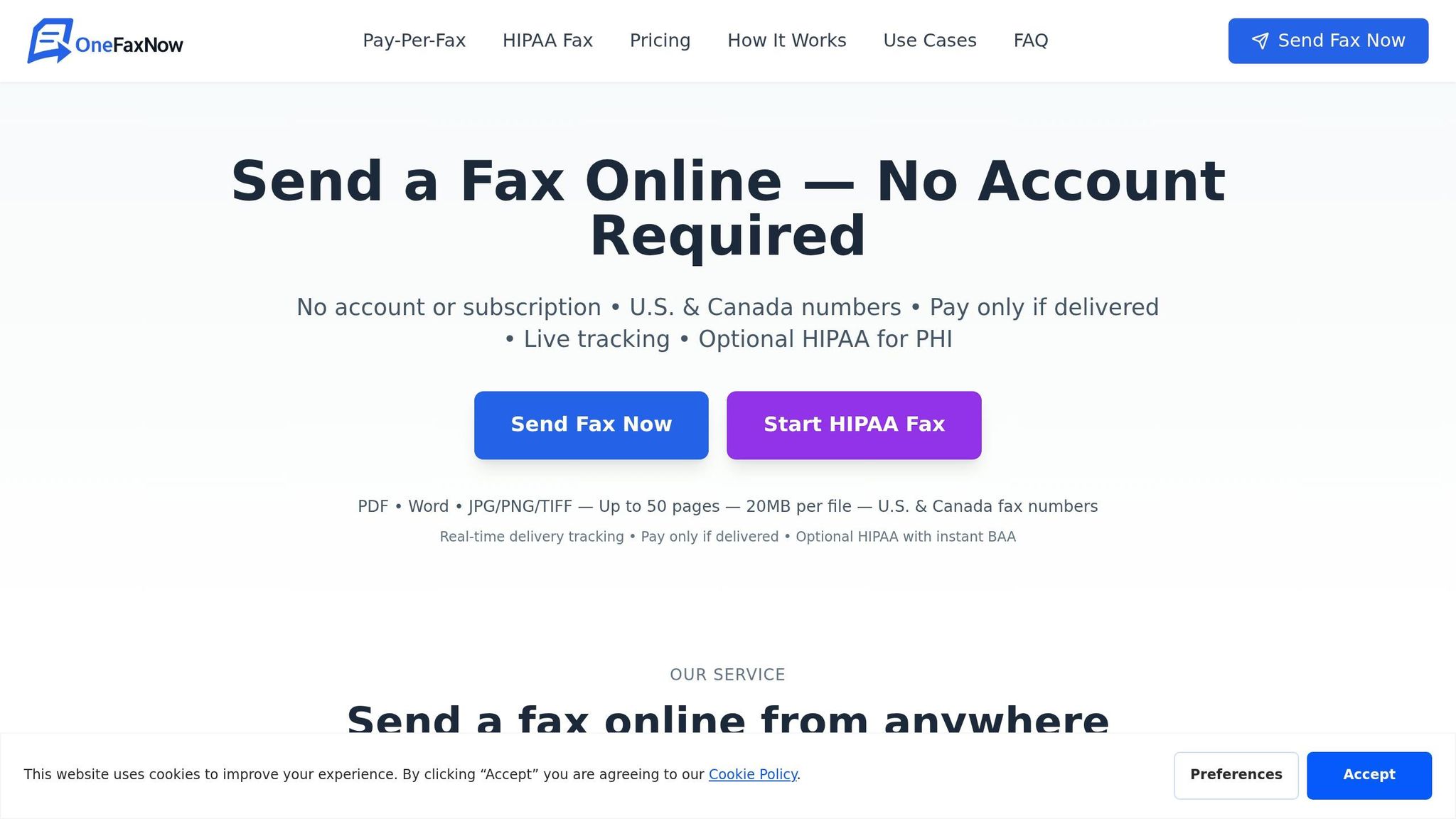
Start by selecting "Send Fax" and uploading your document. This could be treatment notes, ROI forms, or coordination-of-care notes. OneFaxNow supports various file formats, including PDF, DOCX, TXT, JPG, JPEG, PNG, and TIF/TIFF. Just keep in mind the file size limit (20 MB per file) and a maximum of 50 pages for each fax. If you're uploading multiple documents, make sure to arrange them in the order you want them sent.
For added convenience, use the OneFaxNow mobile app (available on Android and iOS) to capture and upload document images directly from your phone. Before proceeding, double-check that your document only includes the necessary PHI.
Once your document is ready, move on to enable HIPAA Mode for secure transmission.
Step 2: Enable HIPAA Mode and Generate a BAA
Switch HIPAA Mode ON at checkout to activate a secure, compliant transmission process. This feature ensures your fax is encrypted both during transit and while stored. It also instantly generates a Business Associate Agreement (BAA) at checkout, which you can download immediately from your HIPAA Audit Dashboard. No extra steps or delays - your BAA is ready right away.
HIPAA Mode pricing is straightforward: there’s a $3.00 surcharge for faxes up to 10 pages, while a flat rate applies for faxes between 11 and 50 pages. Payment is only processed if the fax is successfully delivered. If delivery fails after all retries, you won’t be charged a penny.
This step not only secures your fax but also ensures compliance with HIPAA regulations by providing an immediate BAA and detailed audit logs.
Step 3: Track Delivery and Confirm Success
Once HIPAA Mode is enabled, you’ll receive a unique tracking link along with access to a real-time status page. This lets you monitor the progress of your fax. You’ll also get email notifications confirming either successful delivery or any issues that arise. If the recipient’s line is busy, OneFaxNow will automatically retry delivery three times - at 3, 6, and 12-minute intervals. This feature is particularly useful when faxing high-traffic departments like insurance companies or hospital teams.
After the fax is delivered, visit your HIPAA Audit Dashboard to download detailed audit logs in CSV or PDF format. These logs include key details like sender ID, timestamp, recipient number, and delivery status. Keeping these records, along with the BAA, in your patient’s file ensures you’re prepared for any HIPAA audits. Plus, the timestamped proof of transmission can be a lifesaver when dealing with urgent deadlines for prior authorizations or care coordination.
OneFaxNow vs Other Fax Services for Therapists
OneFaxNow vs Retail Faxing vs eFax: HIPAA-Compliant Fax Services Comparison for Therapists
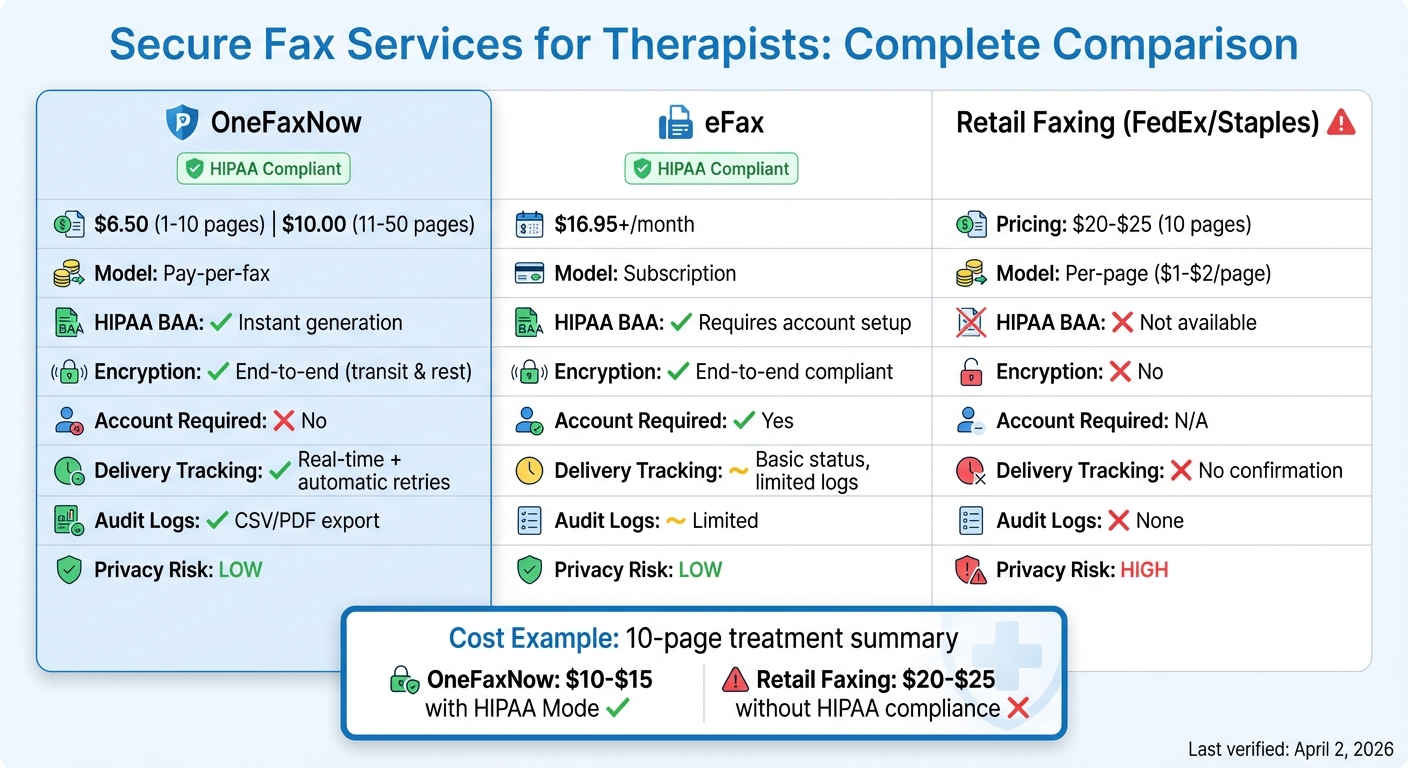
For therapists and counselors, having a fax service that's secure, efficient, and affordable is non-negotiable. Handling Protected Health Information (PHI) demands a solution that prioritizes both compliance and convenience. Here's how OneFaxNow stacks up against other popular faxing options.
OneFaxNow vs eFax: Pricing and HIPAA Features
eFax operates on a subscription model, starting at $16.95 per month. This pricing can feel excessive for therapists who only send a few forms or summaries each month. In contrast, OneFaxNow offers a pay-per-fax system: $3.50 for 1–10 pages (Lite Fax) or $5.00 for 11–50 pages (Standard Fax). When HIPAA Mode is enabled, there's an additional charge of $3.00 for Lite Fax and $5.00 for Standard Fax. Importantly, you’re only billed when the fax is successfully delivered.
Both services provide encryption and Business Associate Agreements (BAAs). But OneFaxNow simplifies the process by generating your BAA instantly at checkout, making it immediately available in your HIPAA Audit Dashboard. eFax, on the other hand, requires account setup and manual coordination to secure a BAA. Additionally, OneFaxNow offers features like a real-time status page, automatic retries at short intervals, and detailed audit logs in CSV or PDF formats - perfect for ensuring timely delivery of critical documents like coordination-of-care notes.
| Feature | OneFaxNow | eFax |
|---|---|---|
| Pricing | Pay-per-fax (Lite: $3.50 for 1–10 pages; Standard: $5.00 for 11–50 pages) | Subscription ($16.95+/month) |
| HIPAA BAA | Instant generation in HIPAA Mode | Requires account setup |
| Encryption | End-to-end (transit and rest) | End-to-end, compliant |
| Delivery Tracking | Real-time status, automatic retries, and full audit logs | Basic status, limited logs |
Last verified: April 2, 2026.
Why OneFaxNow stands out: Its pay-per-fax pricing, instant BAA generation, and robust delivery tracking make it a practical and compliant choice for therapists.
OneFaxNow vs Fax.Plus: Account Setup and File Compatibility
Fax.Plus requires users to create an account, and its free tier limits users to just 10 pages. Additional pages are only available through paid plans. OneFaxNow eliminates this hassle by allowing you to send up to 50 pages per fax without creating an account. Simply upload your files, enable HIPAA Mode if necessary, and proceed to checkout. This flexibility is especially helpful for therapists who need to send lengthy treatment summaries or progress notes quickly.
Both platforms support a wide range of file formats, but OneFaxNow doesn’t restrict access to these features based on tiers. It accepts PDF, DOCX, TXT, JPG, JPEG, PNG, and TIF/TIFF files without limitations. Fax.Plus offers similar format support but places restrictions on higher page counts and HIPAA-related features unless you upgrade to a paid plan. Furthermore, Fax.Plus does not provide an instant BAA, which can delay compliance.
| Feature | OneFaxNow | Fax.Plus |
|---|---|---|
| Account Required | No (instant HIPAA Mode) | Yes (email signup/subscription) |
| Page Limit | Up to 50 pages | 10 free pages; more on paid plans |
| File Formats | PDF, DOCX, TXT, JPG, JPEG, PNG, TIF/TIFF | Similar formats, but with free-tier limits |
| HIPAA Compliance | Full BAA with instant generation and encryption | Limited; no instant BAA |
Last verified: April 2, 2026.
Why OneFaxNow is better here: Its no-account-required setup and broader file support make it a faster, more convenient option for therapists.
OneFaxNow vs Retail Faxing: Costs and Privacy
Using retail fax services like FedEx or Staples to send a 10-page treatment summary can cost $20–$25. By comparison, OneFaxNow charges $10–$15 for the same document when HIPAA Mode is enabled. Beyond cost savings, OneFaxNow also addresses critical privacy concerns. Retail fax services don’t provide BAAs, encryption, or audit trails, leaving PHI at risk if handled on shared machines or by multiple staff members.
Retail faxing also lacks delivery confirmation and automatic retries. If the recipient’s fax line is busy, you’re on your own to resend. OneFaxNow, however, retries automatically up to three times and only charges you if the fax is successfully delivered. This ensures both cost predictability and compliance peace of mind.
| Aspect | OneFaxNow (Secure) | Retail Faxing (FedEx/Staples) |
|---|---|---|
| HIPAA Compliance | Yes (BAA, encryption, audit logs) | No (lacks BAAs and audit trails) |
| Cost (10 pages) | $10–$15, pay-per-use | $20–$25 |
| Privacy Risks | Minimal (tracked and encrypted) | High (exposed to multiple handlers) |
Last verified: April 2, 2026.
Why OneFaxNow wins here: It offers a secure, cost-effective, and fully traceable alternative to retail faxing, ensuring compliance and peace of mind for therapists.
Why OneFaxNow Works for Therapists and Counselors
Therapists and counselors often need to fax sensitive documents but don’t require a full-time fax service. That’s where OneFaxNow steps in. It offers a pay-per-fax vs. monthly subscription model that eliminates recurring fees while ensuring HIPAA compliance. For solo practitioners or small counseling centers handling tasks like sending ROI forms or treatment summaries each month, this solution not only cuts costs but also simplifies administrative tasks. It’s a practical answer to the challenges of retail faxing, as discussed earlier.
Key Points for Secure Faxing
OneFaxNow’s HIPAA Mode is designed to meet compliance standards seamlessly. It includes features like:
- Instant BAA execution at checkout.
- Exportable audit logs (available in CSV or PDF formats).
- Automatic file deletion after successful delivery.
These features are critical for maintaining privacy and security. Unlike retail faxing options at places like FedEx or Staples, which lack HIPAA-compliant systems and do not provide BAAs, OneFaxNow ensures every step aligns with legal requirements[5].
For low-volume practices, the pricing is straightforward and budget-friendly:
- $6.50 for 1–10 pages.
- $10.00 for 11–50 pages.
You’re only charged after a successful delivery, and if all three automatic retries fail, you’re charged nothing. This approach is ideal for therapy practices that want to avoid the hefty subscription fees and compliance gaps found with other services.
Send a Secure Fax with OneFaxNow
OneFaxNow makes secure document transmission simple and cost-effective. Need to send treatment notes, ROI forms, or coordination-of-care documents? It’s just a few clicks away. Send a Fax Online - No Account Required. Upload your files, toggle HIPAA Mode ON, and complete your BAA at checkout. For more details on HIPAA compliance, visit the HIPAA Fax page.
FAQs
Is faxing PHI allowed under HIPAA?
Yes, faxing PHI (Protected Health Information) is permitted under HIPAA, provided that secure and HIPAA-compliant methods are used. This typically involves using encrypted online fax services that include safeguards like audit logs to track activity and a signed Business Associate Agreement (BAA) to ensure both compliance and data protection.
What’s the difference between progress notes and psychotherapy notes for faxing?
Progress notes serve as a formal record of a client’s condition, the treatment provided, and any progress made during sessions. They become part of the official medical record and are generally shared only with the client’s consent. On the other hand, psychotherapy notes are more private and sensitive. These are kept separate from the medical record and used exclusively by the therapist. Sending psychotherapy notes via fax typically requires explicit authorization, and extra care is often needed to ensure confidentiality.
What should I save for HIPAA proof after sending a fax?
When sending a fax in compliance with HIPAA regulations, it’s important to keep proper documentation. Save the delivery confirmation or receipt, audit logs that show the fax was successfully transmitted, and any confirmation emails or tracking links provided by your fax service. These records act as proof of compliance and can be essential for audits or maintaining accurate records.