How to Read Your Police Report Before You Fax It to Insurance or a Lawyer
Step-by-step checklist to verify names, dates, vehicle details and the officer's narrative before securely faxing your police report.
How to Read Your Police Report Before You Fax It to Insurance or a Lawyer
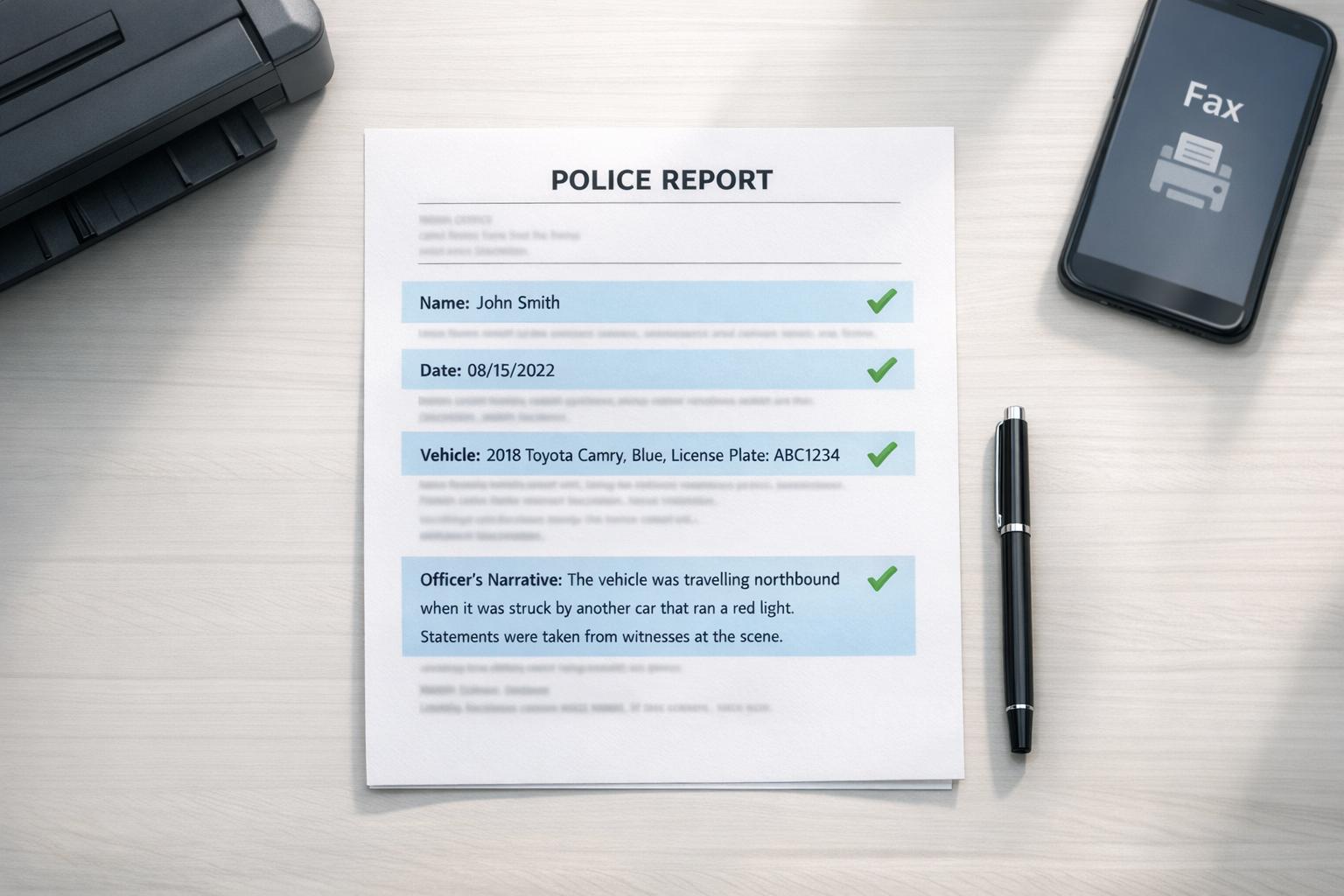
Before faxing your police report to an insurance company or attorney, take a few minutes to review it for accuracy. Mistakes in names, dates, vehicle details, or the officer’s account can lead to delays, disputes, or reduced payouts. Here’s what to check:
- Incident Details: Verify the case number, date, time, and location.
- Personal Information: Ensure names, addresses, and phone numbers are correct.
- Vehicle and Insurance Info: Double-check vehicle make, model, license plate, VIN, and insurance details.
- Officer’s Narrative: Look for errors or misstatements in the officer’s account.
- Scene Diagram: Confirm vehicle positions, traffic signals, and points of impact align with your memory.
If you find errors, contact the reporting officer for corrections or file a supplemental report. Once verified, you can securely fax the report online using services like OneFaxNow, which offer tracking and optional HIPAA-compliant modes for sensitive information. Taking these steps ensures your case starts on solid ground.
Common Sections in a Police Report
Most police reports in the U.S. follow a similar structure, no matter which agency issues them. The Face Sheet (or cover page) summarizes the key facts, while the following pages delve into the details, including narratives, diagrams, and witness statements. Knowing how these sections are organized can make it easier to spot inaccuracies before forwarding the report to your insurer or attorney. Here's a breakdown of the main sections to help you review a report thoroughly.
Incident Number, Date, Time, and Location
At the very top of the Face Sheet, you'll find the incident number, a unique code assigned to your case. This number is essential for tracking your report, whether you're requesting records or filing an insurance claim. Just below, you'll see the date, time, and location of the incident, often listed as a street address or intersection.
"Always obtain and save the incident or case number from the responding officer at the scene to facilitate future report requests." – Legal Expert [1]
Double-check these fields to ensure details like the date or the street name are accurate. Even small errors here can create confusion later [1].
Names and Information for All Parties
The Face Sheet - or a section near the top - includes a list of all individuals involved, categorized by role: Reporting Person, Suspect, Victim, or Witness [3]. In traffic accidents, individuals are often linked to specific vehicles, such as Vehicle 1, Vehicle 2, etc. Identifying which vehicle corresponds to which driver is crucial for understanding the rest of the report [3].
Review names, addresses, phone numbers, and other details carefully [1][3]. For vehicle-related incidents, confirm the driver's license numbers, insurance companies, and policy numbers listed [1]. Keep in mind that sensitive details, like Social Security numbers or minors' identities, might be redacted for privacy reasons [1].
Once you've checked the personal and vehicle information, move on to the officer's account of the incident.
Officer's Narrative
The narrative provides a step-by-step account of the incident from the responding officer's perspective. It details what the officer observed, heard, and did upon arriving at the scene, offering a chronological breakdown [1][3].
"It's vital to distinguish between factual observations (e.g., 'Car A had front-end damage') and the officer's conclusions or opinions (e.g., 'Driver A appeared to be at fault')." – USLawExplained [1]
Make sure the narrative accurately reflects any statements you made [1]. If you come across law enforcement jargon - like "fled at a high rate of speed" (ran away quickly) or "disturbance" (a fight) - ask for clarification if needed [3]. If there are factual inaccuracies, reach out to the reporting officer to request an addendum or submit a supplemental report to correct the record [1].
Scene Diagram and Crash Details
In traffic accident reports, you'll usually find a scene diagram that shows the positions of vehicles, lane markings, traffic signals, and points of impact [1]. This diagram should align with the narrative and accurately depict the collision, vehicle damage, and the direction each vehicle was traveling before the crash [1].
Check that the vehicle numbers in the diagram match those in the narrative [3]. The diagram might also include notes on road conditions, skid marks, or other contributing factors observed by the officer, so ensure these details are consistent with your own recollection of the scene [1].
Once you've reviewed these sections, you'll be better prepared to move forward with the next steps in addressing your case.
sbb-itb-0df24da
What to Check Before You Fax Your Police Report
Police Report Review Checklist Before Faxing to Insurance or Lawyer
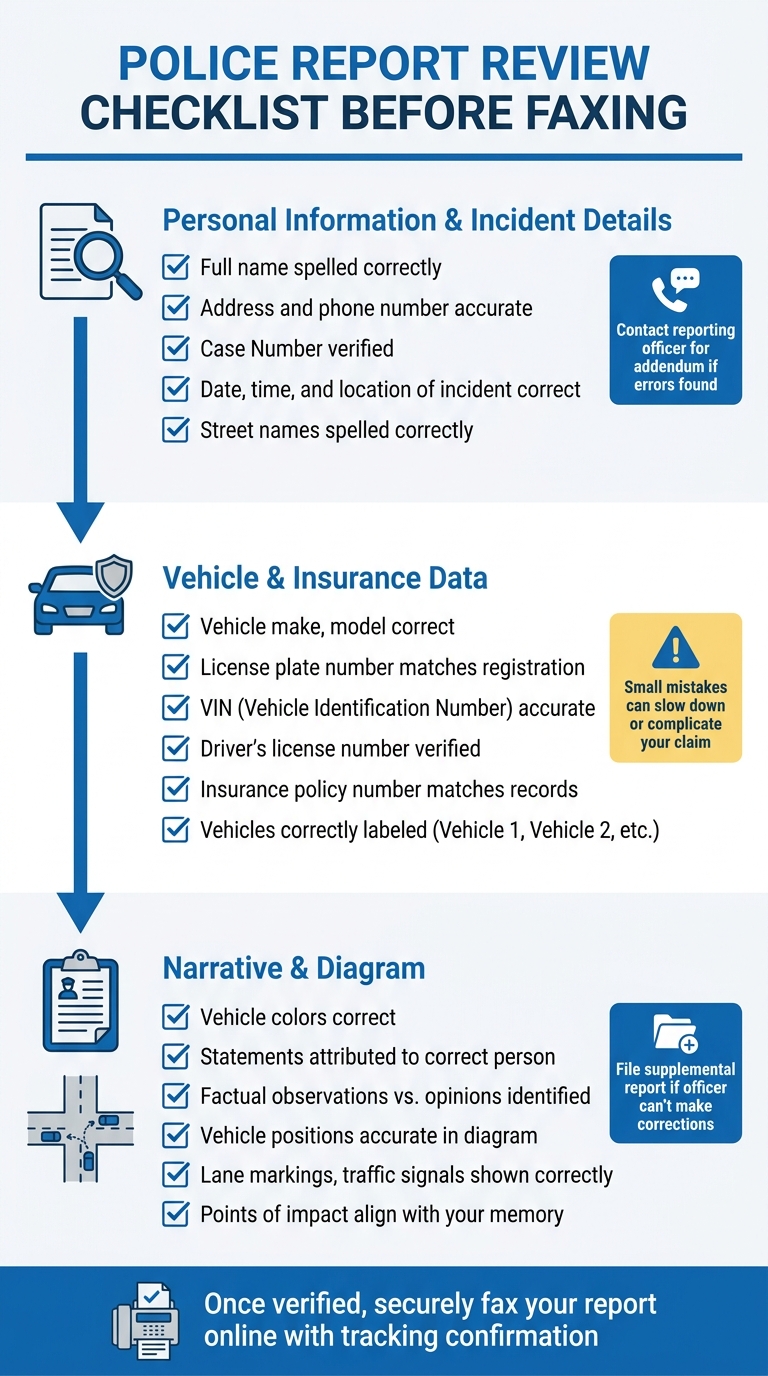
Before sending off your police report, take a moment to ensure everything is accurate. A few extra minutes of review can help you avoid unnecessary delays or disputes. Use this checklist to make sure your report is ready to go.
Confirm Your Personal Information and Incident Details
Start by double-checking the Face Sheet. Is your full name spelled correctly? Is your address and phone number accurate? These details may seem small, but they’re critical. Verify the Case Number too - it’s the key to tracking your report and handling insurance claims. Go over the date, time, and location of the incident. For example, if the report lists "March 15, 2026", but the accident actually happened on March 14, or if the street name is misspelled, make a note of it. Contact the reporting officer to request an addendum if you spot any errors [1].
Double-Check Vehicle and Insurance Data
When it comes to traffic accidents, the vehicle and insurance details must be spot-on. Check that the vehicle make, model, license plate number, and VIN (Vehicle Identification Number) match your registration. Then, confirm that the driver's license number and insurance policy number listed align with your records. Even a small mistake here could slow down or complicate your claim [1]. Also, verify that individuals are correctly linked to their vehicles - police reports often label cars as "Vehicle 1", "Vehicle 2", etc., so ensure these designations are accurate [3].
Read Through the Narrative and Diagram
Carefully review the officer's narrative for factual errors. Look out for incorrect details like vehicle colors, statements attributed to the wrong person, or other inaccuracies. Pay attention to the difference between the officer’s factual observations and their conclusions or opinions.
Next, examine the scene diagram. Does it correctly show vehicle positions, lane markings, traffic signals, and points of impact? If you notice any mistakes, reach out to the reporting officer for corrections. If they can’t make changes, consider filing a supplemental report [1].
Once everything checks out, you’re ready to securely fax your verified report online.
Why You Should Review Your Police Report Before Sending It
A police report is the backbone of your insurance claim and legal case. Both insurance adjusters and attorneys rely heavily on it to determine fault and confirm key details. Even small mistakes in this document can lead to significant delays and complications.
"Insurance adjusters... use the police report as a primary document to determine fault and assess the value of an insurance claim. They often give significant weight to the officer's narrative and conclusion." – US Law Explained [1]
These errors, though they might seem minor, can create serious administrative challenges. For example, clerical mistakes could delay your claim or cause problems with matching records. Similarly, inaccuracies about the location of the incident could alter the applicable traffic laws, potentially sparking lengthy liability disputes [2].
Taking the time to carefully review the officer's narrative and the scene diagram is essential. These elements shape how your case is perceived. Errors in the narrative, such as incorrect details about injuries or misinterpretations of events, can lead to reduced insurance payouts or even appeals. For instance, if the officer records "denied injury" because adrenaline masked your pain at the time, insurers might later question injuries that appear 24 to 72 hours after the accident. Even something as small as a mischecked box in the "Contributing Factors" section - like "unsafe speed" or "failure to yield" - can result in an incorrect fault determination [2].
"The information in a police report can have a major impact on your case, so it is vital to obtain a copy and correct any errors through a supplemental report." – US Law Explained [1]
How to Fax Your Police Report Online
Scan and Save Your Report as a PDF
Police reports are often printed on legal-size paper (8.5 x 14 inches), which is larger than standard letter size. If you're using a physical scanner, make sure to select the legal-size option to avoid cutting off any part of the document [4].
If you're scanning with your phone, many mobile scanning apps make this process easy. They automatically detect the edges of the document, fix the perspective, and remove unwanted shadows. For the best results, place the report on a dark, flat surface and keep your phone steady while scanning [4].
"Use 300 DPI for most text based legal documents. This gives clear results without creating very large files." – Smallpdf [4]
Set your scanner or app to at least 300 DPI for text clarity. If your report includes faint seals or handwritten notes, consider increasing the resolution to 600 DPI [4]. Save the scanned file as a PDF, which is the standard format for faxing and ensures that the document's layout stays intact across systems [4]. Once saved, you're ready to move on to choosing your online fax service.
Pick an Online Fax Service
For occasional use, a pay-per-fax service like OneFaxNow is a convenient option. Their pricing is straightforward: $3.50 for 1–10 pages and $5.00 for 11–50 pages, with no need to create an account. If your report contains sensitive medical details, such as injury information, you can add HIPAA mode for an extra $3.00 or $5.00. This allows you to send a HIPAA-compliant fax online with a Business Associate Agreement (BAA) generated instantly.
You'll also get a real-time tracking link and an email confirmation once all pages are successfully received by the fax machine. Payment is only processed after successful delivery. Once you’ve chosen a service, you’re ready to send and track your fax.
Send Your Fax and Track Delivery
Upload your PDF to the fax service, enter the recipient's fax number (such as your lawyer’s or insurance adjuster’s office), and include a cover page. Be sure to add your name, case or claim number, and the recipient's details to make it easier for the report to reach the right person.
After completing the checkout process via Stripe, you'll receive an email with a unique Fax ID and a tracking link [5]. Most faxes are delivered within minutes, and if the recipient's line is busy, the service will retry up to three times [6].
"We provide a digital 'handshake' confirmation the moment the receiving machine accepts all pages" – OneFaxNow [6]
The tracking link allows you to see exactly when your police report has been delivered, giving you peace of mind that your insurer or attorney has received it. Keep the 20-character Fax ID for your records and for tracking purposes.
Conclusion
A police report isn't just another piece of paperwork - it’s the foundation insurers and lawyers use to determine who’s at fault, calculate claim values, and build your case. Double-check crucial details like your name, the incident date and time, and the accuracy of the narrative to prevent unnecessary delays or misunderstandings. According to industry experts, even small errors can create big problems when it comes to ordering medical records (which requires following strict HIPAA requirements) or filing insurance claims.
If you find an error, ask the police department for a supplemental report to correct the record. Once everything is accurate, the next step is to securely fax the report online. Services like OneFaxNow make it easy with features like detailed tracking, automatic retries, and payment only after successful delivery - no account required.
For reports that include injury details or other sensitive information, consider using HIPAA mode for added security and instant BAA generation. Whether you’re filing an insurance claim or working with a lawyer, having a verified police report ensures your case starts on solid ground.
Send your verified report through OneFaxNow for secure, real-time delivery. For sensitive details, HIPAA mode provides the extra layer of protection you need.
FAQs
How do I decode the abbreviations and codes in my police report?
Police reports are filled with abbreviations and codes that are unique to law enforcement. While some terms, like disturbance (used to describe a fight), are pretty straightforward, others can be harder to decipher. If you come across codes or terms you don’t recognize, it’s a good idea to learn the common ones or consult someone who can explain them. This way, you can make sure you’re interpreting the report correctly before sharing it with your insurance company or legal team.
Can I correct a police report after it’s filed, and how?
Yes, it's possible to correct a police report after it's been filed, but how you do this depends on the nature of the error and the rules of the jurisdiction. For minor issues - like a misspelled name or an incorrect date - you can usually address these by reaching out to the law enforcement agency directly. However, for more substantial corrections, you might need to provide supporting evidence or submit a formal request. Be sure to review the specific procedures of the police department to make sure the updates are handled properly.
What’s the safest way to fax my police report with sensitive details?
The best way to fax your police report securely is by using a secure faxing service equipped with features like encryption, delivery retries, and tracking. Look for services that offer HIPAA compliance and the option to sign a Business Associate Agreement (BAA) for an extra layer of protection. Before sending, double-check the recipient’s fax number, make sure their machine is prepared to receive the fax, and rely on tracking to confirm successful delivery. Avoid using unencrypted methods to keep your information safe.