Building a Fax-Based Paper Trail for Insurance and Legal Disputes
Timestamped fax reports and audit logs provide legally accepted proof of delivery for insurance claims, appeals, and court filings.
Building a Fax-Based Paper Trail for Insurance and Legal Disputes
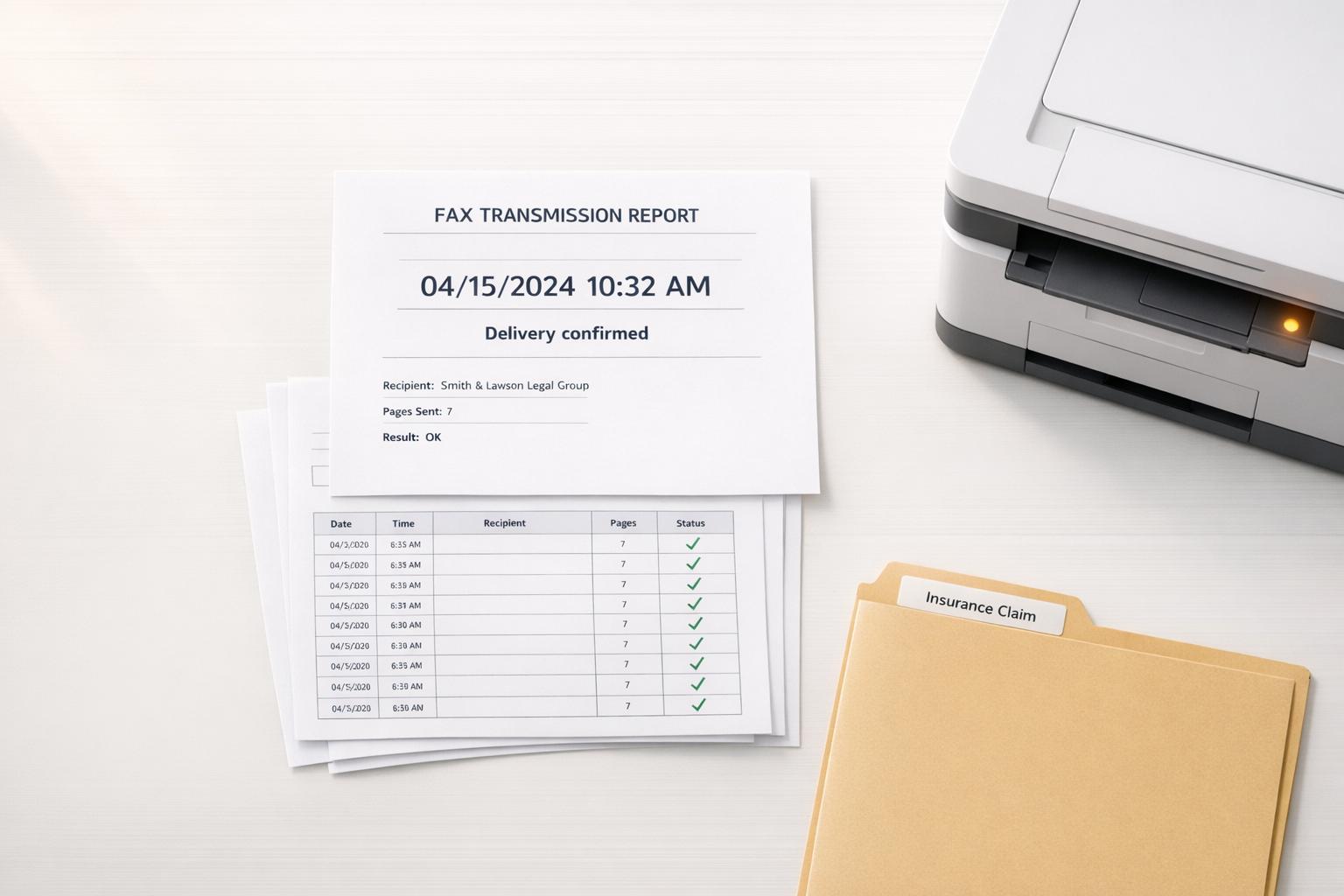
Need proof that your documents were received? Faxing is still one of the most reliable ways to create a legally recognized paper trail. Whether you're handling an insurance appeal, a legal filing, or a government deadline, fax transmission reports with an "OK" status can serve as solid evidence of delivery. Unlike email, fax logs are standardized and widely accepted by courts, the IRS, and other agencies.
Key Takeaways:
- Why Fax Works: Fax confirmation reports are legally accepted as proof of delivery, shifting the burden of proof to the recipient.
- What You Need: A timestamped report showing date, time, recipient number, status ("OK"), and page count.
- Best Method: Top online fax services offer digital records, automatic retries, and delivery transparency - ideal for legal and insurance workflows.
- Organizing Records: Save all confirmations and audit logs to strengthen your case.
Faxing remains a dependable option when deadlines and compliance are critical. Stick to verified numbers, use clear cover sheets, and always save your proof of transmission.
How Fax Logs and Confirmations Support Your Case
Fax has long been trusted for its reliability in legal matters, but detailed logs and confirmations take it a step further by providing solid proof that can strengthen your case.
Legal and Insurance Standards for Proof of Notice
In the U.S., "proof of notice" is a critical component in legal and insurance processes, especially for insurance claims and appeals. Courts, government agencies, and insurance companies accept fax transmission reports as valid proof of delivery. These reports come with standardized, verifiable statuses, making them legally reliable.
"A positive transmission report has important legal significance: it shifts the burden of proof." - FaxMonkey [1]
A transmission report marked "OK" is more than just a delivery confirmation - it shifts the responsibility of proof to the other party. For example, if an insurer claims they didn’t receive your appeal, a timestamped "OK" report sent to their official fax number is far harder to dispute than an email conversation. This principle also applies to court filings, IRS communications, and submissions to the SSA, where strict deadlines mean having solid, second-level proof can be the deciding factor.
What a Defensible Fax Paper Trail Looks Like
To make the most of fax's legal advantages, your documentation needs to be thorough and audit-ready. Incomplete confirmations won’t hold up in disputes. Here's what a solid fax paper trail should include:
| Element | Why It Matters |
|---|---|
| Date and Time | A precise timestamp ensures compliance with deadlines. |
| Recipient Number | Confirms the exact number dialed, whether it’s for an insurer, court, or agency. |
| Transmission Status | "OK" or "Delivered" confirms the receiving machine accepted the document, not just that it was sent. |
| Page Count | Ensures all pages were transmitted without errors. |
| Unique Tracking ID | Links the transmission to a specific reference ID for auditing purposes. |
| Audit Log / Event History | Tracks retries, completions, and any changes, ensuring compliance with legal standards. |
When dealing with sensitive or regulated information, such as healthcare data, audit logs are essential to meet legal and regulatory standards. Services like OneFaxNow's HIPAA mode provide additional tools, including detailed audit dashboards and instant Business Associate Agreements (BAAs), ensuring all documentation meets the required standards in one streamlined process [2].
sbb-itb-0df24da
How to Build a Reliable Fax Workflow
Fax Methods Compared: Proof of Delivery for Legal & Insurance Use
Choosing the Right Fax Method
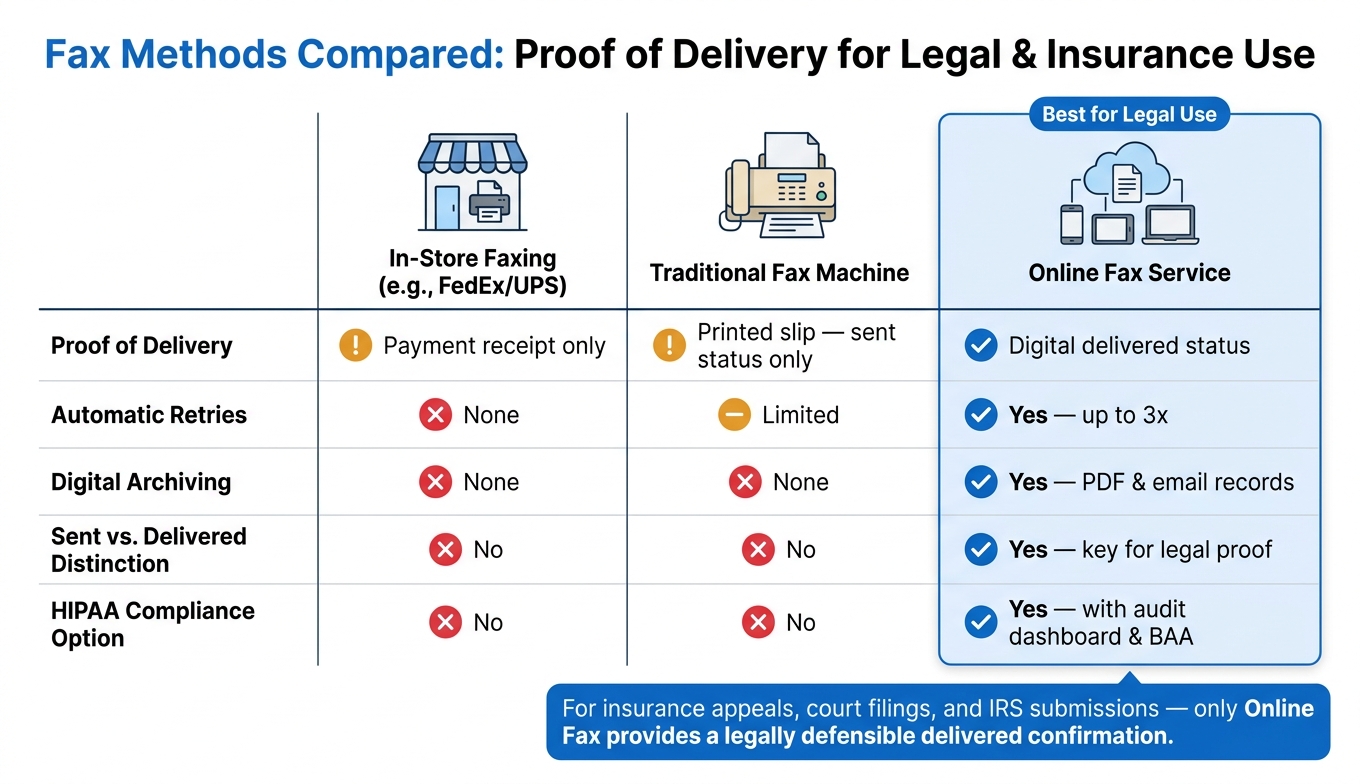
The fax method you choose plays a big role in maintaining a solid paper trail. There are three main options: in-store faxing (like FedEx or UPS), a traditional fax machine, or an online fax service.
- In-store faxing provides a simple payment receipt but no detailed proof of delivery.
- Traditional fax machines generate printed slips showing only a "sent" status, but these slips can fade or get lost over time.
- Online fax services fill these gaps by offering digital confirmation records. These records clearly differentiate between "sent" (data left the system) and "delivered" (the recipient's machine successfully received it) - a key detail for insurance claims or legal filings.
| Method | Proof of Delivery | Automatic Retries | Digital Archiving |
|---|---|---|---|
| In-store (FedEx/UPS) | Payment receipt only | - | - |
| Traditional fax machine | Printed slip ("sent" only) | Limited | - |
| Online fax service | Digital "delivered" status | Yes (up to 3x) | Yes - PDF/email records |
Online fax services clearly stand out as the most reliable option for proof of delivery. Let’s take a closer look at how OneFaxNow simplifies this process.
Using OneFaxNow for Insurance and Legal Faxing
OneFaxNow is a great choice for one-time needs like insurance appeals or court filings. Its pay-per-fax model doesn’t require a subscription or account. Here’s how the pricing works:
- Standard faxing: $3.50 for 1–10 pages, $5.00 for 11–50 pages
- HIPAA mode (for medical or legal documents): $6.50 for 1–10 pages, $10.00 for 11–50 pages
HIPAA mode adds features like a Business Associate Agreement (BAA) and a full audit dashboard. This ensures you send a HIPAA-compliant fax with the necessary legal safeguards. Each transmission gets a unique job ID and tracking link sent via email. Automatic retries (up to 3 times) ensure delivery even if the recipient's line is busy. Plus, you’re only charged if the fax is successfully delivered - no delivery, no charge. The BAA can be executed and downloaded instantly, which is especially useful when compliance documentation is needed urgently.
With delivery transparency handled, the next step is to securely organize and store your fax records.
How to Organize and Keep Fax Records
Once you’ve confirmed delivery, it’s important to organize your records properly. Pair each confirmation with its corresponding document to keep your case file strong. Create a folder for each claim or case, and save the following:
- Confirmation emails
- PDF transmission reports
- Any relevant audit logs (if using HIPAA mode)
This way, if an insurer or opposing party disputes receipt, you’ll have everything you need in one place: the document, recipient number, timestamp, and "delivered" status.
"For healthcare, legal, and government workflows, that confirmation page is a critical compliance record." - FaxDrop Team [5]
For extra security, download the BAA and export audit logs immediately when using HIPAA mode. Keeping all these records organized ensures you're always prepared for any follow-up or compliance checks.
Step-by-Step: Sending Faxes for Insurance and Legal Disputes
How to Prepare and Format Your Documents
Gather all necessary documents into a single packet. For insurance claims, this might include the claim form, denial letters, medical records, and any additional evidence. For legal matters, be sure to include court forms, signed declarations, and any exhibits.
Make sure everything is signed, easy to read, and saved in a supported format, preferably as a PDF. Keep the file size under 20 MB and limit the packet to 50 pages.
If your documents include Protected Health Information (PHI) - like medical diagnoses, prescriptions, or clinical notes - use HIPAA mode to ensure encrypted transmission. This also provides a Business Associate Agreement (BAA) for added security.
Don’t forget to include a cover sheet. It should clearly state the sender’s information, the recipient’s details (including department), and the claim or case number.
Finally, double-check the recipient’s fax number to avoid delivery issues.
How to Confirm You Are Sending to the Right Number
Sending your fax to the wrong number could invalidate your legal proof. Here’s how to find the correct fax number:
| Recipient Type | Where to Find the Official Fax Number |
|---|---|
| Insurance Carriers | Claim forms, provider manuals, or member/provider portals [2] |
| Government Agencies | Instructions on specific forms (e.g., IRS Form SS-4) or local directories [3] |
| Courts | Local court rules or the clerk of court's official website [3] |
| Healthcare Providers | Prior authorization forms or referral instructions [3] |
Always double-check the fax number using at least two sources. For insurance, note that different departments often have separate fax numbers. A number used for general inquiries might not work for appeals or claims. When dealing with court filings, review local rules carefully - some federal courts mandate e-filing and only allow faxing under specific conditions.
When entering the number into OneFaxNow, ensure U.S. numbers are 10 digits (or 11 with a leading 1). The service auto-formats the number to help prevent mistakes [2].
Once confirmed, move on to saving proof of transmission.
How to Save Proof of Transmission
After sending your fax, save the confirmation immediately. This confirmation should include the recipient’s fax number, the date and time, the total page count, and a "delivered" status - not just "sent" [1][5].
If you’re using OneFaxNow, you’ll receive a status email after each transmission. This email includes a unique job ID and a tracking link you can access anytime. Be sure to download and store the "delivered" PDF transmission report with your case documents.
For HIPAA mode transmissions, export and save the audit log as well. The log documents every action in the transmission process (e.g., created, sent, retried, completed) and can be saved as either a CSV or PDF file [2].
Keep any failure reports as evidence of your attempts to send the fax on time.
Conclusion: Why a Fax-Based Paper Trail Works
When someone claims they didn’t receive a document, a fax log can prove otherwise. A transmission report showing an "OK" status not only confirms the document was sent but also shifts the legal burden of proof. As FaxMonkey explains:
"A positive transmission report has important legal significance: it shifts the burden of proof. That means if you have a transmission report with OK status, it is presumed that the document reached the recipient." [1]
This legal recognition makes fax confirmations particularly reliable. Courts and government agencies have accepted fax confirmation pages as proof of service for decades [4]. That’s why faxing remains a dependable choice for critical tasks like insurance claims, appeals, and legal filings - especially when strict deadlines are involved.
The strength of your paper trail often depends on the method you use to send documents. Unlike fragile thermal printouts, digital confirmations are durable and easy to store. Services like OneFaxNow add even more reliability by retrying busy lines up to three times, charging only for successful deliveries, and providing exportable audit logs in formats like CSV or PDF [2]. For sensitive documents containing Protected Health Information (PHI), their HIPAA mode includes instant BAAs and a full audit dashboard, with pricing starting at $6.50 for 1–10 pages [2].
Creating a reliable fax-based paper trail doesn’t have to be complicated. Stick to these four steps: send to a verified official number (such as when you fax medical records), include a clear cover sheet, confirm a "Delivered" status, and save your transmission report. By following this process, you can ensure your documentation holds up in any dispute.
FAQs
Does an "OK" fax report prove they received it?
An "OK" fax transmission report is generally recognized as legal proof of successful delivery. This report includes key details like the date, time, recipient's fax number, and the transmission status. It shifts the burden of proof to the recipient, requiring them to demonstrate that the document was not received. In legal or administrative disputes, this timestamped and tamper-resistant record serves as a dependable way to verify that documents were submitted on time.
What details must a fax confirmation include to hold up in a dispute?
To ensure validity in a legal or insurance dispute, a fax confirmation should clearly show the following details:
- Status: Confirmation that the fax was successfully sent, such as "OK" or "Successful."
- Timestamp: The precise date and time the fax was transmitted.
- Recipient Information: The verified fax number the document was sent to.
- Page Count: The total number of pages included in the transmission.
- Transmission Duration: How long the fax took to send.
Maintaining an audit log can provide additional evidence if required.
What should I do if the fax shows 'sent' but not 'delivered'?
If your fax shows as 'sent' but not 'delivered,' it typically means the transmission is still underway or the recipient's line is currently busy. OneFaxNow will automatically attempt to resend the fax up to three times. You can monitor the progress on your status page. If all retries fail, you'll receive an email notification, and you won’t be charged for the attempt. Double-check the recipient's fax number to make sure it’s correct.